
The spreadsheet three people keep updating, turned into software.
Custom software for Toronto businesses, written by our own engineers at 1050 King Street West.
- Everything in writing in three business days
- Live in three to five months
- You own the code and the live setup
What you get
In a browser, on a phone, or only for your staff.
01
Software in a browser
Staff logins, a customer area, a control panel, and connections to the other tools you already use. It opens in a browser, so there is nothing to download and no App Store approval to wait for.
02
An iPhone app
Written for the phone itself: push notifications, working with no internet, paying inside the app. We send it to Apple and handle the review. More on the iPhone app page.
03
Software your staff use
One place for the information instead of six, a record of who changed what, and control over who sees it.
The tools and services we build on are listed on the stack.
How long
From the call to live.
About three to five months, depending on the size of the build.
- 01 The first call, then everything in writing The list of screens and the name of the engineer building it. Nothing is built until you have it. 3 business days
- 02 Screens drawn, the plan agreed How your information is stored, every screen, the other tools it connects to, and who is allowed to see what. All agreed before we build. 2 weeks
- 03 Building, and you watch it happen Eight weeks for a browser build, sixteen for a phone app. You see each piece as it is finished. 8 to 16 weeks
- 04 Testing, then Apple if there is an app We test it on real devices and check that it is secure. If there is an iPhone app, we send it to Apple. 2 weeks
- 05 Live, and handed to you We switch it on for real. Then we hand you the code, the settings and the live setup it runs on. 1 week
Proof
Software we run ourselves.
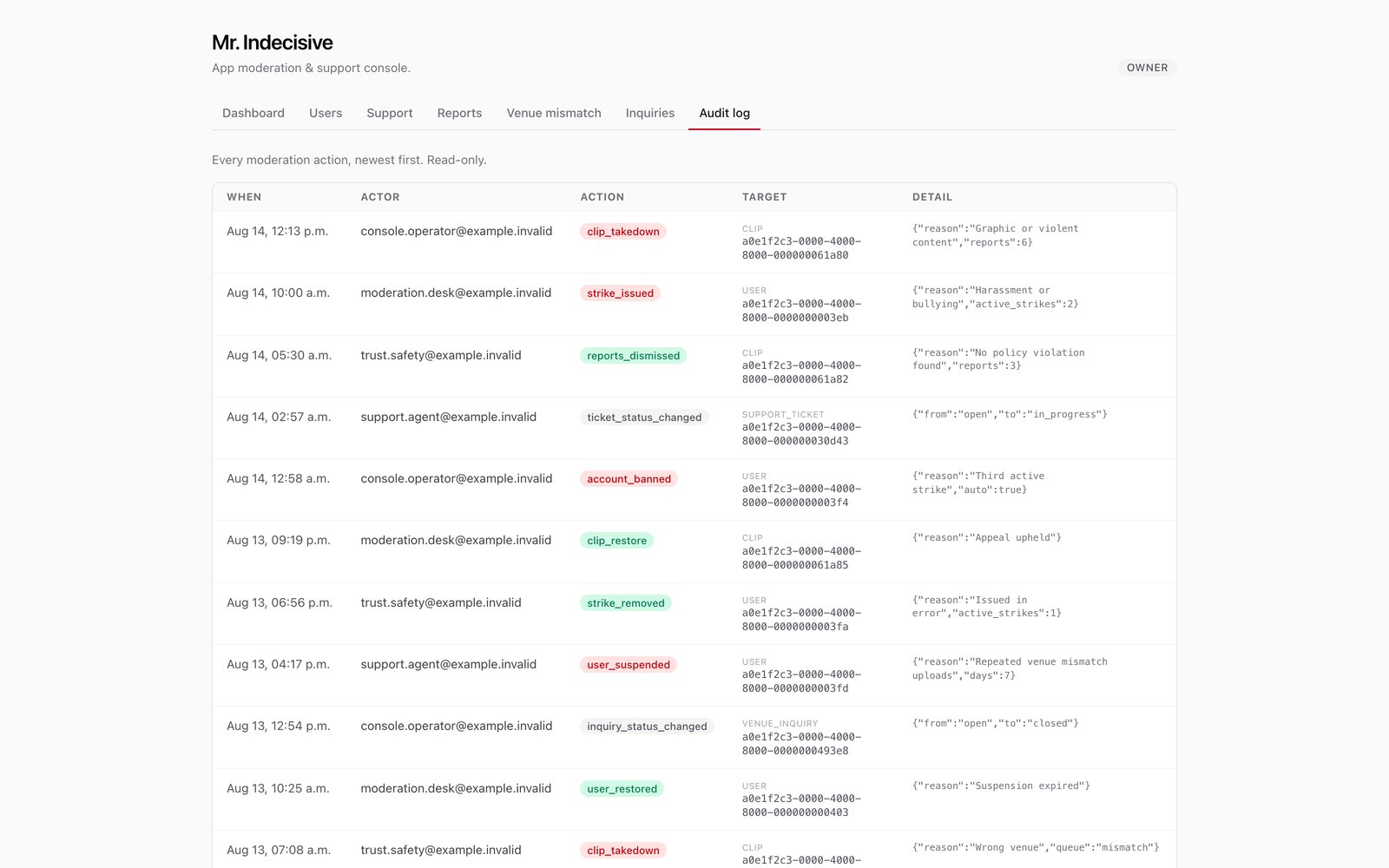
The screens below are from software we built and use here every day. More in the technology portfolio.
Ours · in daily use
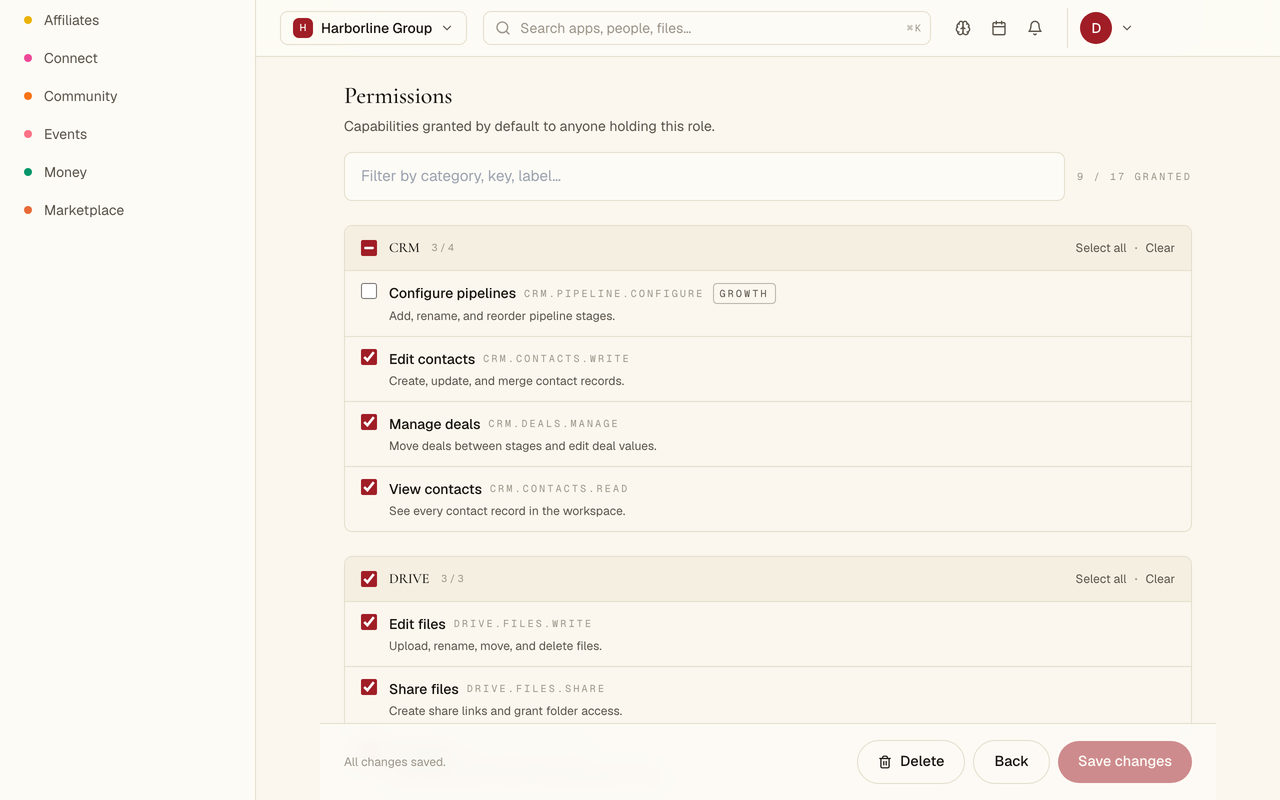
Deciding who is allowed to do what
Permission is given to a job role, not to one person, so a new hire gets the right access on their first day.
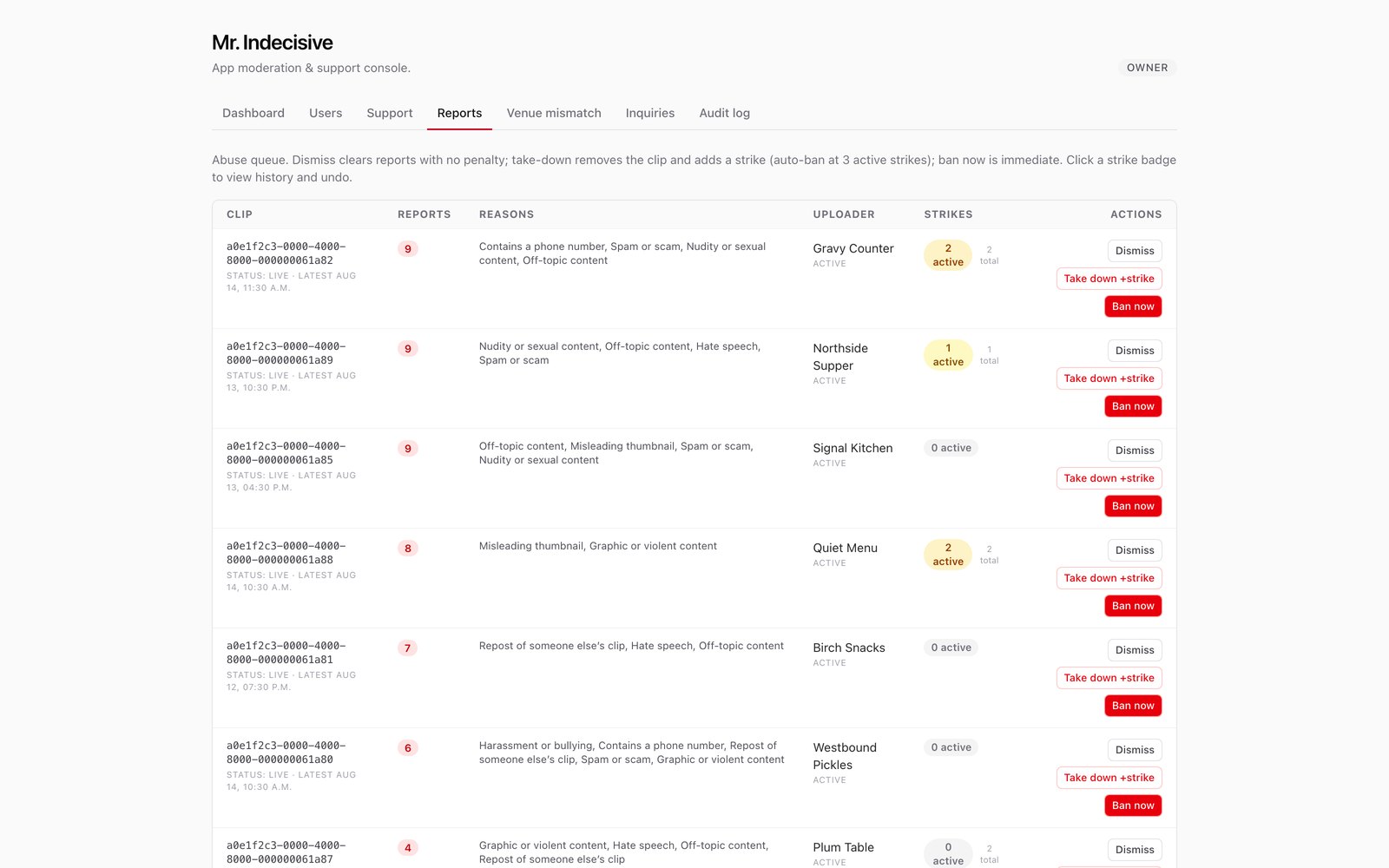
Three buttons, and the rule printed above them: a third active strike bans the account on its own.
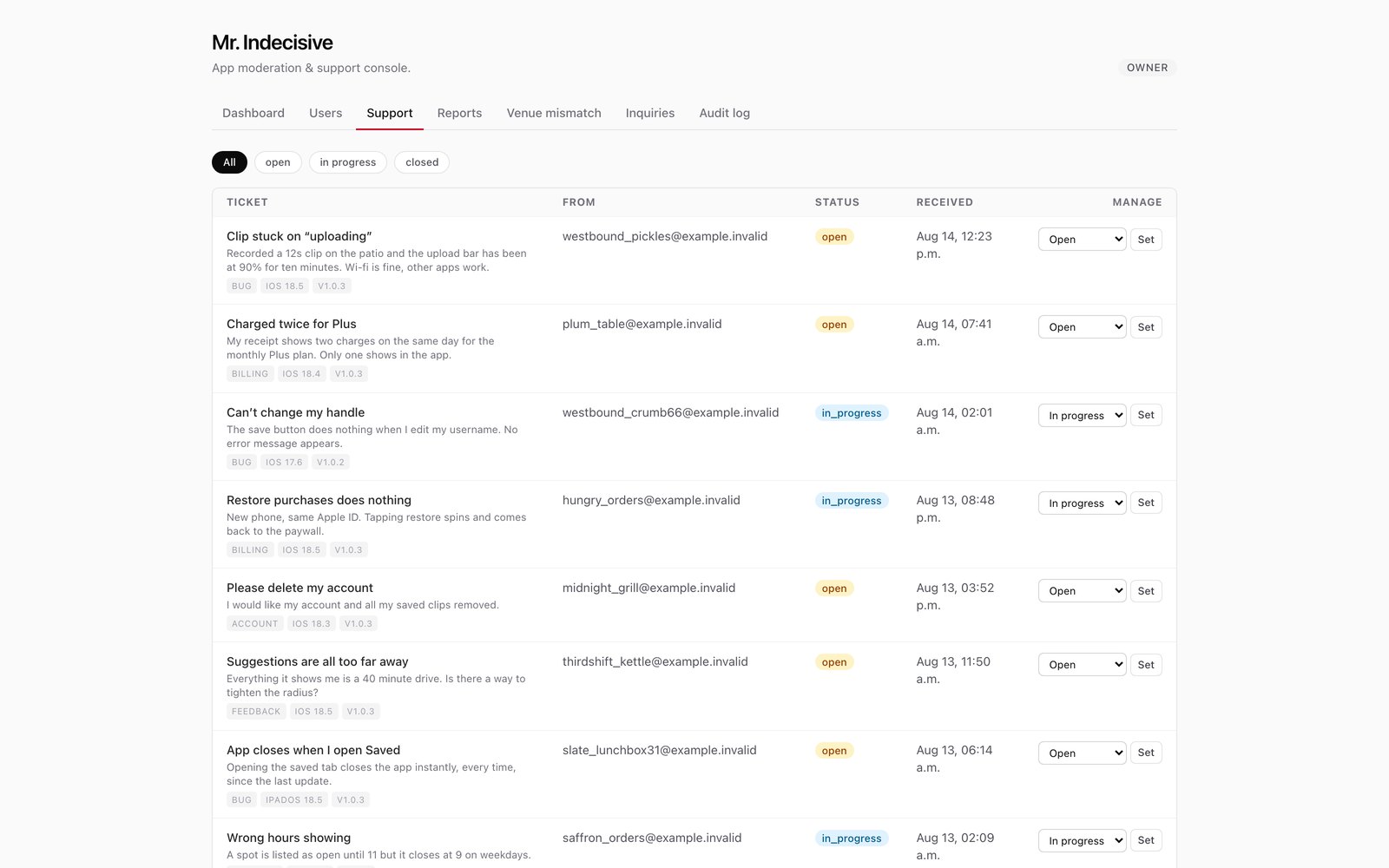
The app version and the phone arrive with the message, so nobody has to write back and ask.
Nothing in this list can be changed after the fact.
01 Who can see which records
Postgres select * from bookings
create policy bookings_own on bookings for select using (user_id = auth.uid() or public.is_admin());
0 rows. The rule blocked every one of them for this visitor.
6 of 6 rows returned · every row is in the table; the rule decides which of them each person gets
The rule lives in the database itself, not in the app. Change who is asking and the rows disappear.
02 Changing the database without breaking it
Postgres supabase migration list
- 0001_init.sql
- 0002_profiles.sql
- 0003_bookings.sql
- 0004_indexes.sql
- 0005_rls.sql
- 0006_audit_log.sql
Every change to the database runs in order, one at a time, and in the same order on every copy of it.
Questions
What people ask first.
Who actually writes it?
Our own engineers, at 1050 King Street West. Stage 01 gives you the name of the engineer building it, and the call itself is with the engineer who would run the build.
What if the work changes as we go?
What we agree in writing sets the scope, and anything beyond it needs your signature first. You see working versions as we go, so a change shows up early.
Do I own the code at the end?
Yes. You own the work, including the source code. We hand it over with the settings and the live setup it runs on.
We normally keep the right to show the work in our own portfolio. That goes in the agreement for each project, so if you need the work kept private, say so before we start.
Book a call
Bring us the process, and we will build one screen of it.
Thirty minutes with the engineer who would run the build.
After the call
The Working Screen: one screen of your process, built for real
Working software on a private link you can open on your own phone, three business days after the call.