
Your online store, built in Toronto.
One team designs the store, connects your payments and shipping, and takes the product photographs. We put a real order through it before it goes live.
Tell us what you sell and how you ship it. The first stage is your product list and the plan in writing, and it takes two business days.



Every page is drawn before a line of code is written
What you get
Everything between the product page and the receipt.
We build every screen your customer goes through to buy.
- 01Product page
- 02Cart
- 03Address and shipping
- 04Payment
- 05Confirmation and receipt
01
Design and build
We draw each page before we build it, then write the code by hand. You watch it come together on a private link you can open on your own phone.
02
Payments and shipping
Your payment provider, your shipping and your tax rules, tested with a real order.
03
Product photography
A full day shooting your products, editing included. The store goes live with pictures of what you actually sell.
How long
From the call to the first real order.
Every stage goes in the written agreement. The launch date is fixed before we start.
- 01 Your product list, and the plan in writing Which pages, which software has to connect, and how your products and their sizes and colours are organised. 2 business days
- 02 Build Your products, the page layouts, payments, shipping and tax, all on a private link you can open at any time. 3 to 5 weeks
- 03 Photography, then your products go in One day shooting your products. Then the pictures, the words, the sizes and the colours go in. 1 week
- 04 Launch and training Your web address points at the new store and old links are forwarded. We place one real order and refund it, then spend an hour showing you how to run it. 3 business days
Five to seven weeks from the first call to launch.
What happens when a customer pays
Stripe PaymentIntent
attached
action
- payment_intent.created · created
- payment_method.attached · requires_confirmation
- payment_intent.requires_action · 3-D Secure
- payment_intent.payment_failed · card_declined
- payment_method.attached · retry
- charge.pending · processing
- payment_intent.succeeded · succeeded
- event
- payment_intent.succeeded
- CAD
- status
- succeeded
- live
The card is offered, the bank may ask the customer to confirm it, and the payment either clears or is declined and they try another one.
- Designed and built at 1050 King Street West
- The plan in writing in two business days
- The launch date fixed before we start
- One real order placed and refunded before launch
Proof
A checkout you can reach right now.
We run our own store. Open it on your phone, put the hat in the cart and go as far as the payment screen.
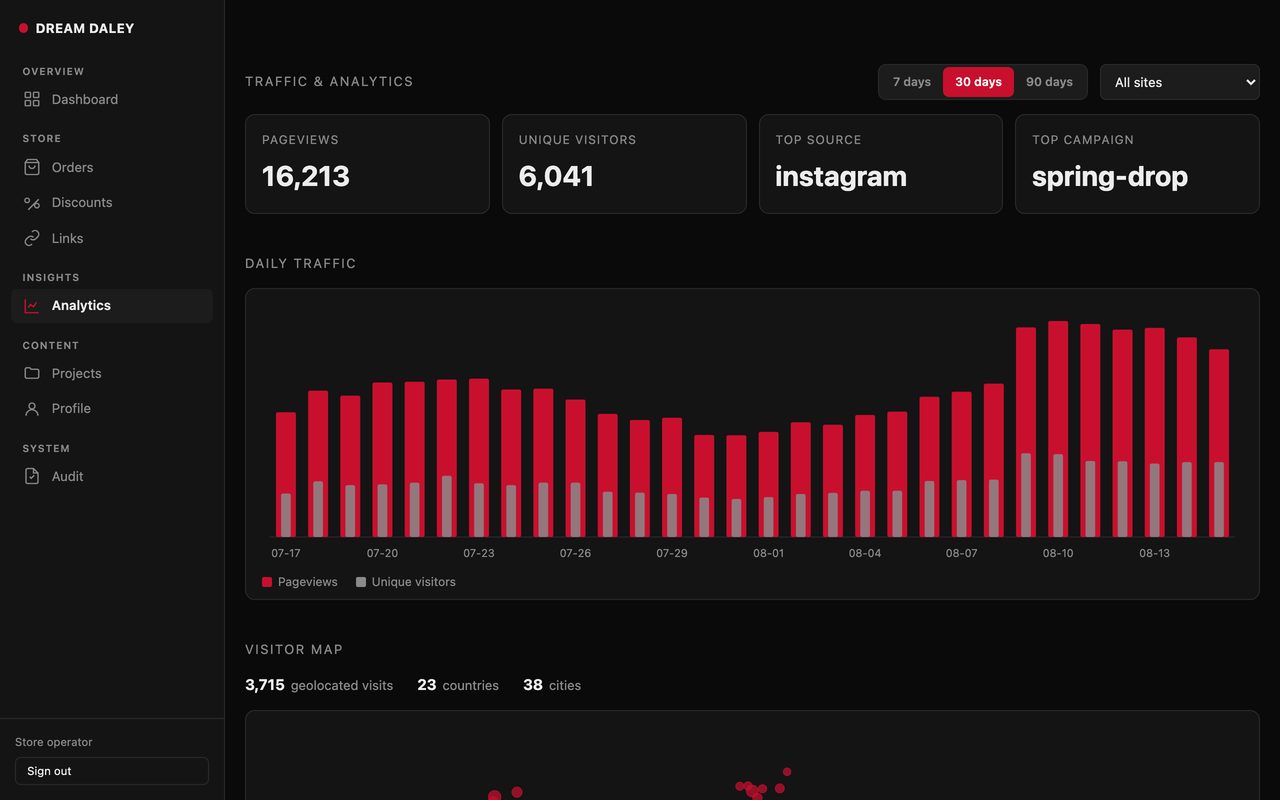
Where your visitors came from sits on the same screen as the orders they produced.
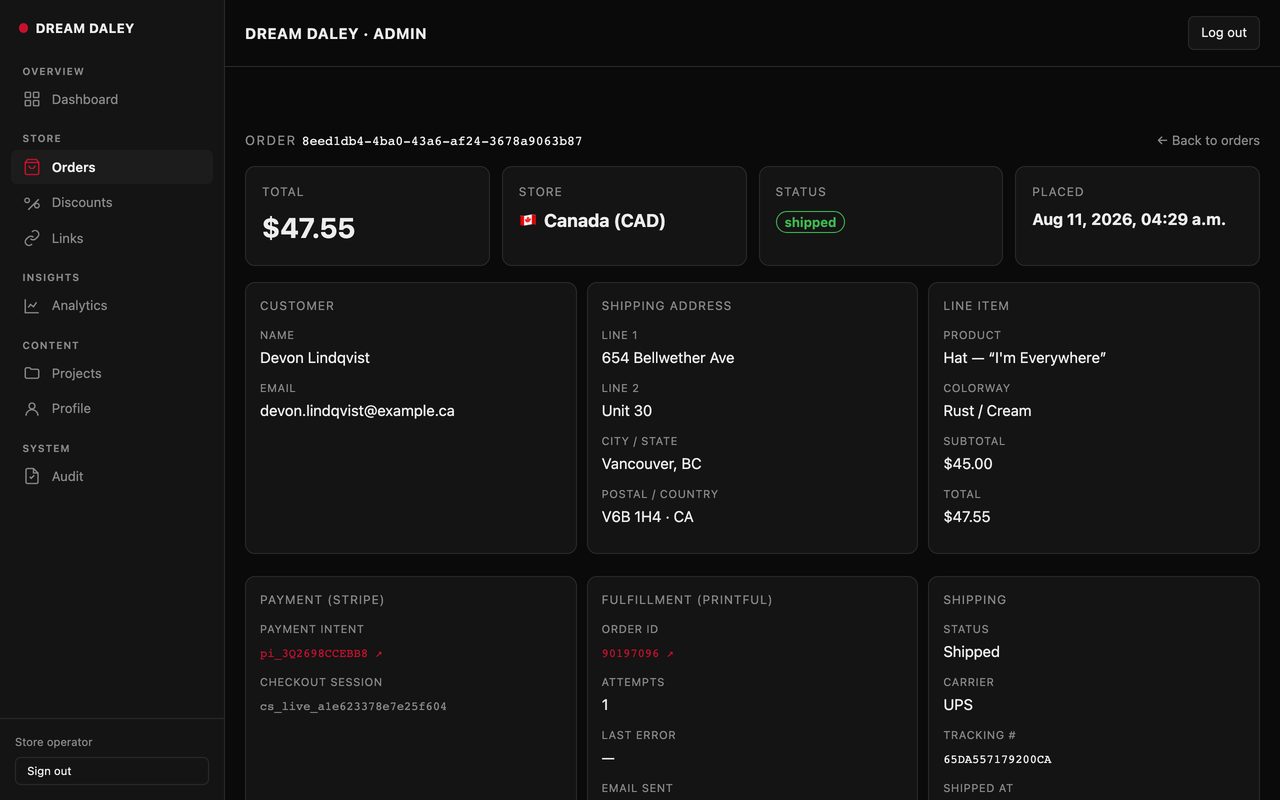
Everything about one order is on one screen, so answering a customer never means opening a second system.
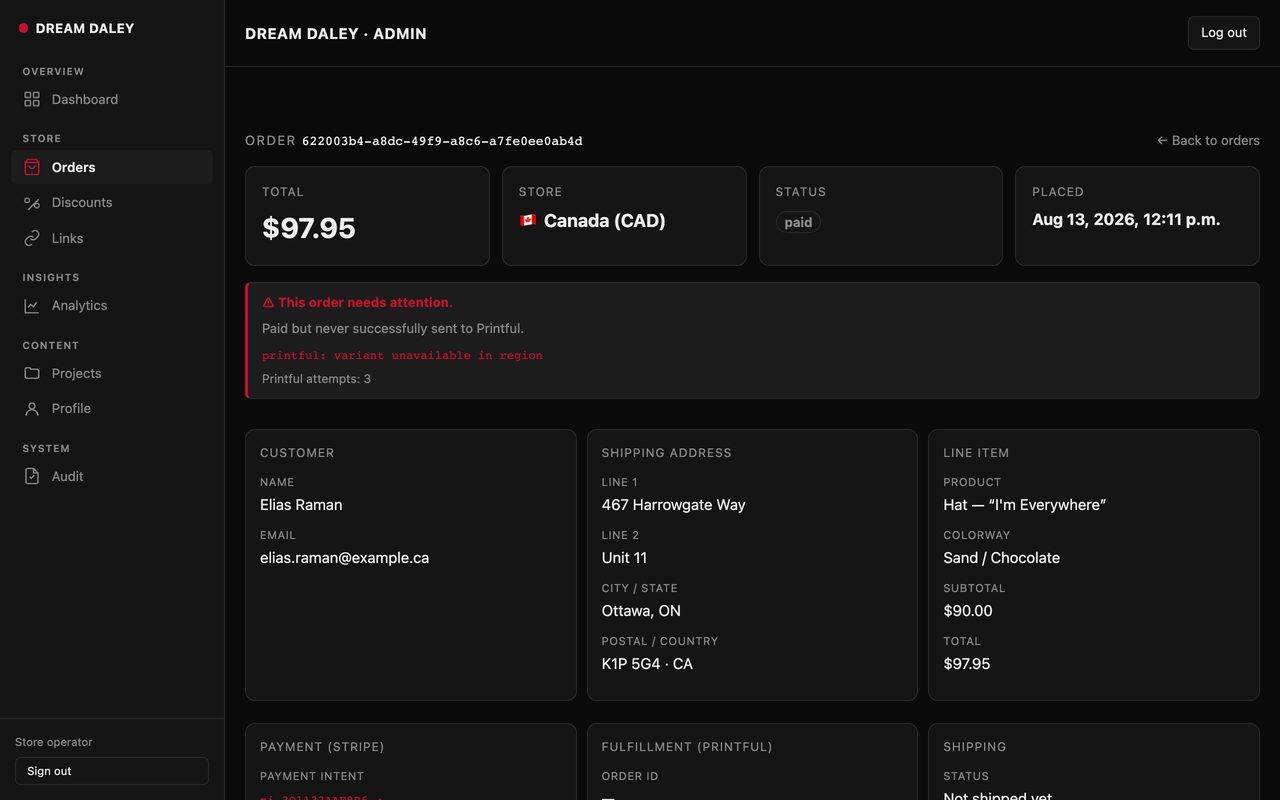
When an order is paid but not shipped, the record says so in red at the top.
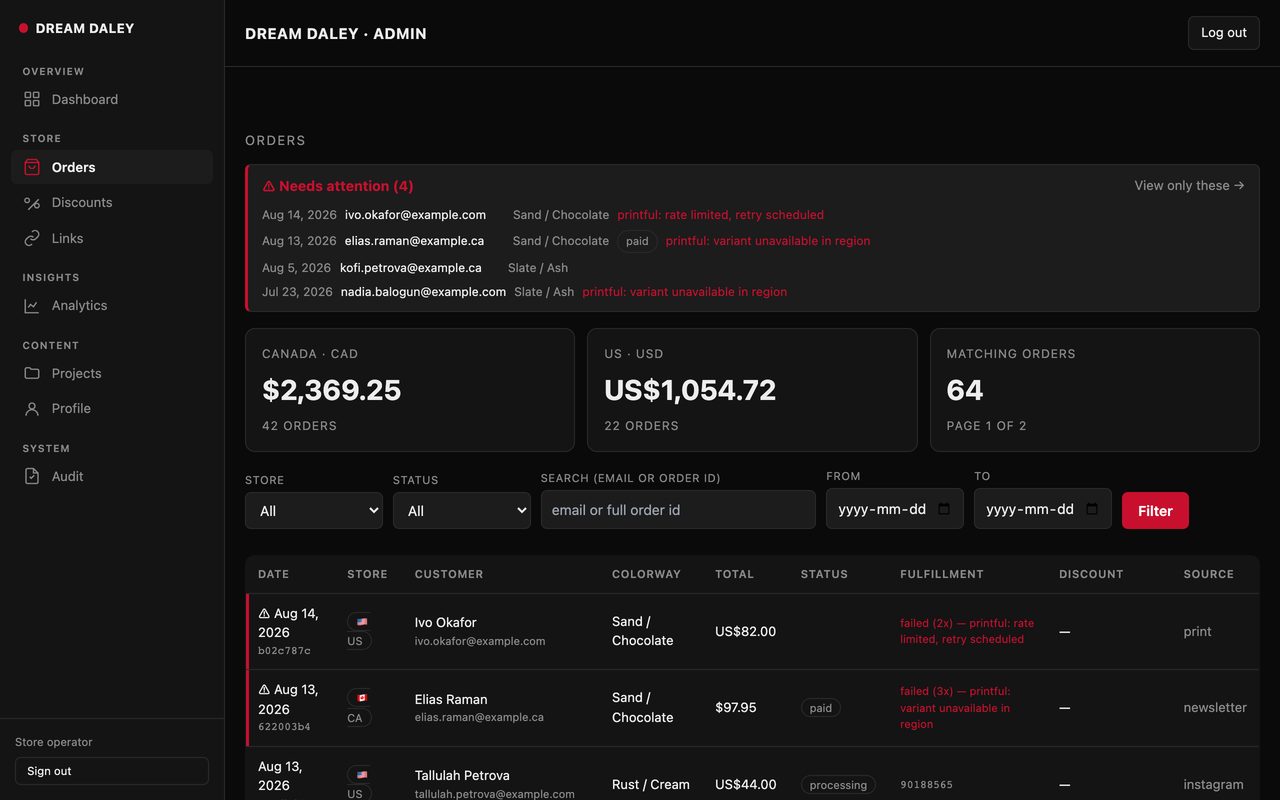
Two currencies, every sales channel and every problem order on one screen, so nothing is found a week late.
Where we are
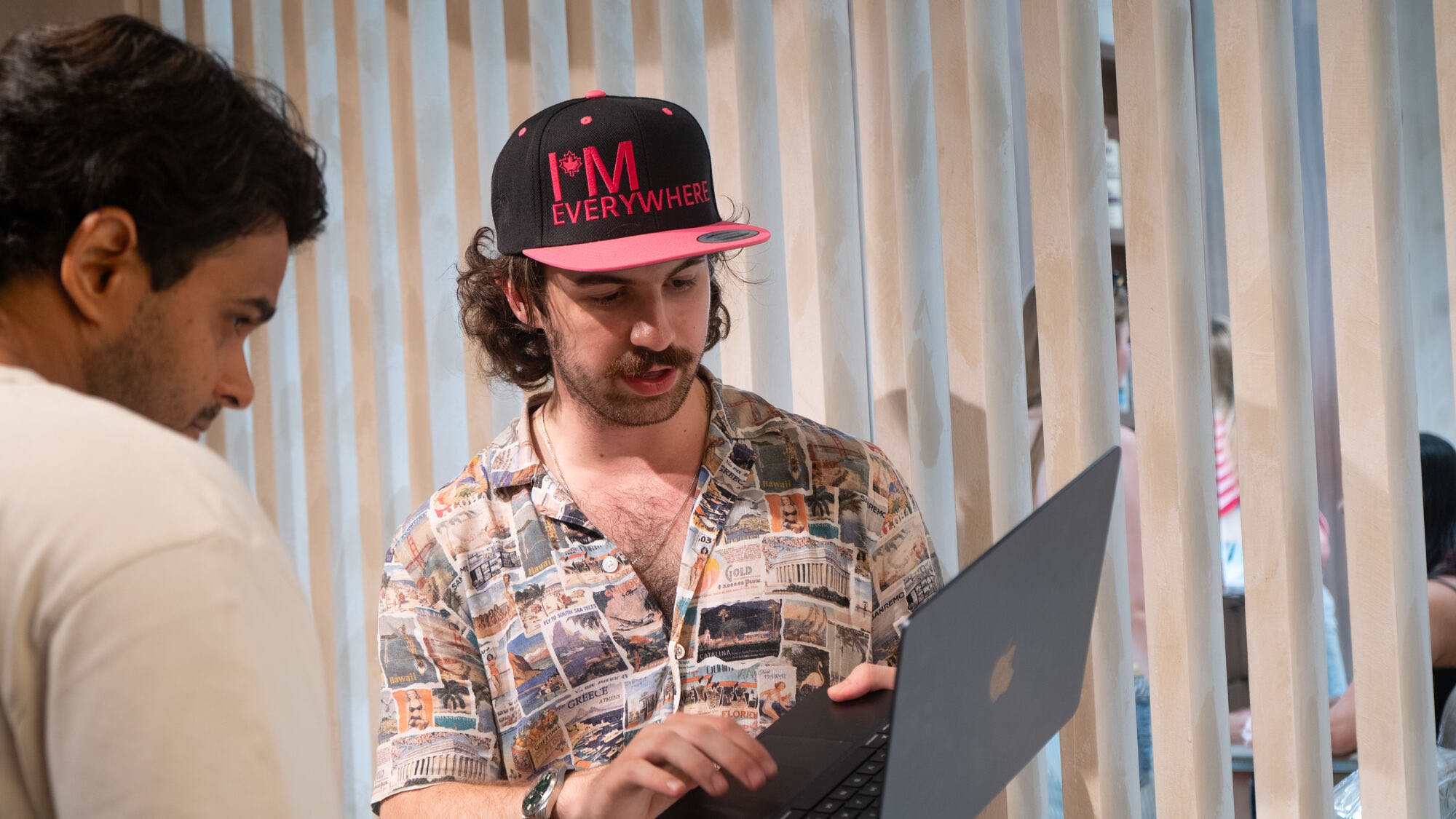
1050 King Street West, Toronto
Everything is made in this room.
Before you call
Three things you can look at now.
Stores and sites we designed and built are in the technology portfolio. The room they came out of is on the office page. What clients said about working with us is on the testimonials page.
The call is thirty minutes with the person who would build your store.
Questions
What people ask first.
Who shoots the product photography?
Our own crew, from the same office as the engineers, for a full day with the editing included.
What is involved in running the store every month?
Hosting keeps the store online, backed up and secure. Management includes hosting, adds software and security updates, and we watch Google Search Console for you.
Card processing is billed to you by your own payment provider.
Do we own the store?
Yes. The code, the content and every account are yours, handed over on the day it goes live. Your payment provider and your web address are in your own name from the start.
Who will actually be working on it?
Our own staff, in Toronto. Nothing is outsourced. One senior engineer plans the work with you and is who you call if something breaks. The team page lists everyone.
Book a call
Send us your store. We will try to buy something from it.
Thirty minutes with the person who would build your store.
On the call
Ten recorded minutes buying from your own store
We buy something from your store on a phone and record it. Where people give up, what the product page does not answer, and every box your checkout asks for that it does not need.