Skip to content
  1. TNAADO
  2. Technology
  3. Technology portfolio

S.00 Technology portfolio

What we shipped.

Camera work is at the media portfolio

S.01 Applications

Our apps.

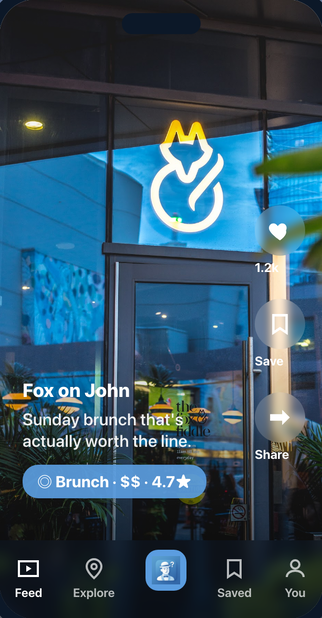
  • Mr. Indecisive on iPhone: a full-bleed photo of a restaurant front at night with its neon sign, the name Fox on John, the line Sunday brunch that's actually worth the line, and a pill reading Brunch, two dollar signs, 4.7 stars

    Live on the App Store

    Mr. Indecisive

    Food & Drink · iOS · TNAADO Inc, Toronto

    Decides where to eat when nobody in the group will.

    Download Mr. Indecisive on the App Store
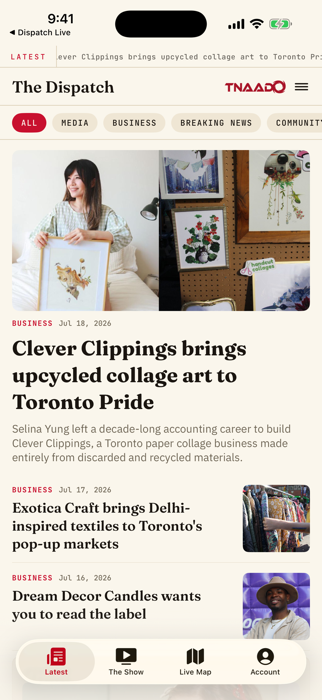
  • The Dispatch on iPhone: a masthead reading The Dispatch over category chips, a lead photo of a woman holding a paper collage, and the headline Clever Clippings brings upcycled collage art to Toronto Pride

    Live on the App Store

    The Dispatch

    News · iOS · TNAADO Inc, Toronto

    Our newsroom as a reader app: stories, a live map, a membership.
    Download The Dispatch on the App Store
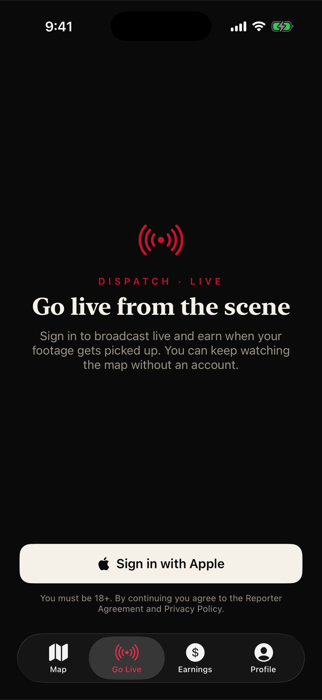
  • Dispatch Live on iPhone: a red broadcast icon over the words Go live from the scene, a note about earning when footage is picked up, a Sign in with Apple button, and a tab bar reading Map, Go Live, Earnings, Profile

    Built, not published

    Dispatch Live

    News · iOS · TNAADO Inc, Toronto

    Go live from the scene. Footage we run pays whoever filmed it.
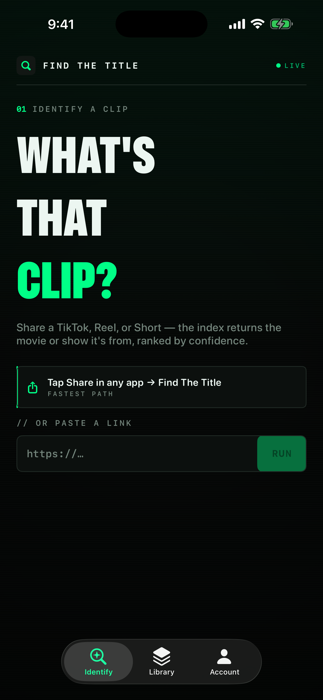
  • Find The Title on iPhone: large type reading What's that clip, a line about sharing a TikTok, Reel or Short, a share-sheet instruction, and a paste-a-link field with a Run button

    Live on the App Store

    Find The Title

    Utilities · iOS · TNAADO Inc, Toronto

    Share a clip; it names the film or show behind it.
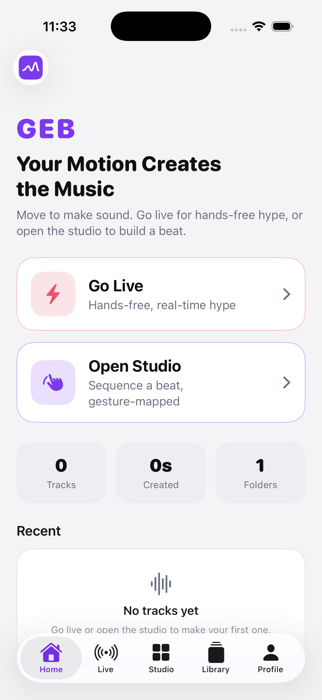
  • GEB on iPhone: the wordmark GEB in purple over the line Your Motion Creates the Music, with two rows reading Go Live, hands-free real-time hype, and Open Studio, sequence a beat gesture-mapped

    Built, not published

    GEB, Gesture Beats

    Music · iOS · TNAADO Inc, Toronto

    Turns hand movement into a beat, read through the phone camera.
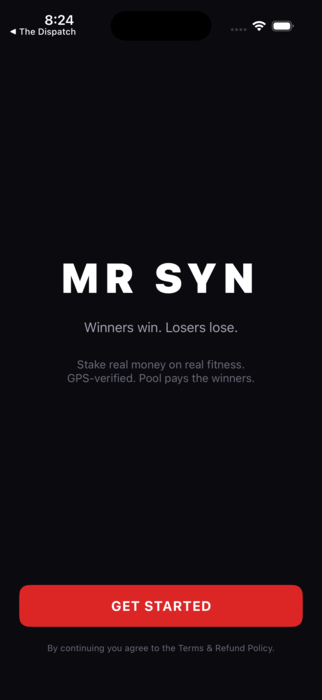
  • Mr Syn on iPhone: the wordmark MR SYN in white on black over the line Winners win, losers lose, a note reading stake real money on real fitness, GPS-verified, pool pays the winners, and a red Get Started button

    Built, not published

    Mr Syn

    Health & Fitness · iOS · TNAADO Labs, Miami

    Stake money on a fitness challenge. GPS verifies who won.
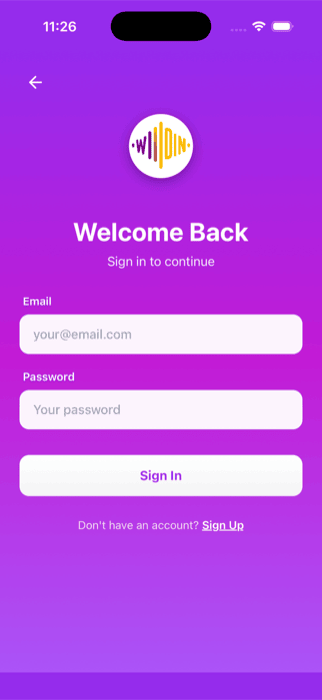
  • Wildin on iPhone: a purple gradient sign-in screen with a circular waveform mark, the words Welcome Back, sign in to continue, email and password fields and a Sign In button

    Built, not published

    Wildin

    Lifestyle · iOS · TNAADO Labs, Miami

    A night out already planned and paid for.
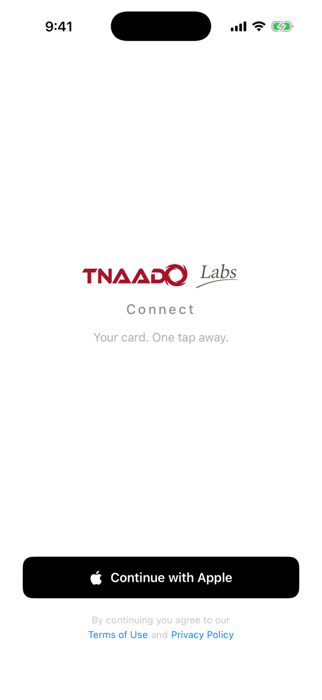
  • TNAADO Connect on iPhone: a white sign-in screen with the TNAADO Labs lockup, the word Connect, the line Your card, one tap away, and a black Continue with Apple button

    Built, not published

    TNAADO Connect

    Business · iOS and web · TNAADO Labs, Miami

    A shareable business card, with the lead record behind it.
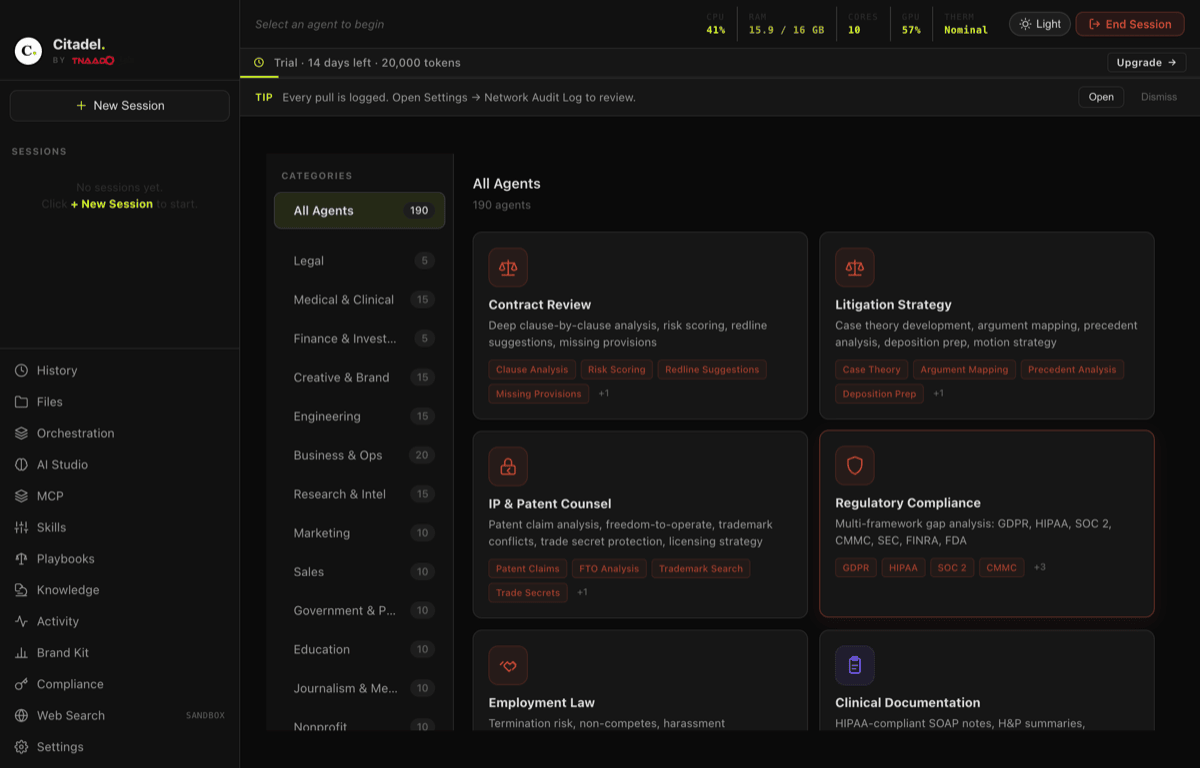
  • Citadel on a Mac: a dark desktop application headed All Agents with 190 agents, a category rail listing Legal, Medical and Clinical, Finance, Engineering and more, and agent cards for Contract Review, Litigation Strategy and Regulatory Compliance

    Built, not published

    Citadel

    Business · macOS, not iOS · TNAADO Labs, Miami

    Runs language models on your own machine, so nothing leaves it.

01 From brief to the App Store

Swift one app, brief to store

The briefOne screen. A person opens it, sees what is near them, and picks. Nothing else on the screen.

Near you
Pick in one tap What is near you, ranked. Nothing else on the screen.
  1. BriefWhat it is for, before anything is drawn.
  2. WireframeEvery screen drawn before a line of code.
  3. BuiltNative, on a device, with your content wired in.
  4. On the storeScreenshots, listing, review, live.

iOS app development

TNAADO Labs is our sister firm in Miami. Same engineers, separate company. About Labs

S.02 Sites and stores

Sites and stores.

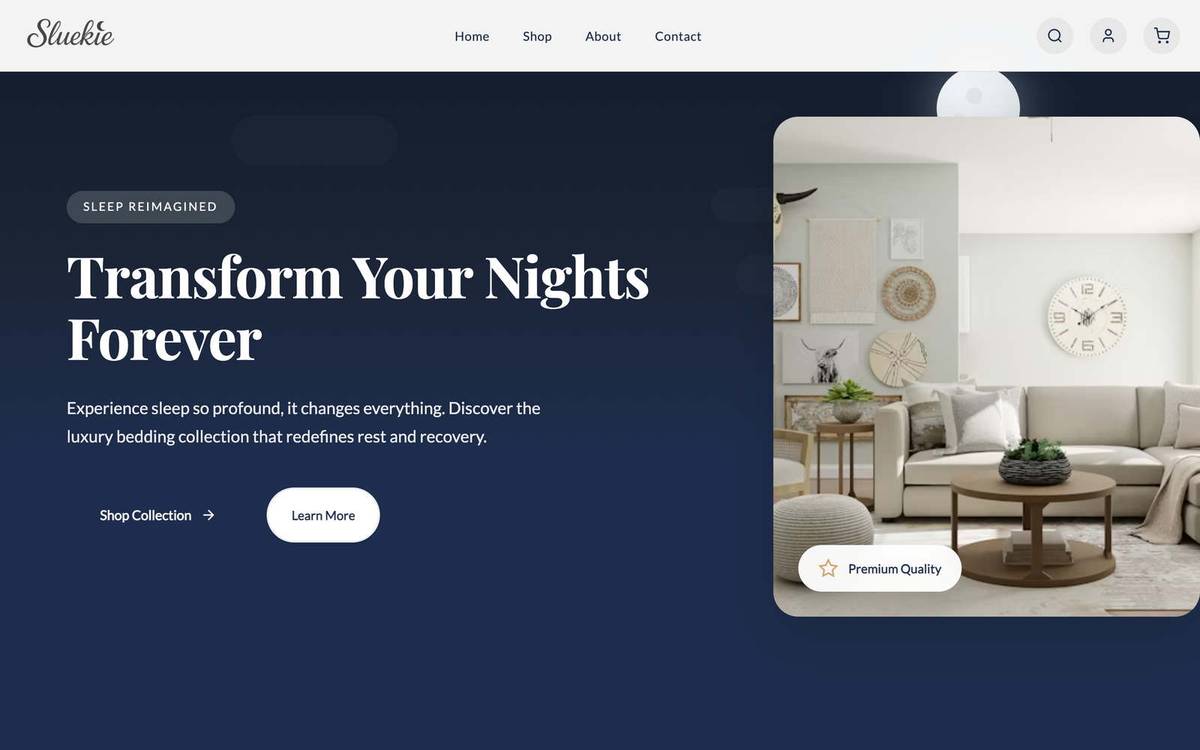
  • SLUEKIE
    SLUEKIE: built by TNAADO

    01Brand

    SLUEKIE

    Luxury Home & Textiles · launching soon

    Silk bedding and textiles, made for better sleep.

    sluekie.com

  • Buuiteks
    Buuiteks: built by TNAADO

    02Brand

    Buuiteks

    Healthcare & Personal Care · launching soon

    Oral care for smokers: teeth whitening and breath control.

    www.buuiteks.ca

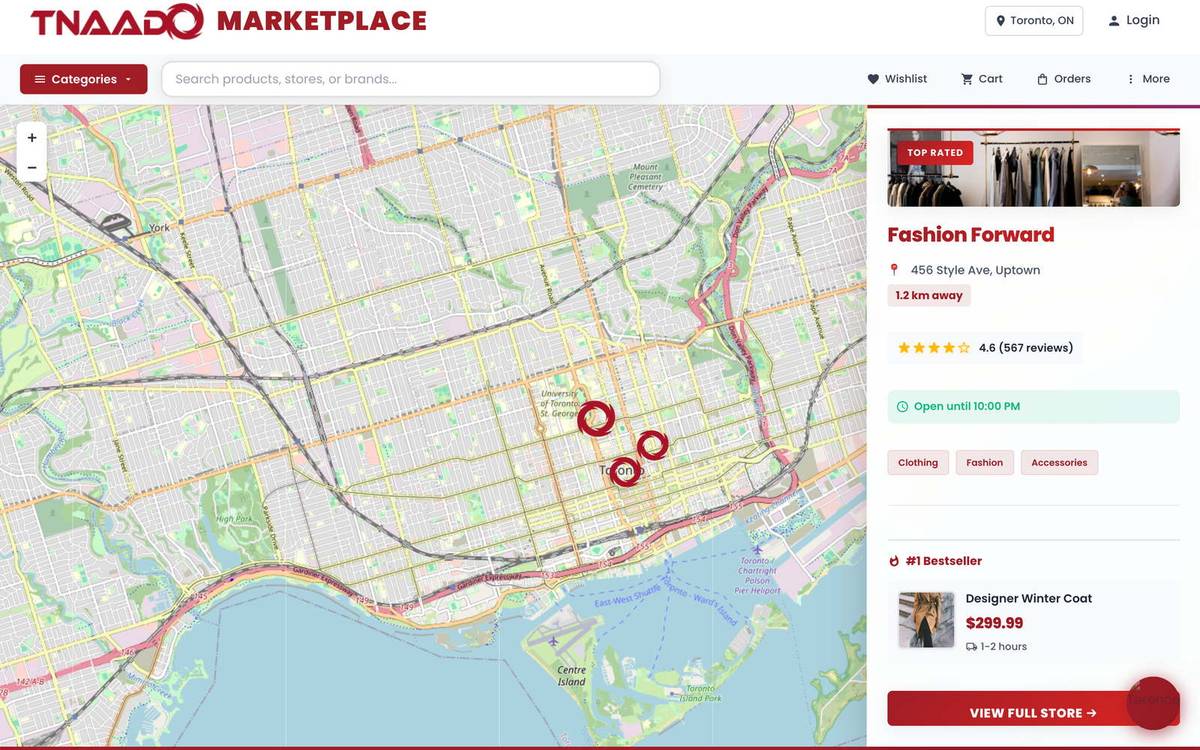
  • TNAADO Marketplace
    TNAADO Marketplace: built by TNAADO

    03Brand

    TNAADO Marketplace

    E-commerce Platform · on hold

    A multi-vendor marketplace connecting verified sellers with buyers across Canada.
    Not currently deployed

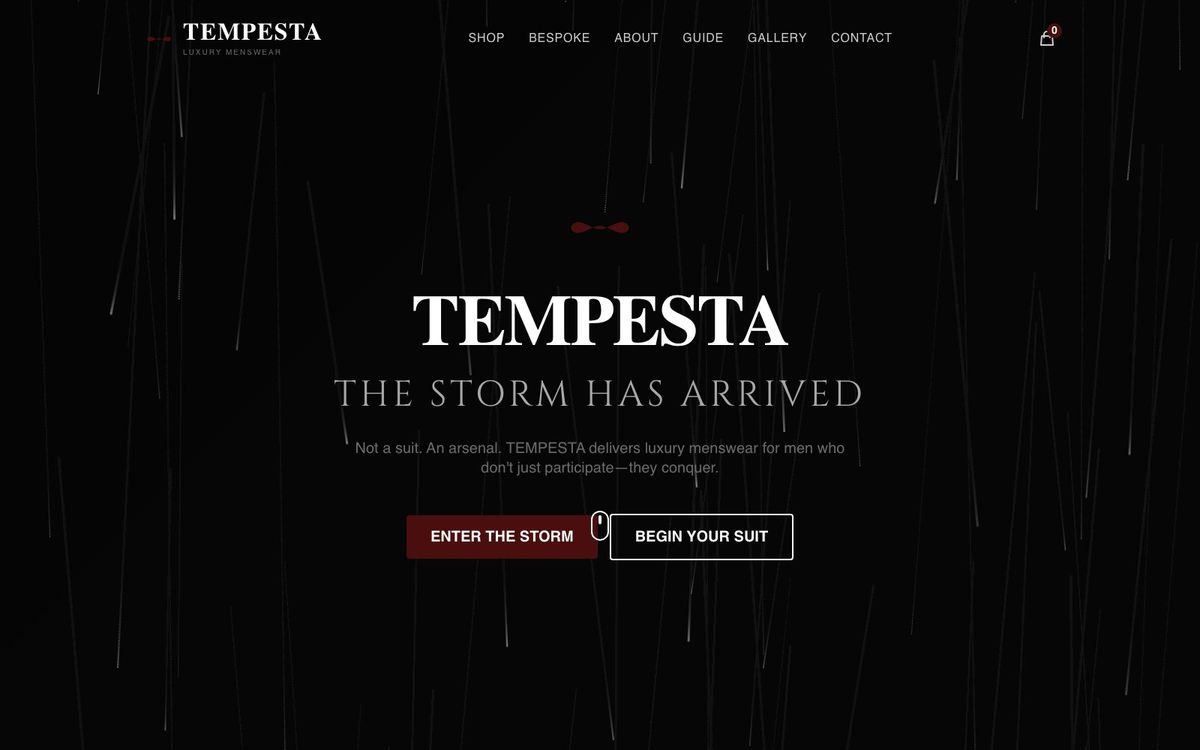
  • TEMPESTA
    TEMPESTA: built by TNAADO

    04Venture

    TEMPESTA

    Luxury Menswear · live

    A menswear storefront with a bespoke commission flow: ready-to-wear and made-to-measure in one cart.

    indossare.ca

  • Unwrinkled Skincare Inc.
    Unwrinkled Skincare Inc.: built by TNAADO

    05Client project

    Unwrinkled Skincare Inc.

    Skincare & Wellness · launching soon · for Unwrinkled

    A storefront for a skincare brand.

    theunwrinkled.com

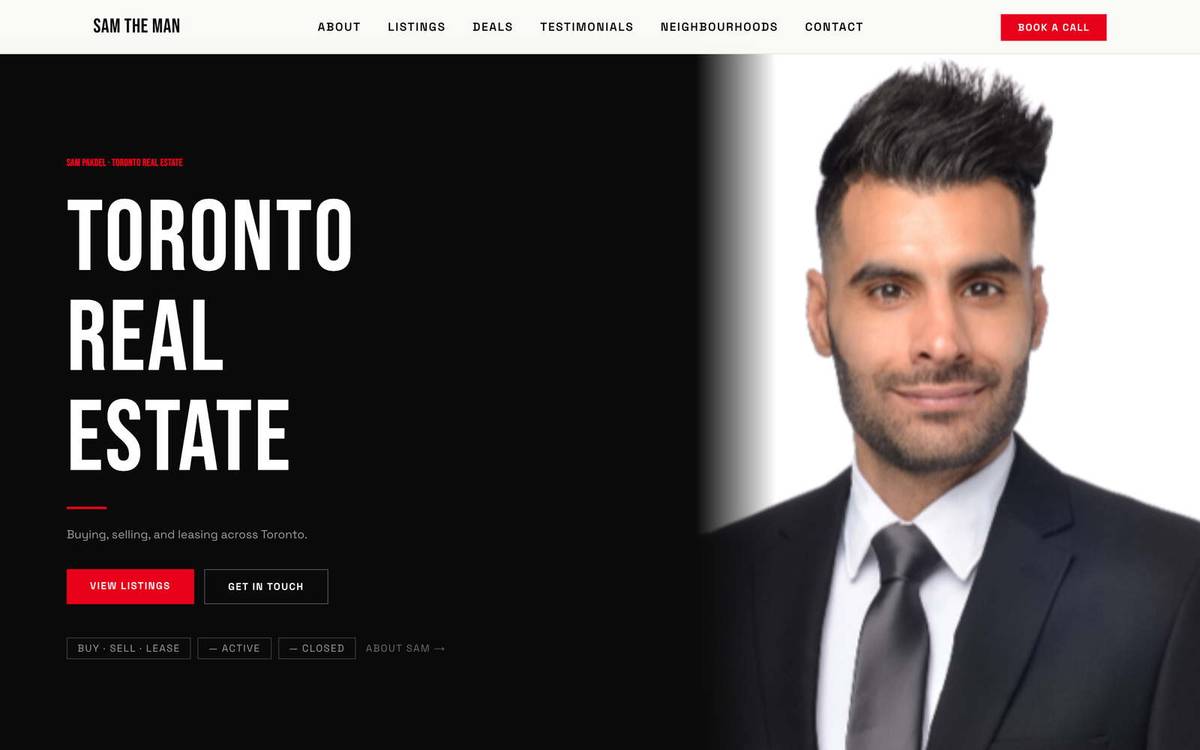
  • Sam Pakdel Realty
    Sam Pakdel Realty: built by TNAADO

    06Client project

    Sam Pakdel Realty

    Real Estate · active · for Sam Pakdel

    An editorial real-estate brand with a full self-service CMS and a secure client document portal: built so Sam runs everything himself.

    samtheman.ca

  • Deen's Group
    Deen's Group: built by TNAADO

    07Client project

    Deen's Group

    Commercial Real Estate & Events · active · for Deen

    Curated investment opportunities and private events.

    deensgroup.com

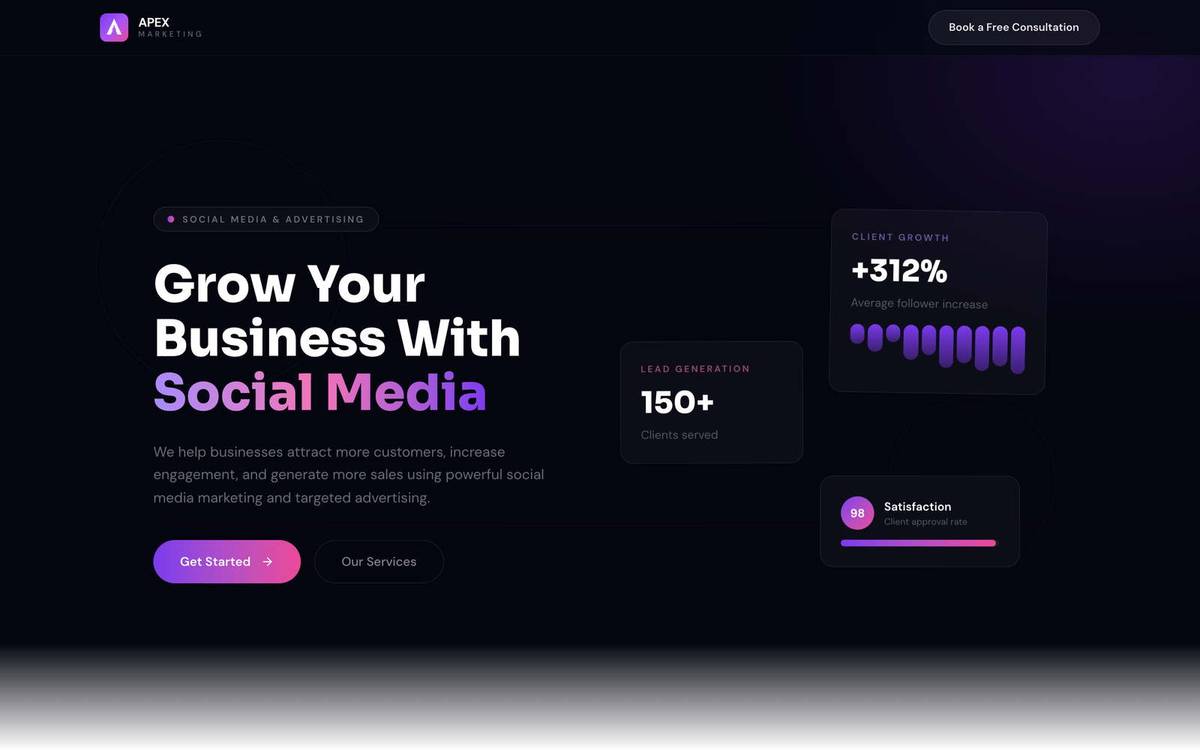
  • Apex Marketing
    Apex Marketing: built by TNAADO

    08Client project

    Apex Marketing

    Marketing & Advertising · active · for Abdi Nasser

    A lead-generation landing page for a social media and advertising agency.
    apexmarketing.black

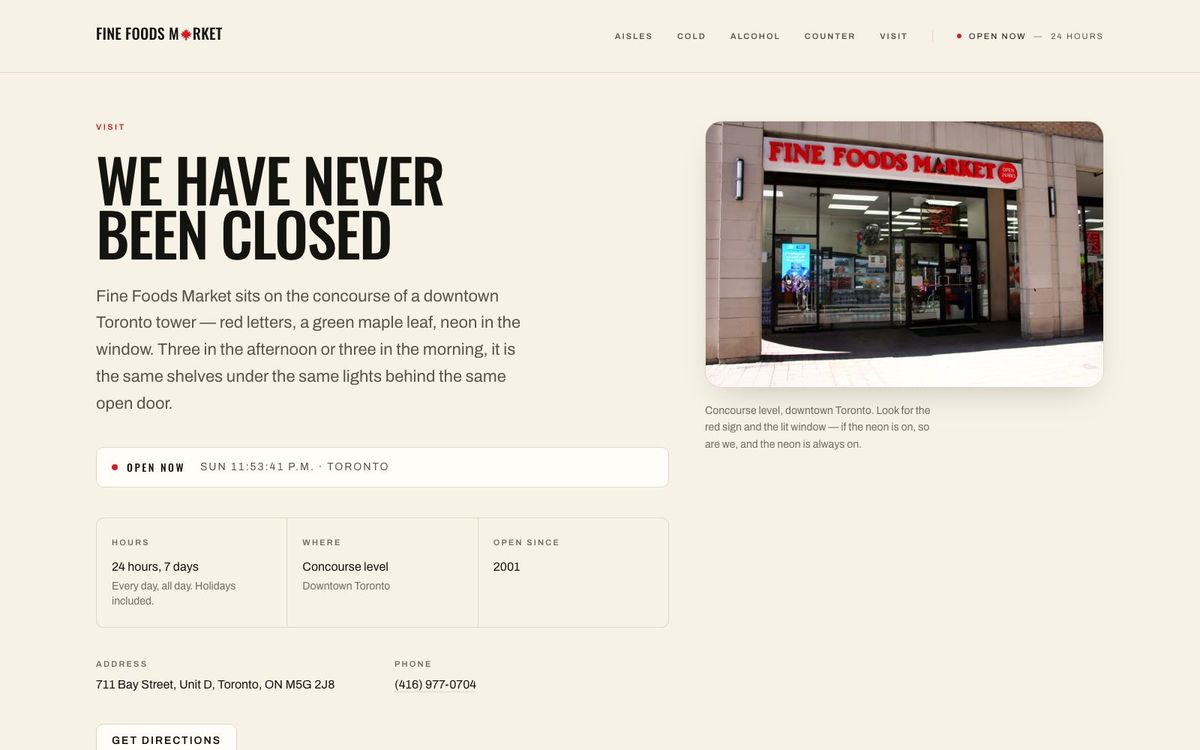
  • Fine Foods Market
    Fine Foods Market: built by TNAADO

    09Client project

    Fine Foods Market

    Grocery & Convenience · active

    A 24-hour market on a downtown Toronto concourse, shot in-store and built around the photographs.
    finefoodsmarket.ca

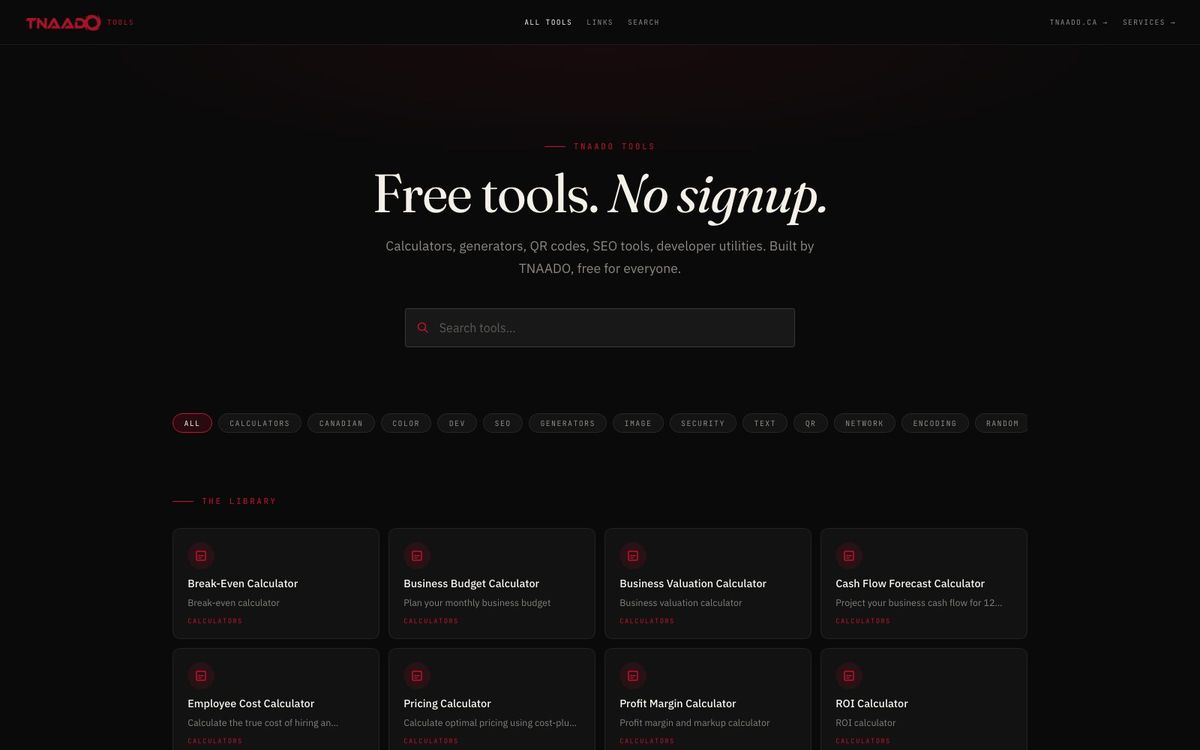
  • TNAADO Tools
    TNAADO Tools: built by TNAADO

    10Our own

    TNAADO Tools

    Web Tools · live

    Calculators, converters and generators, with no sign-up.

    tools.tnaado.ca

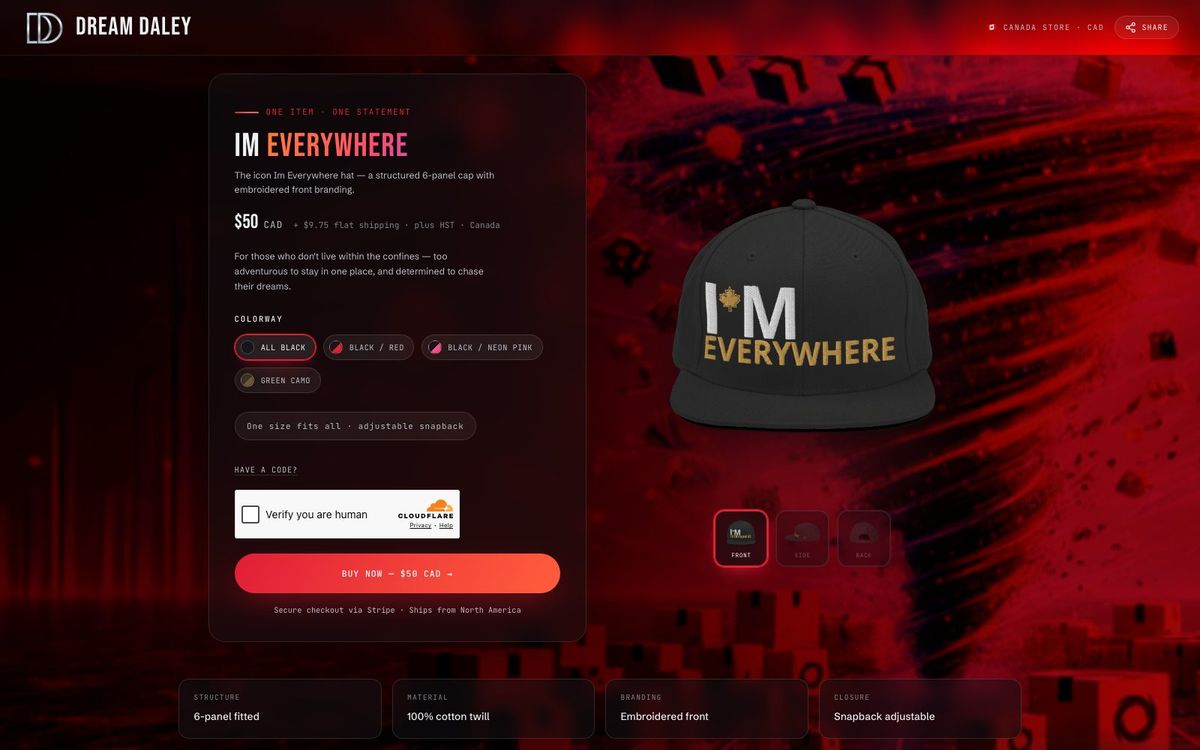
  • Dream Daley Merch
    Dream Daley Merch: built by TNAADO

    11Our own

    Dream Daley Merch

    Apparel & E-commerce · live

    One hat in four colourways: Stripe checkout, Printful fulfilment, and a single codebase serving a Canadian and a US storefront.
    merch.dreamdaley.ca

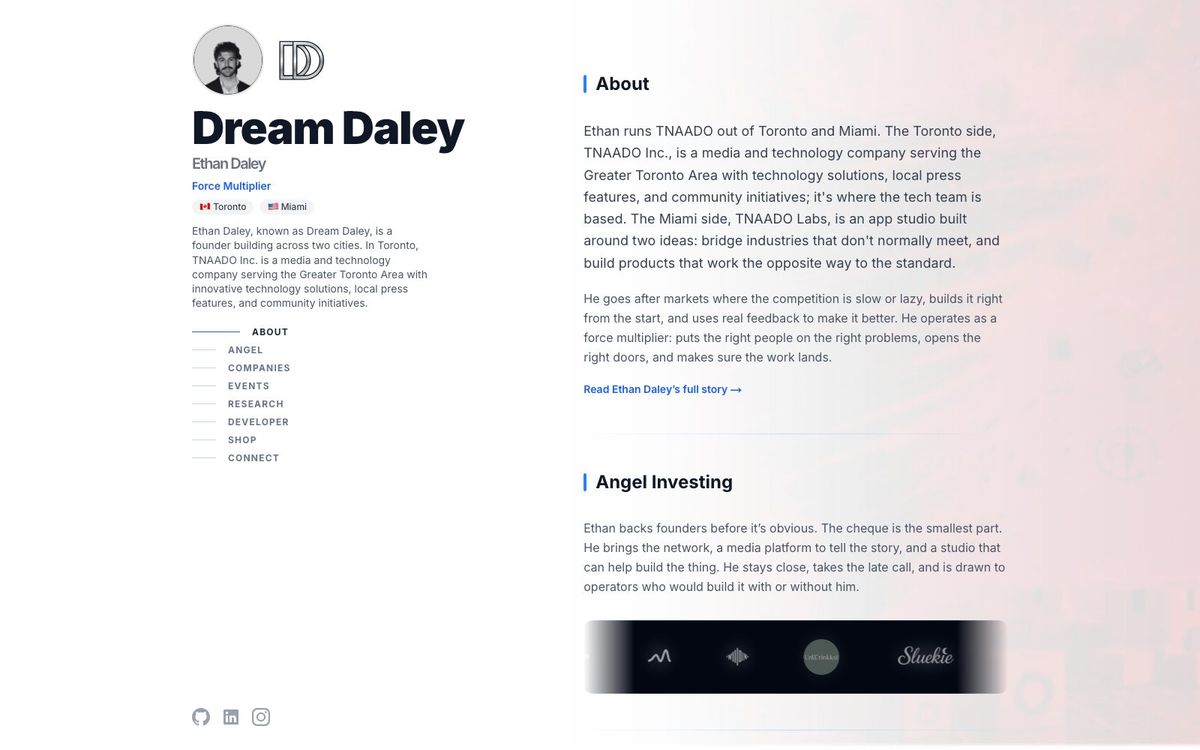
  • Dream Daley
    Dream Daley: built by TNAADO

    12Our own

    Dream Daley

    Founder Site · live

    The founder's own site: what he builds, what he backs and how to reach him.

    dreamdaley.ca

Client work and our own brands sit side by side here, and every card says which: a client project was commissioned and paid for, a brand or venture is ours to run. Dream Daley is this firm under another name, not an outside client.

S.03 The firm's own systems

The software we run on.

We run this firm on software we wrote. Our bookings, our kit and our payroll sit inside the same queues, registers and ledgers we build for clients. Over 30 live deployments.

Decision queues

Work is held until someone with authority decides, and the decision is recorded.

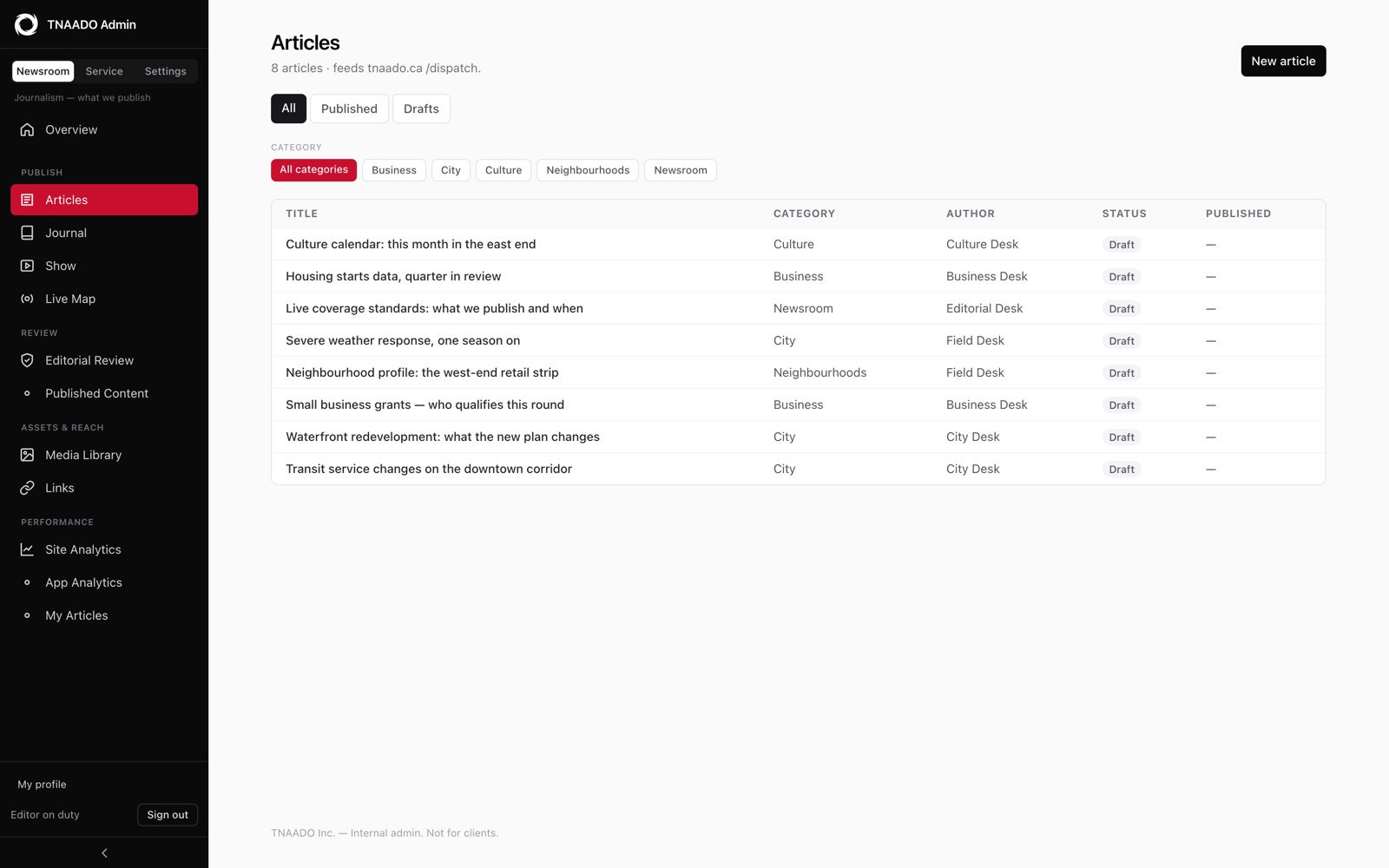
Newsroom CMS

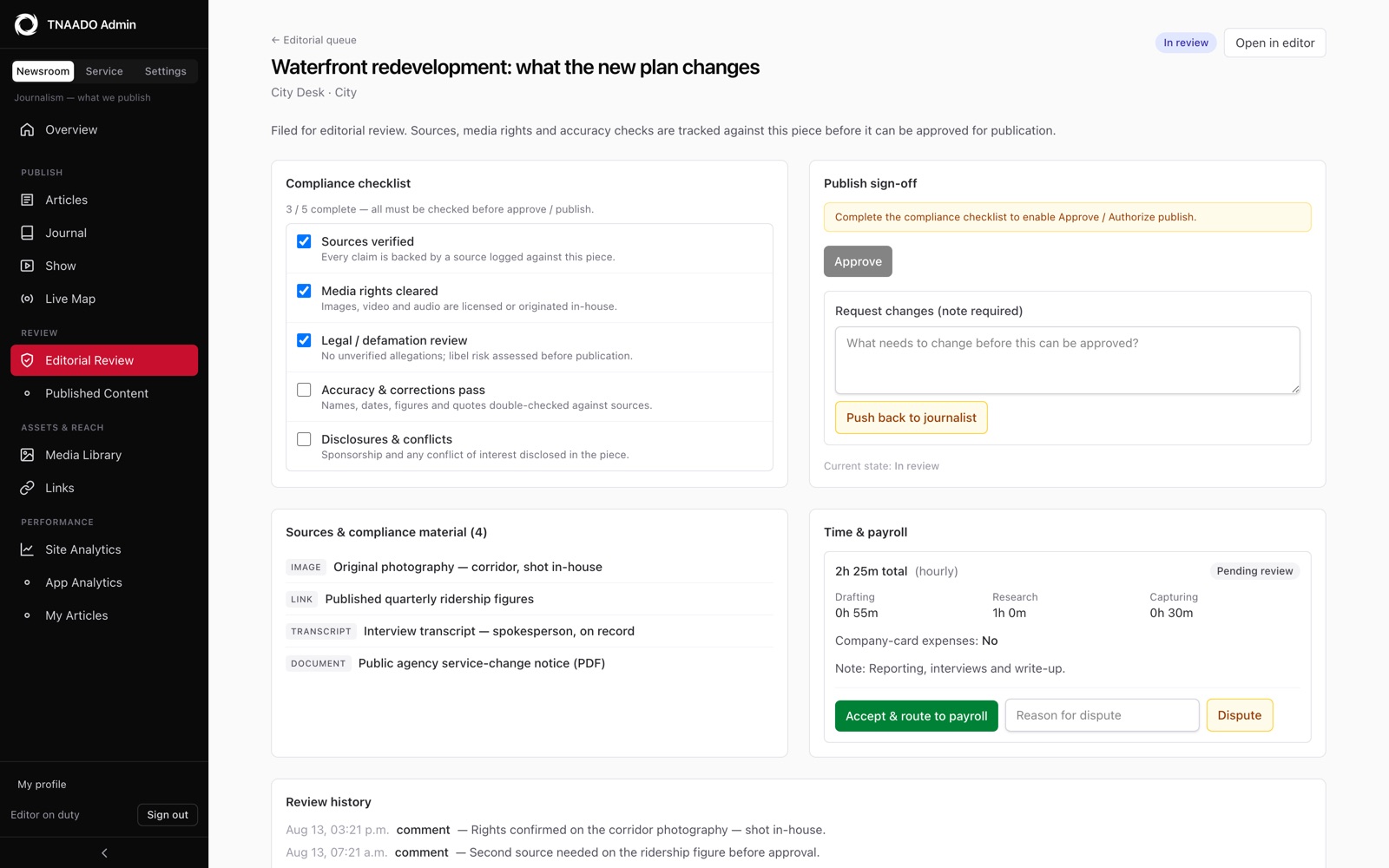
Article, journal entry or episode: one review queue, one compliance sign-off. Everything the newsroom publishes is filed through it.

Review queue
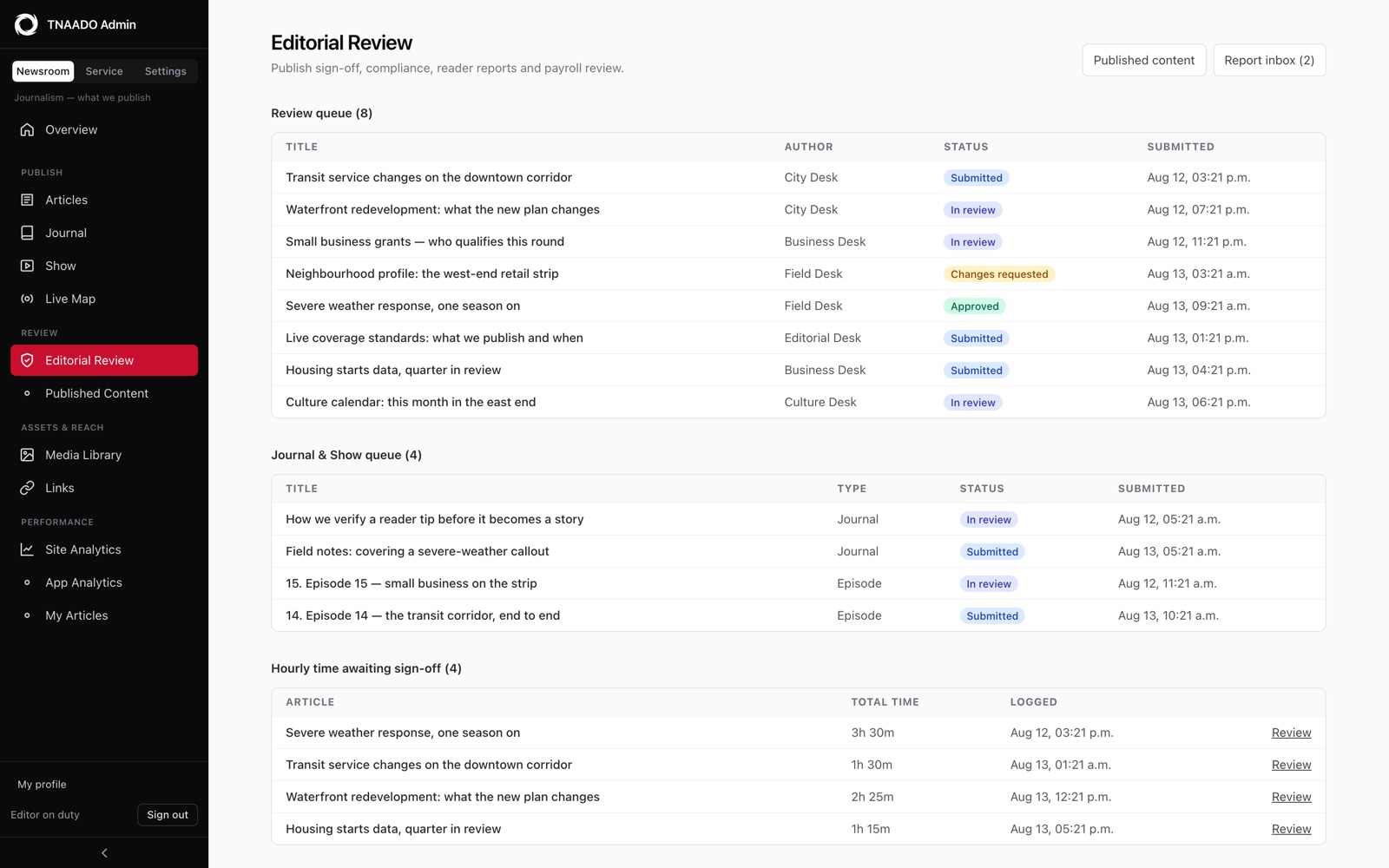
The newsroom review queue, with filed items awaiting editorial sign-off
Newsroom CMS, review queue. Eight pieces waiting on an editor, each showing who wrote it and how far through review it is.
One story open for sign-off, with a five item compliance checklist on the left, an approve button that stays greyed out until every item is ticked, a list of the sources logged against the piece, and a panel recording the hours spent drafting, researching and capturing it.
Newsroom CMS, sign-off. Nothing publishes until sources, media rights, legal, accuracy and disclosures are all ticked.
An article list with one row per story, each carrying its category, the desk that wrote it, a draft or published state and a publication date, above filters for category and state.
Newsroom CMS, everything written. One list, filtered by section and by whether it is out yet.
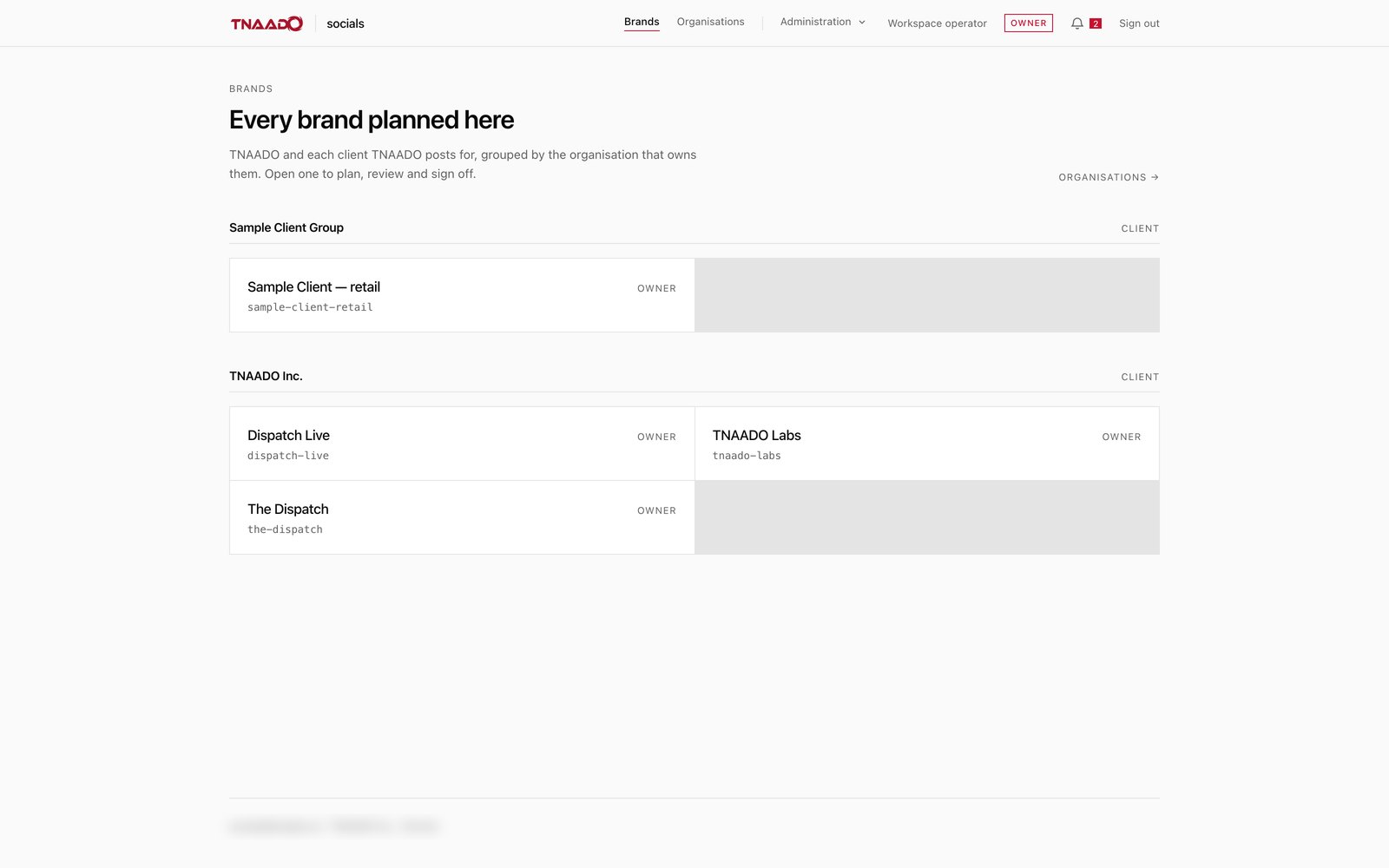
  • Socials

    Accounts connected through their official APIs, with publishing, scheduling and approvals.

    Publishing queue
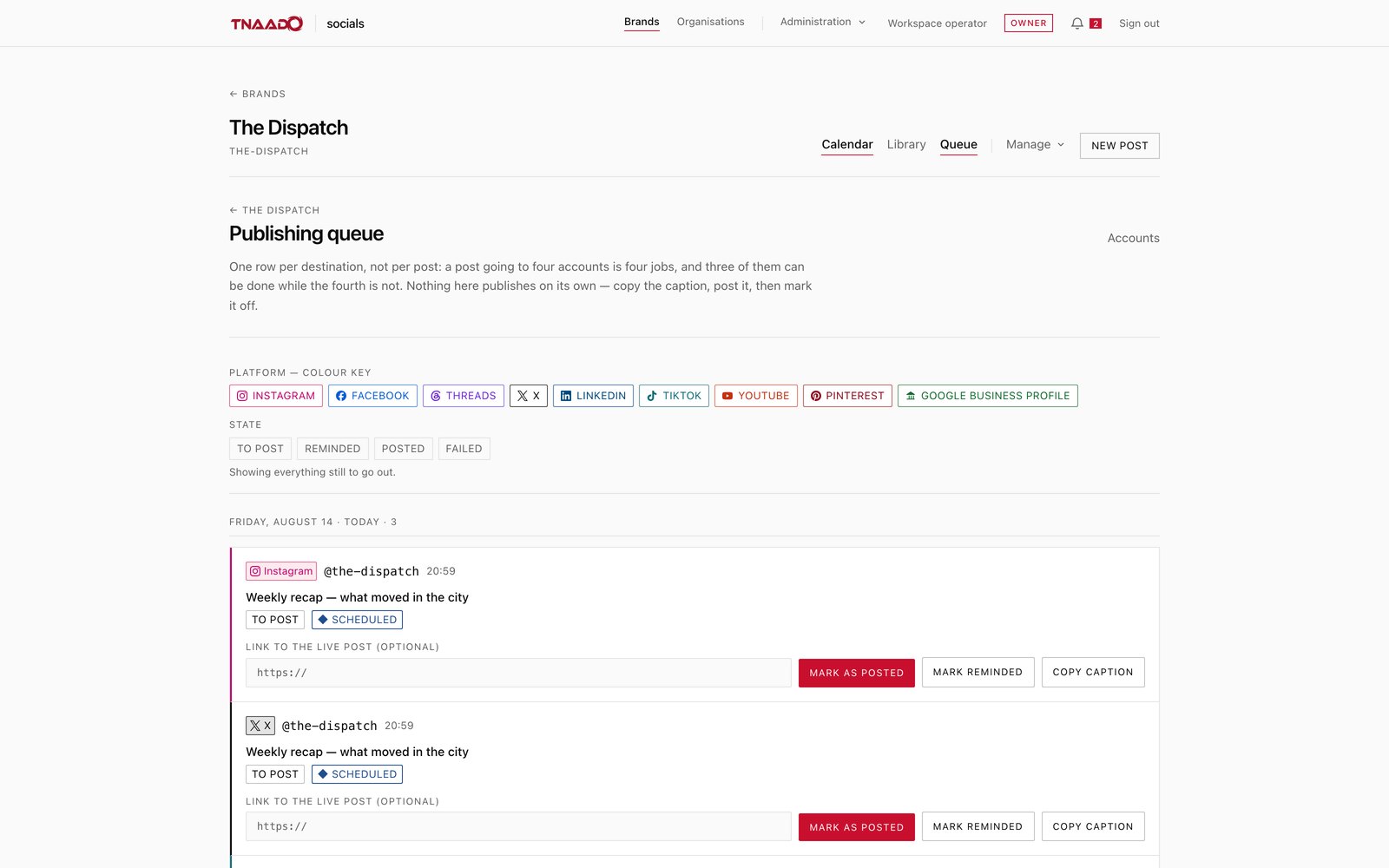
    A publishing queue with one row per destination: each row carries the post's headline, the platform it is going to, a state of To post or Scheduled, and buttons to mark it posted or copy the caption
    Socials, publishing queue. One row per destination rather than per post, so a post going to four accounts is four jobs and three can be ticked off while the fourth waits.
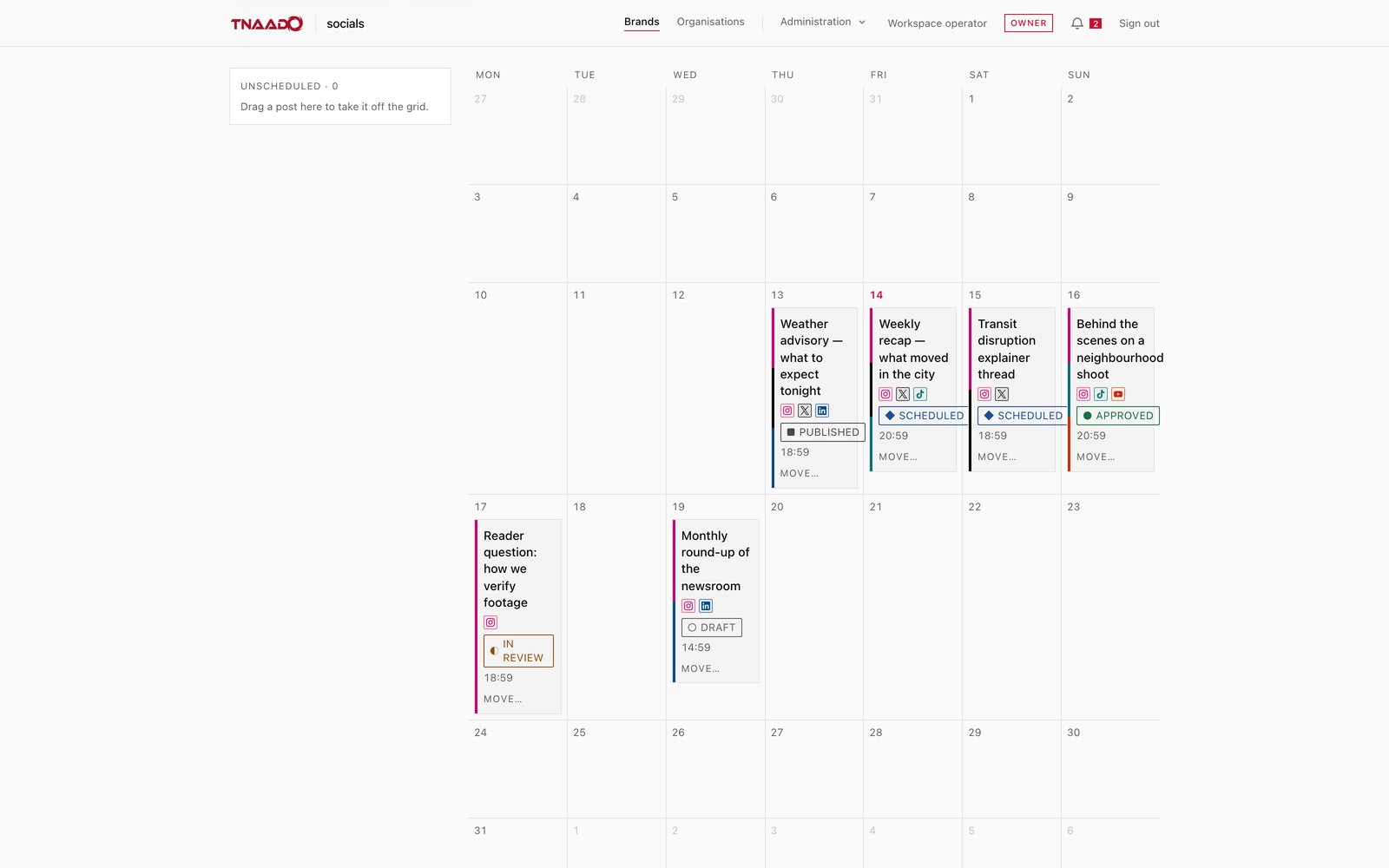
    A month calendar with posts sitting on their dates, each card carrying its headline, small icons for the platforms it will go to, a state of draft, in review, approved, scheduled or published, and a time of day.
    Socials, the month ahead. Every planned post on its day, with where it is going and whether it has been approved.
    A brand directory listing each brand under the organisation that owns it, with the account handle set beneath the name and an owner label on the right of each row.
    Socials, the brand list. Every brand the firm posts for, grouped under the organisation that owns it.
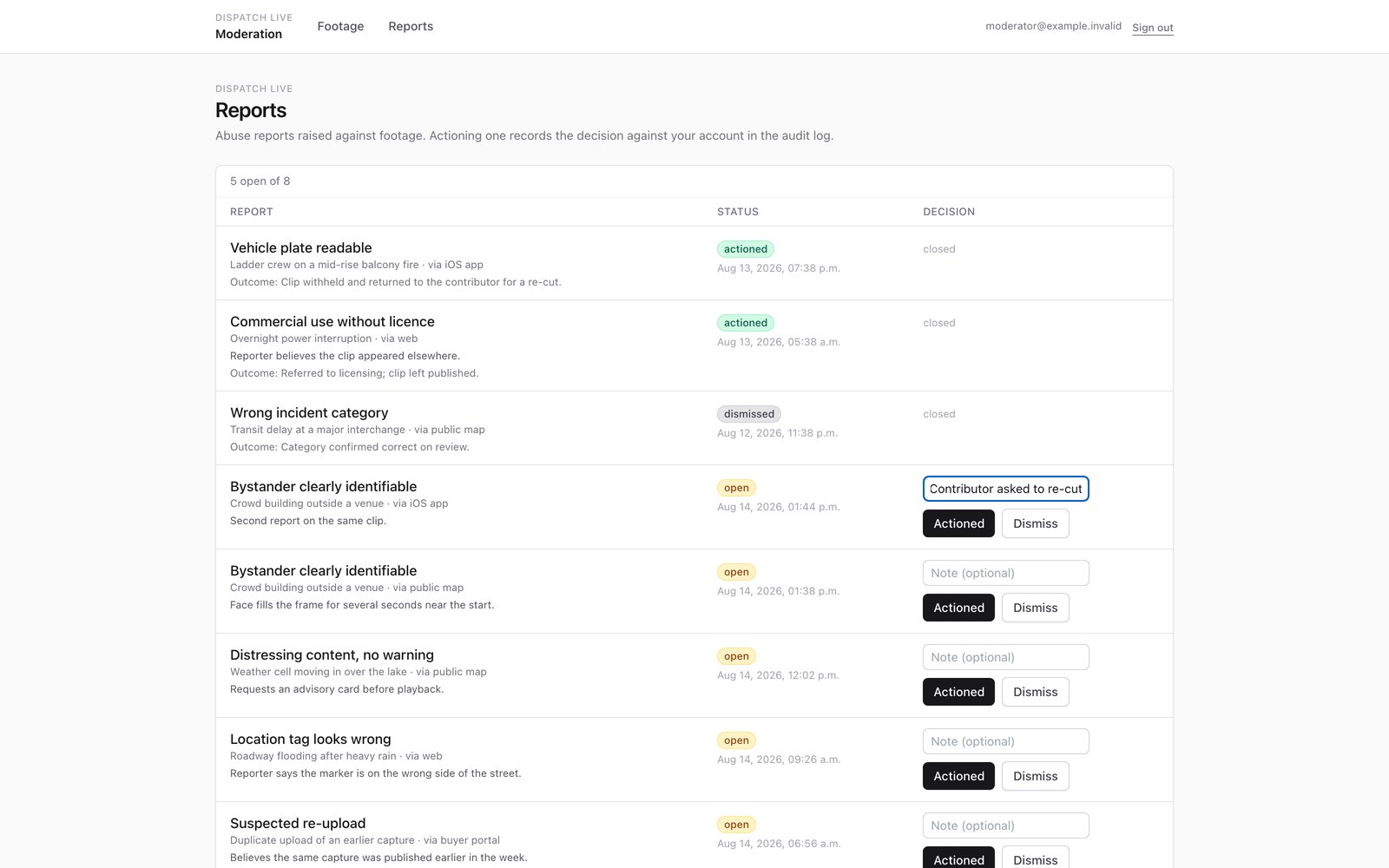
  • Dispatch Live Marketplace

    Footage watched as it arrives, graded, and released only on a decision.

    Footage board
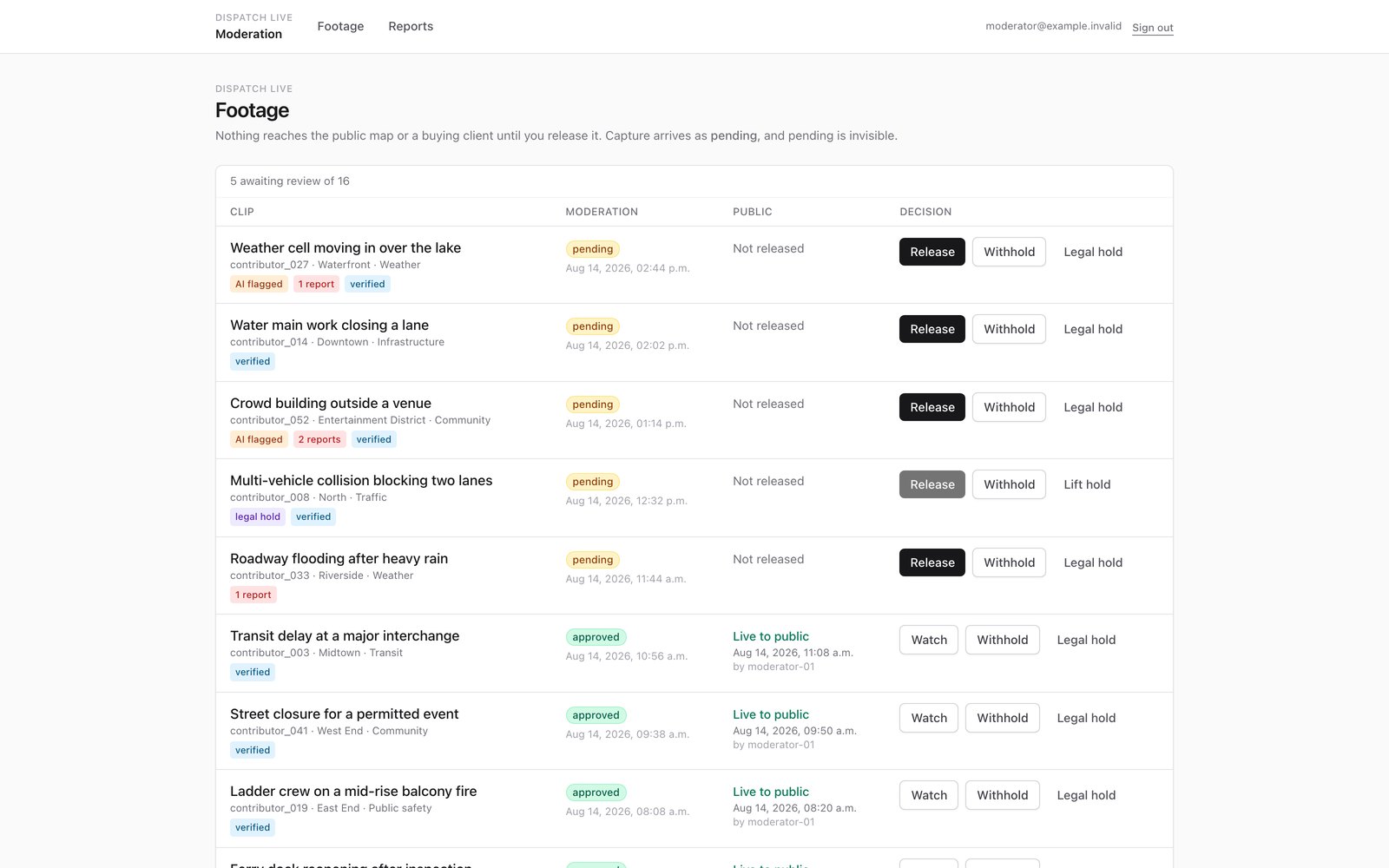
    A moderation board of incoming clips, each with a pending or approved state, the contributor and district it came from, and Release, Withhold or Legal hold buttons on the row
    Dispatch Live, footage board. Capture arrives as pending and pending is invisible, so nothing reaches the public map or a buyer until somebody presses release.
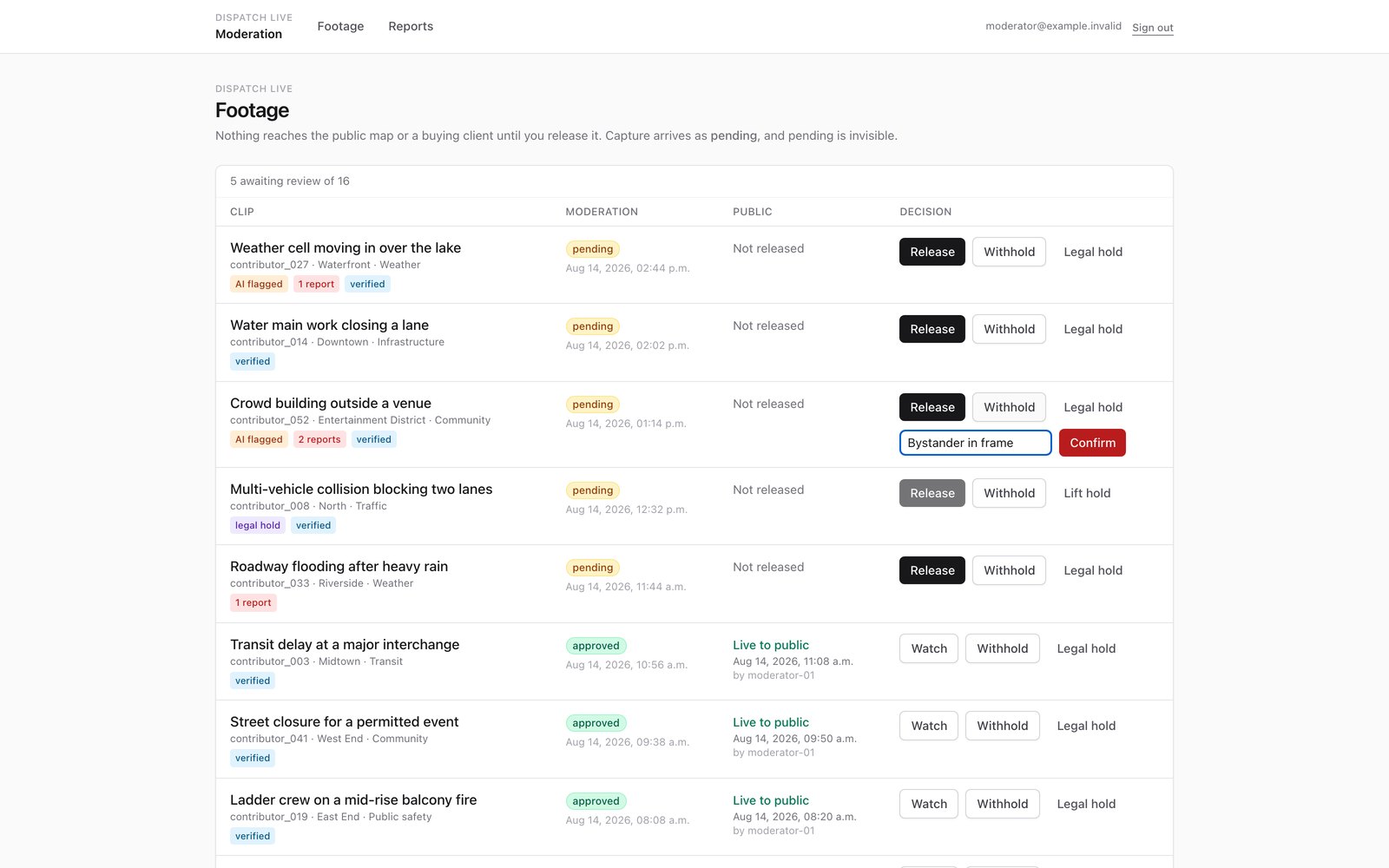
    The same board mid-decision: one clip has the reason Bystander in frame typed into a box beside a red confirm button, another is on legal hold with a lift hold control instead of release, and three approved clips below read Live to public with the time they went out and the moderator who released them.
    Dispatch Live, one decision. Withholding a clip asks for the reason first, and the reason stays on the record with the name of whoever released or held it.
    A list of complaints raised against clips, each naming the clip it concerns, how it was reported, an open or closed state, a note box, and buttons to mark it actioned or dismissed.
    Dispatch Live, complaints. Somebody objects to a clip, a person decides, and the outcome is written down next to it.
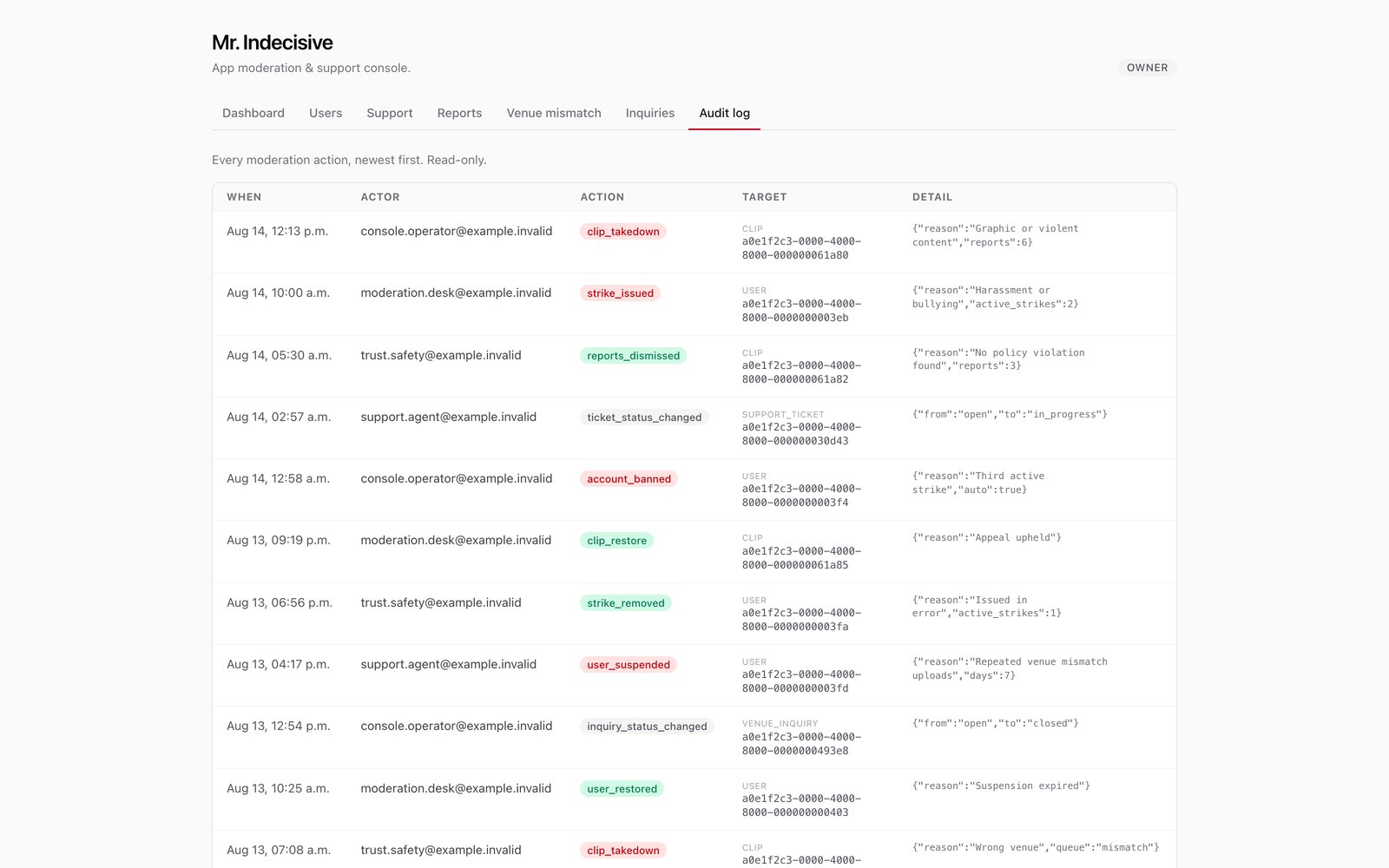
  • App Management Portals

    The operator's side of each app, built to one shared pattern.

    Reports queue
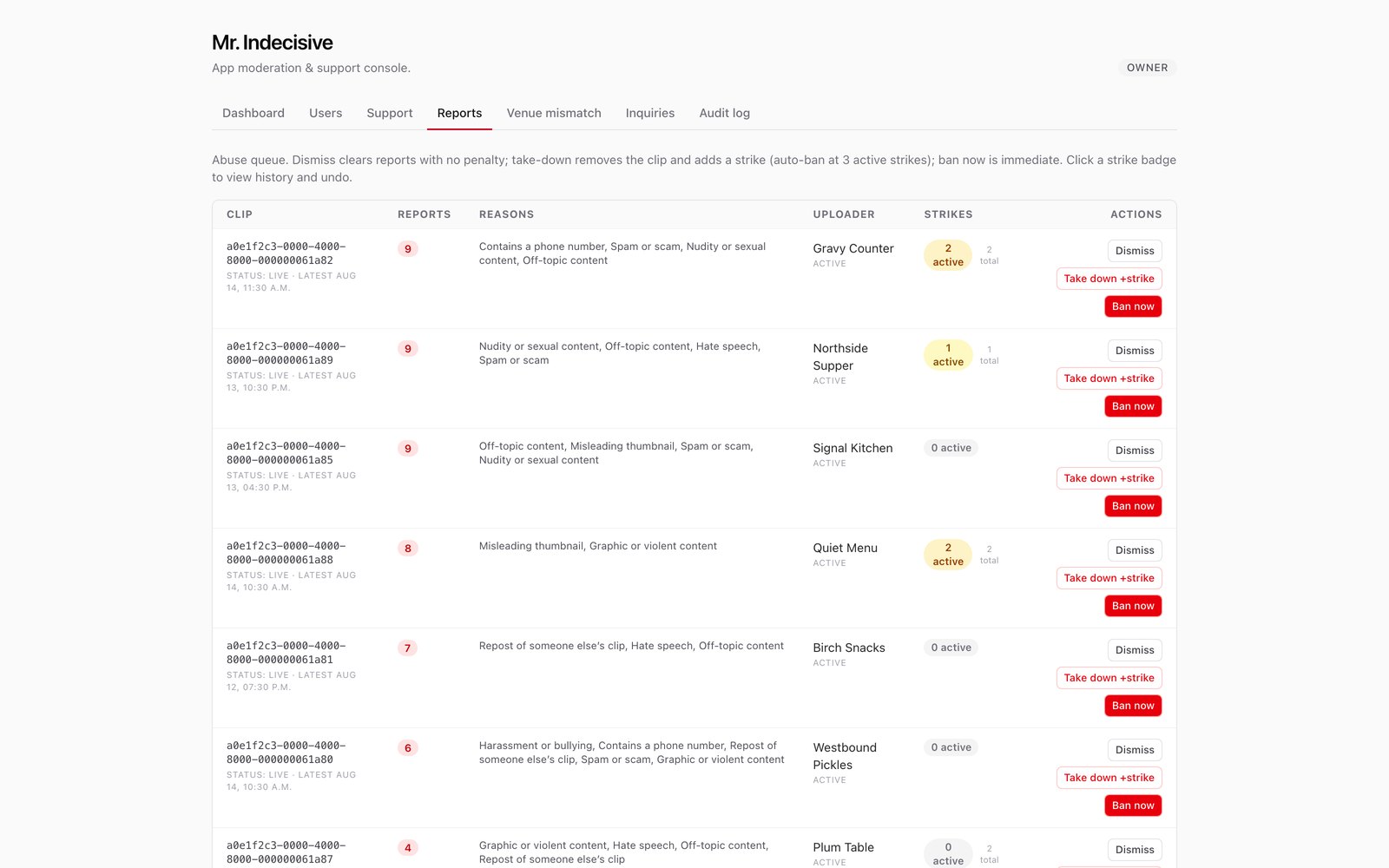
    An app moderation console on its reports tab: reported clips with the reasons given, the uploader, a strike count, and Dismiss, Take down or Ban buttons on each row
    App portals, reports. Each reported clip shows how many people reported it and why, who posted it, and how many strikes that account already holds. Three active strikes bans it automatically.
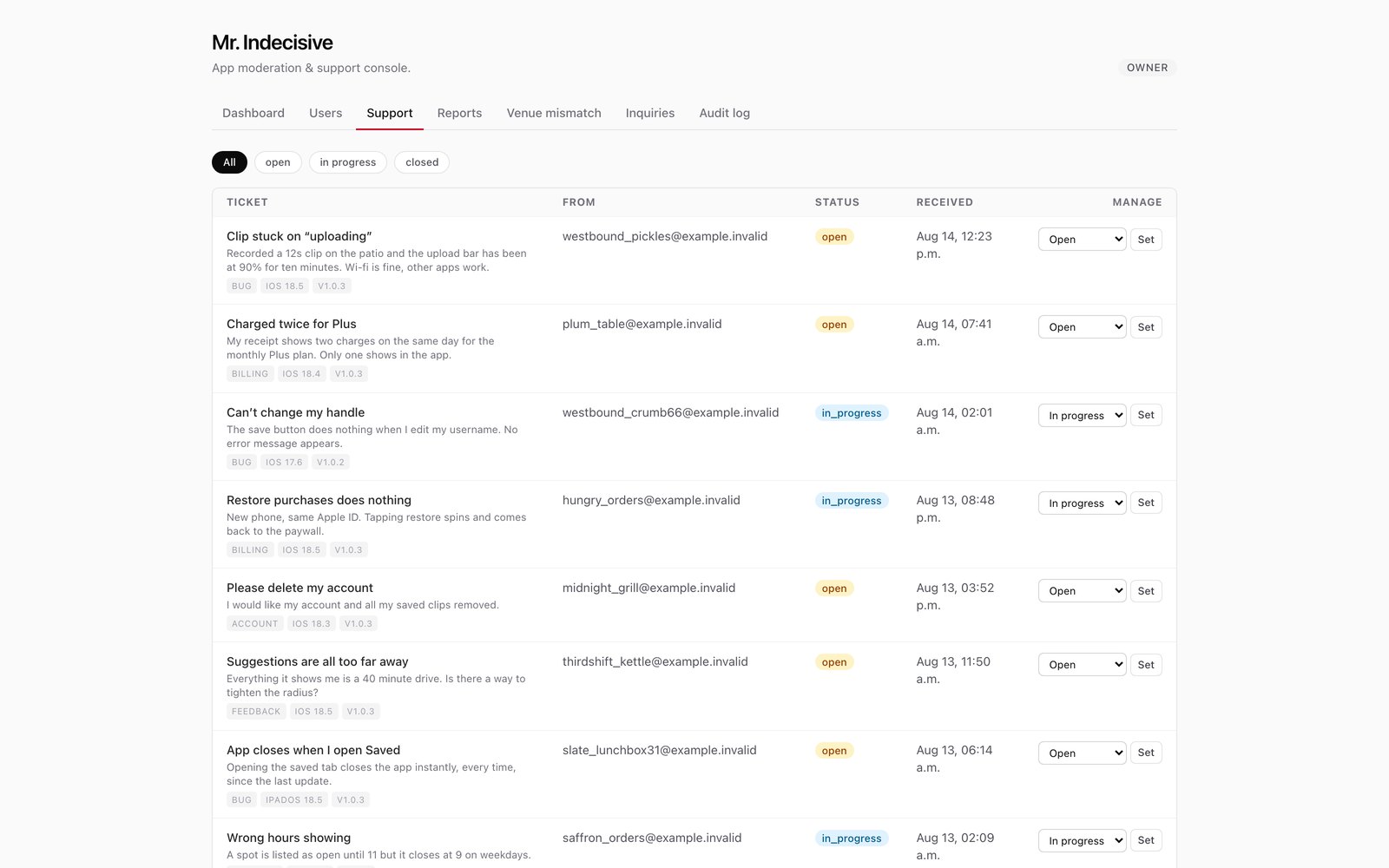
    A support inbox for a phone app, each ticket showing the message the user sent, a bug, billing, account or feedback tag, the operating system and app version they are on, and a control to move it between open, in progress and closed.
    App portals, support. Every message from a user carries the app version they were on, so a fault can be matched to a release.
    A read only log of moderation actions, newest first, each line naming the time, the staff account that acted, what they did, the record it applied to and the reason recorded against it.
    App portals, the record. Every action, who took it and why, in a log nobody can edit afterwards.
  • Labs Admin Backend

    The accounts, content and change records behind the Labs products.

    Support queue
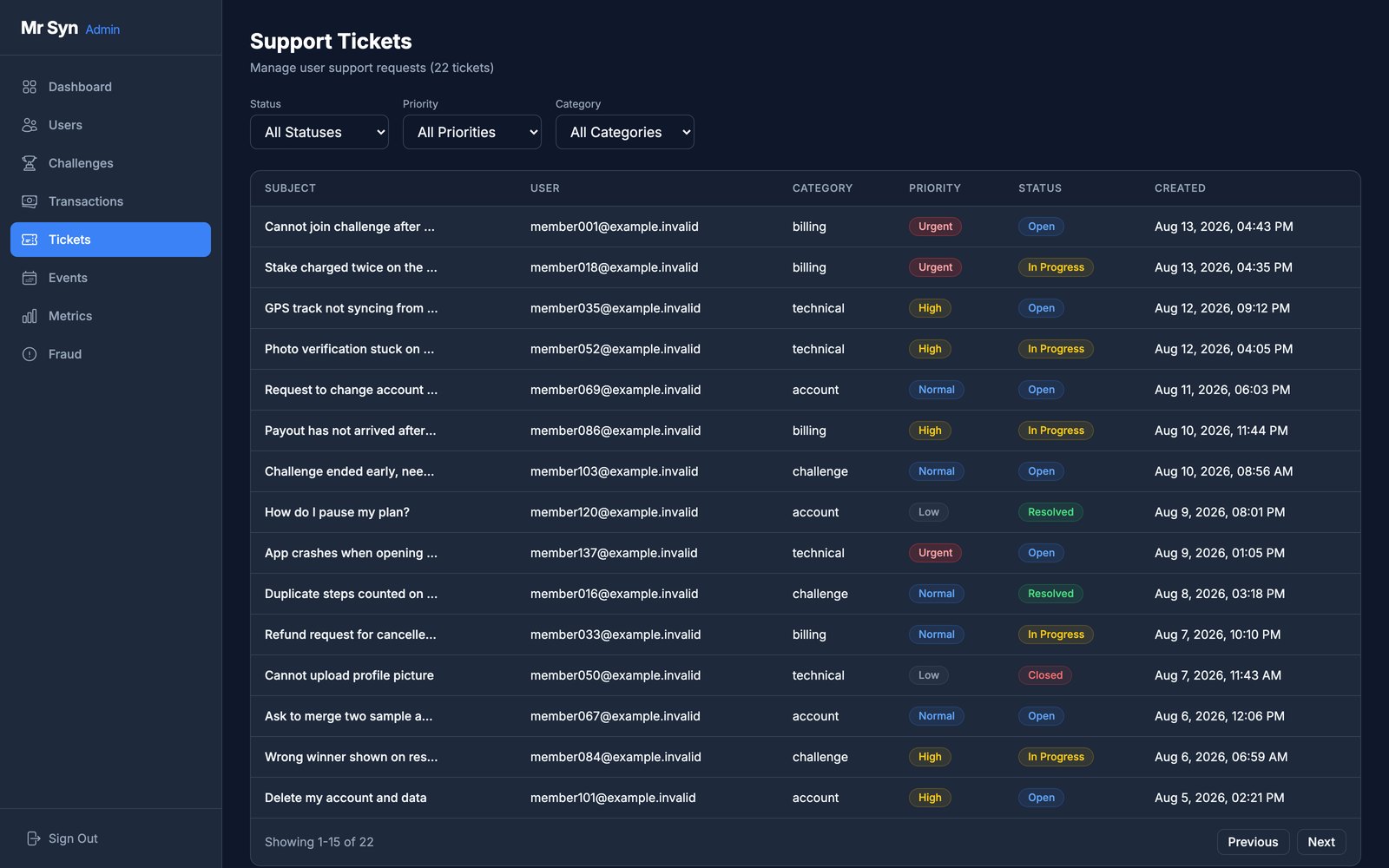
    A support ticket queue: each ticket with its subject, the member who raised it, a category, a priority of urgent, high, normal or low, and a state of open, in progress or resolved
    Labs admin, support. Every request carries a category, a priority and a state of open, in progress, resolved or closed, and the list filters on all three.

Registers

Every unit, booking and ticket carries a state you can look up before promising it.

Equip

A QR label on every unit opens its record: status, condition, location, parts. Every camera on a shoot is booked out of it.

Inventory
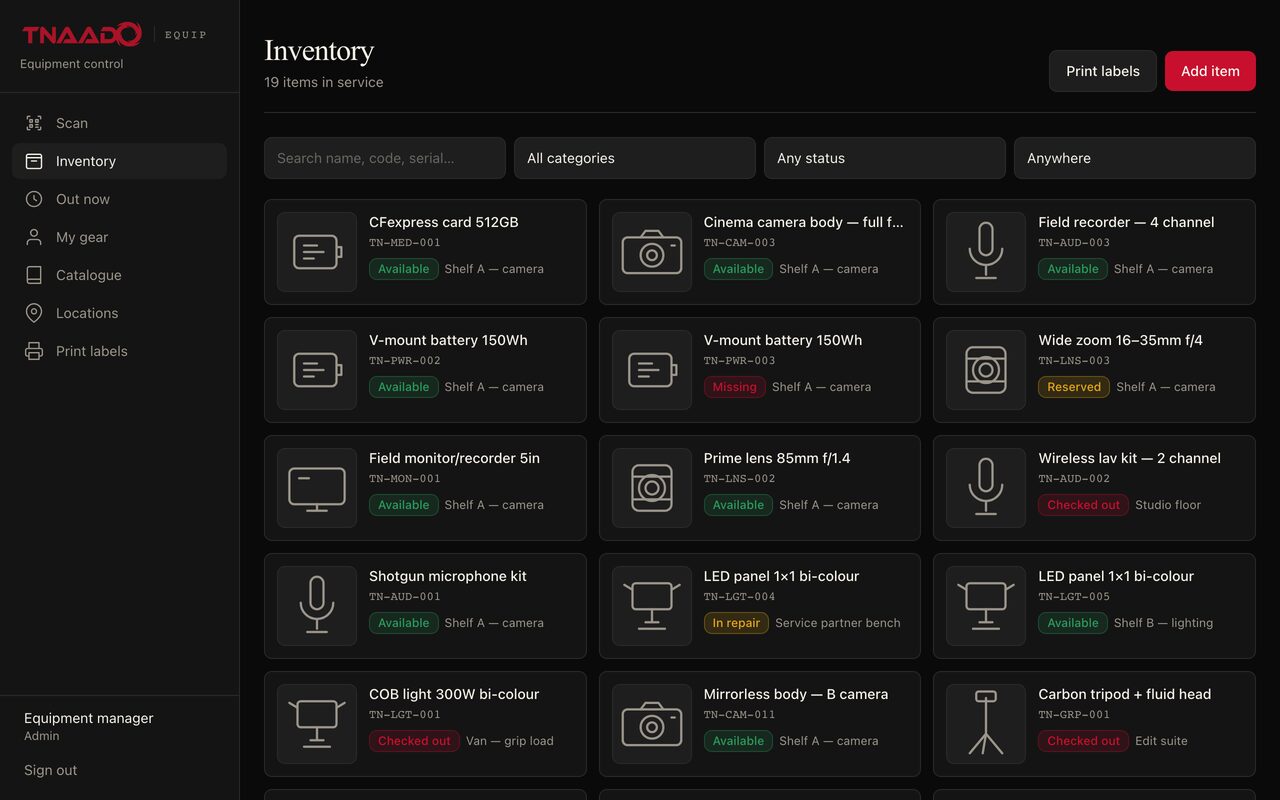
The equipment register listing camera bodies, lenses and audio kit with their status
Equip, inventory. Nineteen items in service, each with its own code, a state of available, reserved, checked out, missing or in repair, and the shelf, van or room it is actually on.
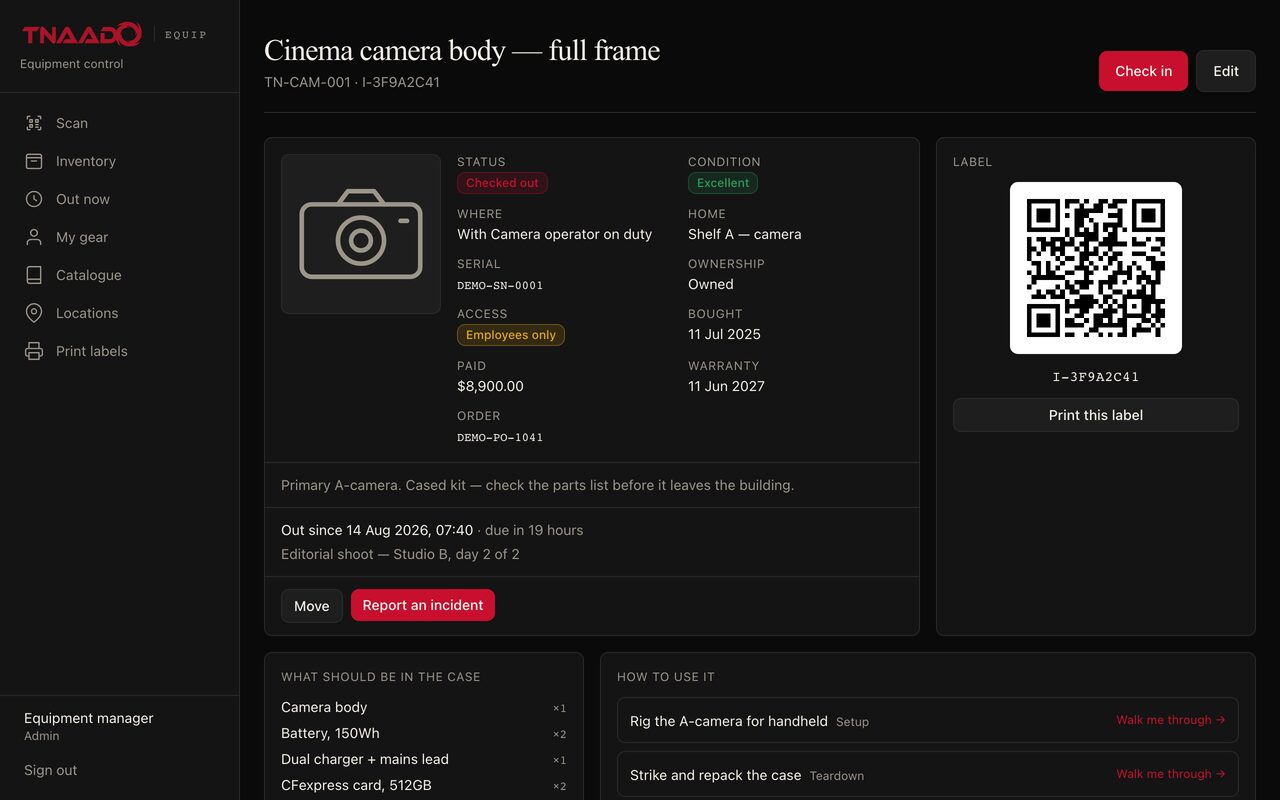
An equipment record for a cinema camera body showing its status, condition, location, serial number, purchase price and warranty date, a printable QR label, who has it out and when it is due back, and a packing list of everything that belongs in the case.
Equip, one item. A QR label on the case opens this: where it is, who has it, what it cost, and what should be in the bag.
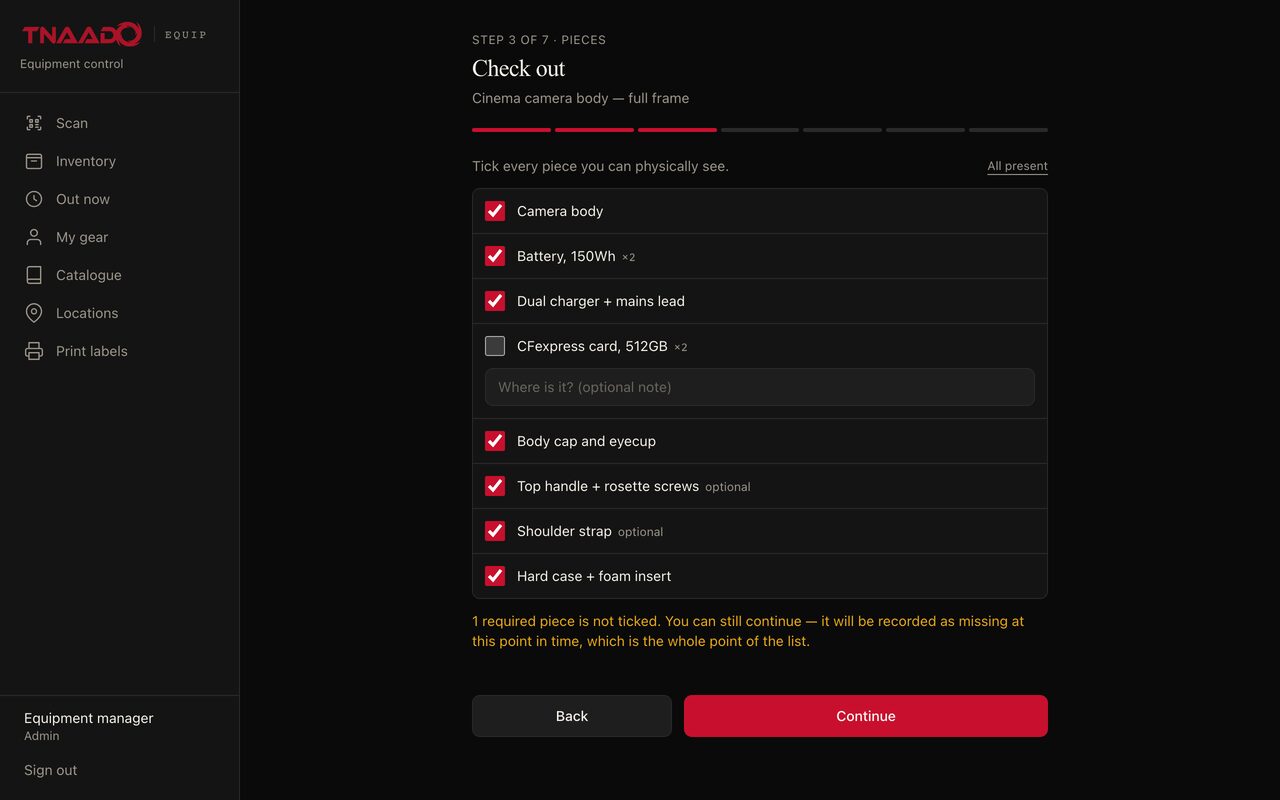
A check out step asking the person to tick every piece they can physically see, with one line left unticked and a warning that it will be recorded as missing at this point in time.
Equip, taking it out. The crew tick off each piece in front of them, so a missing part is dated to the person who had it.
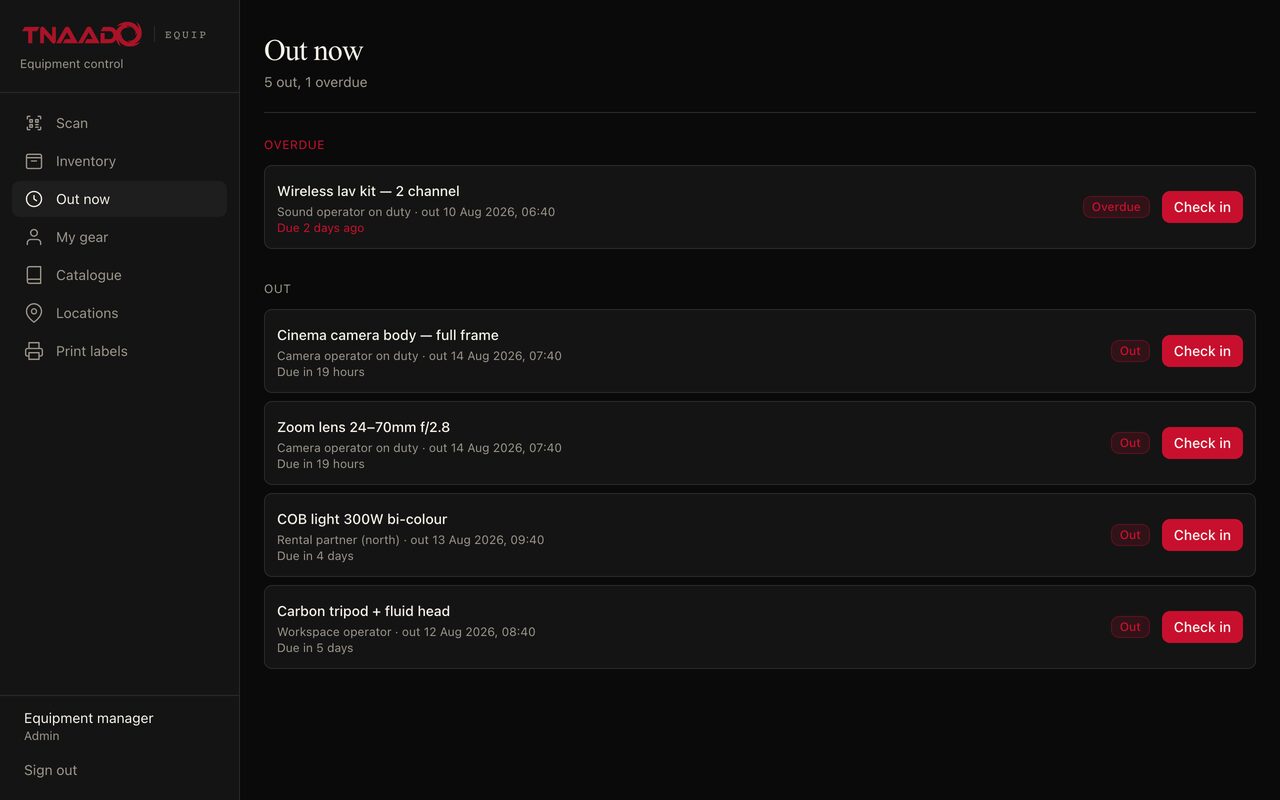
A list of kit currently signed out, split into an overdue section and an out section, each line naming the item, who has it, when it went out, when it is due back and a check in button.
Equip, out now. What is off the shelf this minute, who has it, and what is late.
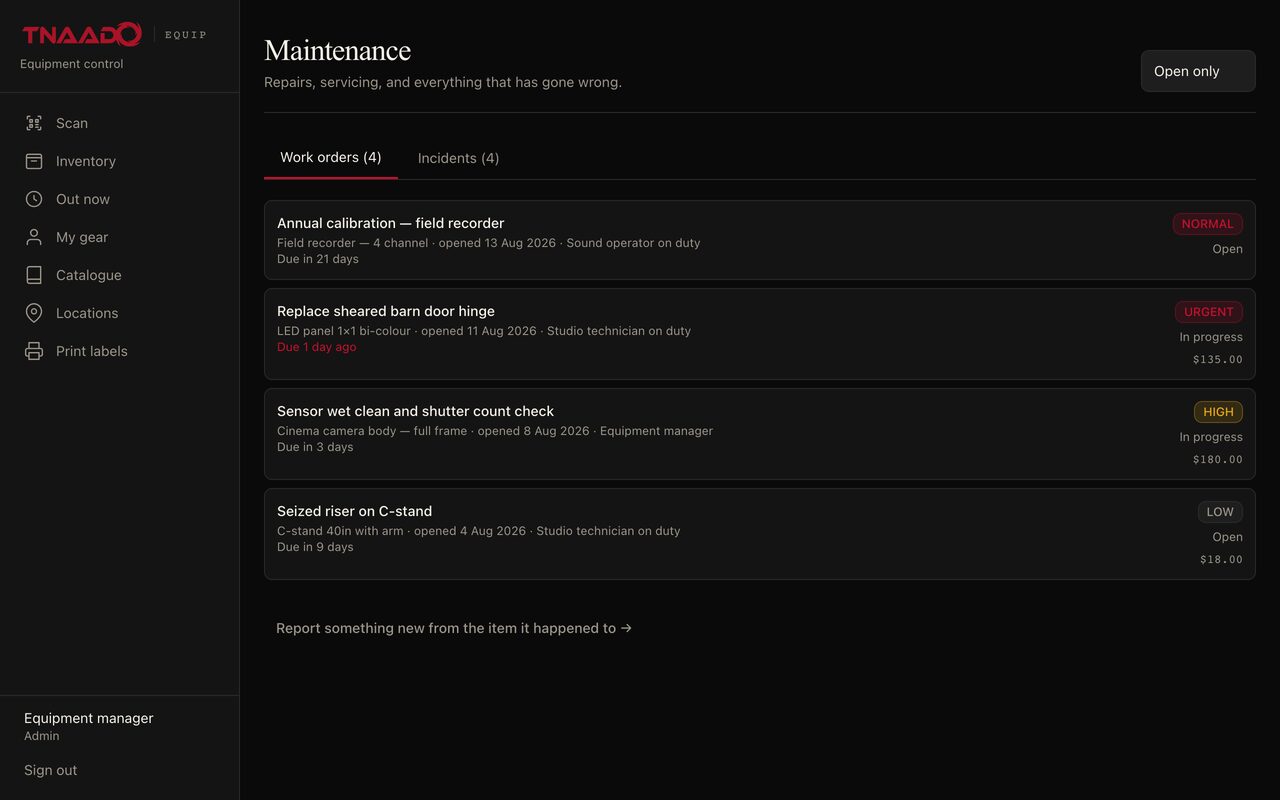
A maintenance list of four work orders, each naming the item, the day the fault was opened, who reported it, a priority of urgent, high, normal or low, an open or in progress state and the cost.
Equip, repairs. Faults and servicing with a priority, a due date and what the job cost.
  • The Shoot

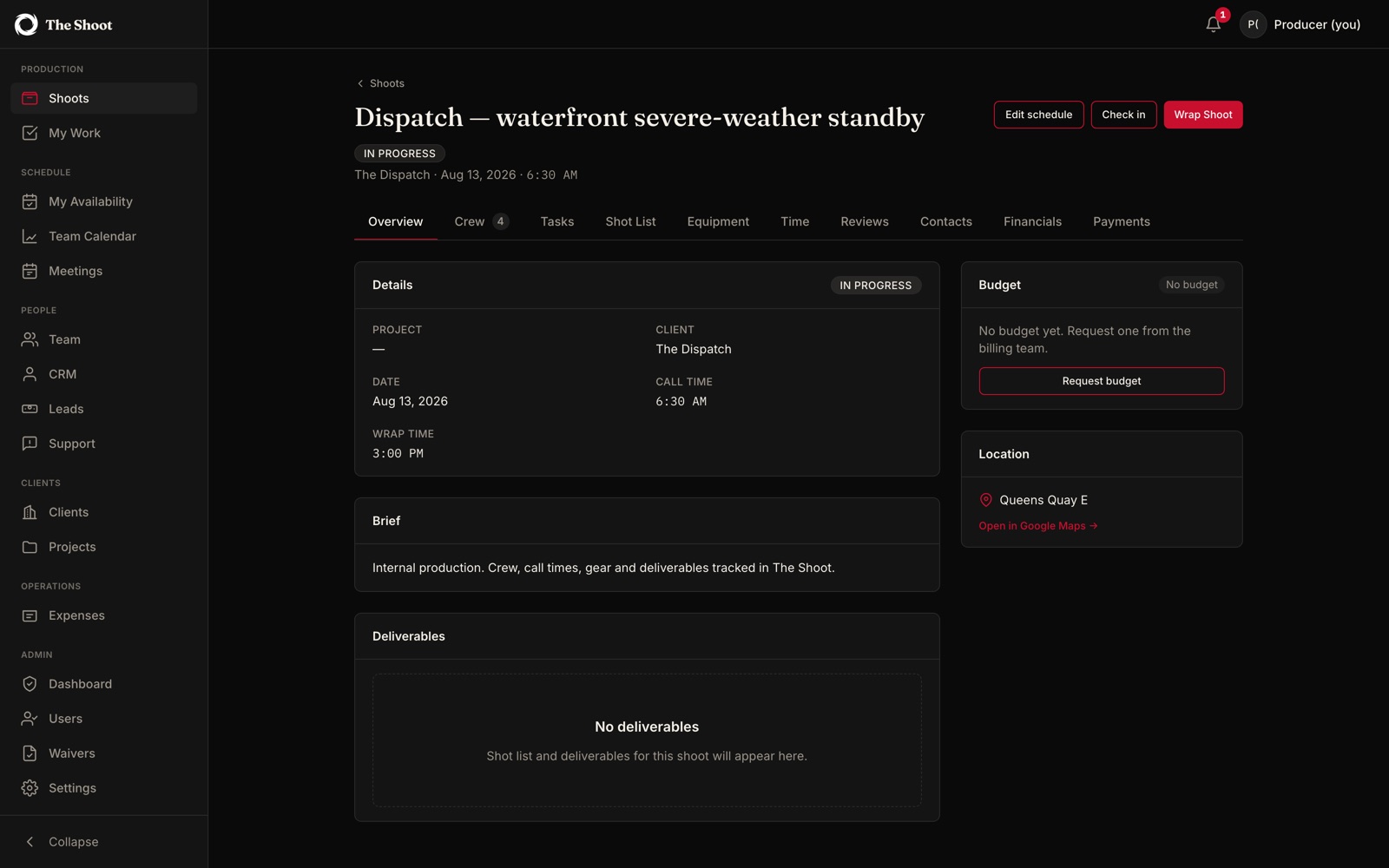
    Productions booked, crew and models paid, equipment assigned, payroll run.

    Production board
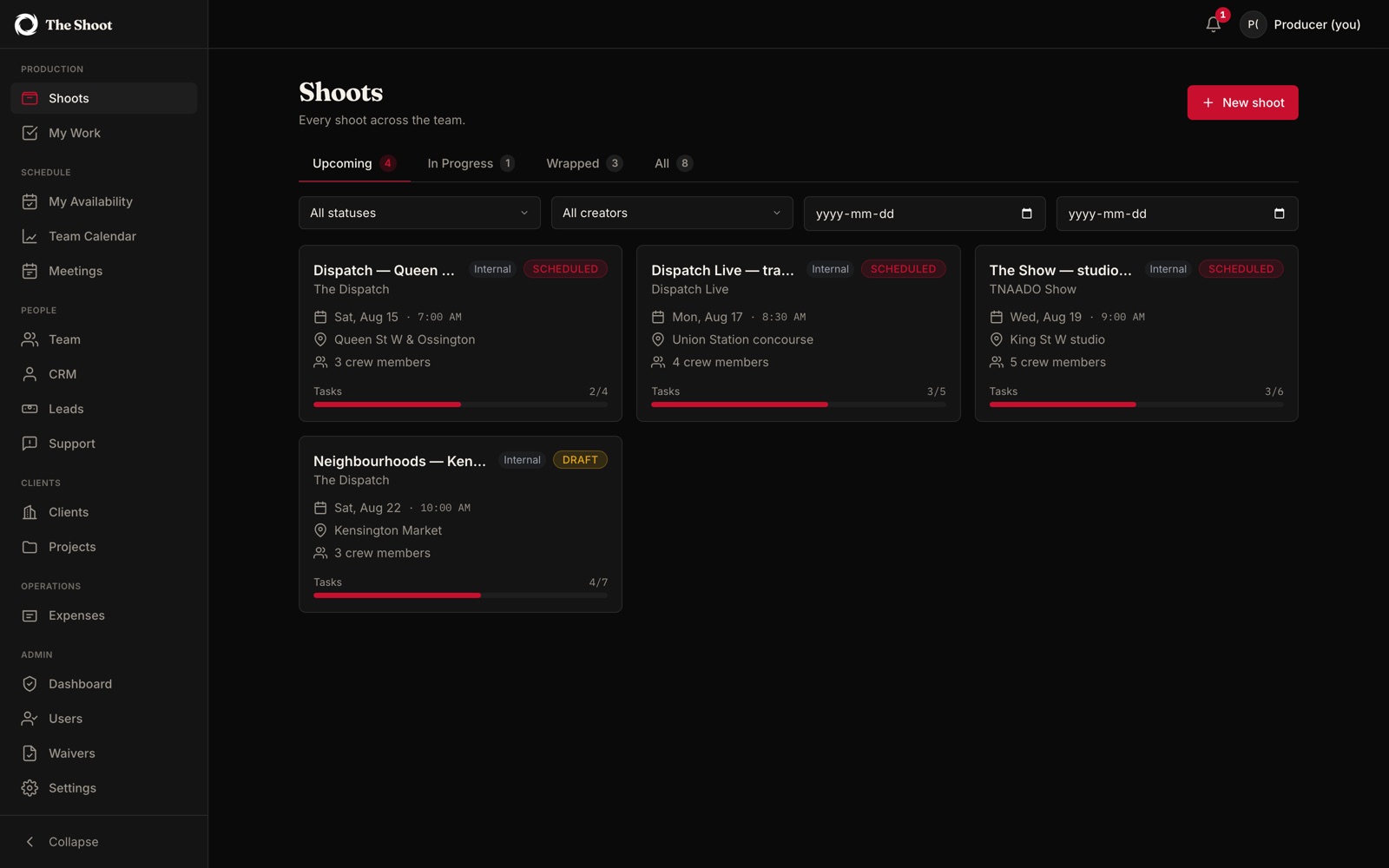
    A production board of upcoming shoots as cards, each with its date, call time, location, crew size and a task progress bar, above filters for status and creator
    The Shoot, production board. Every shoot across the team, split into upcoming, in progress and wrapped, each card carrying its client, call time, location, crew count and how many of its tasks are done.
    One production opened up and marked in progress, showing the client, date, call time, wrap time, brief, budget state and location, with tabs across the top for crew, tasks, shot list, equipment, time, reviews, contacts, financials and payments.
    The Shoot, one day. Call time, wrap time, location, brief and budget on one screen, with crew, gear, hours and payments a tab away.
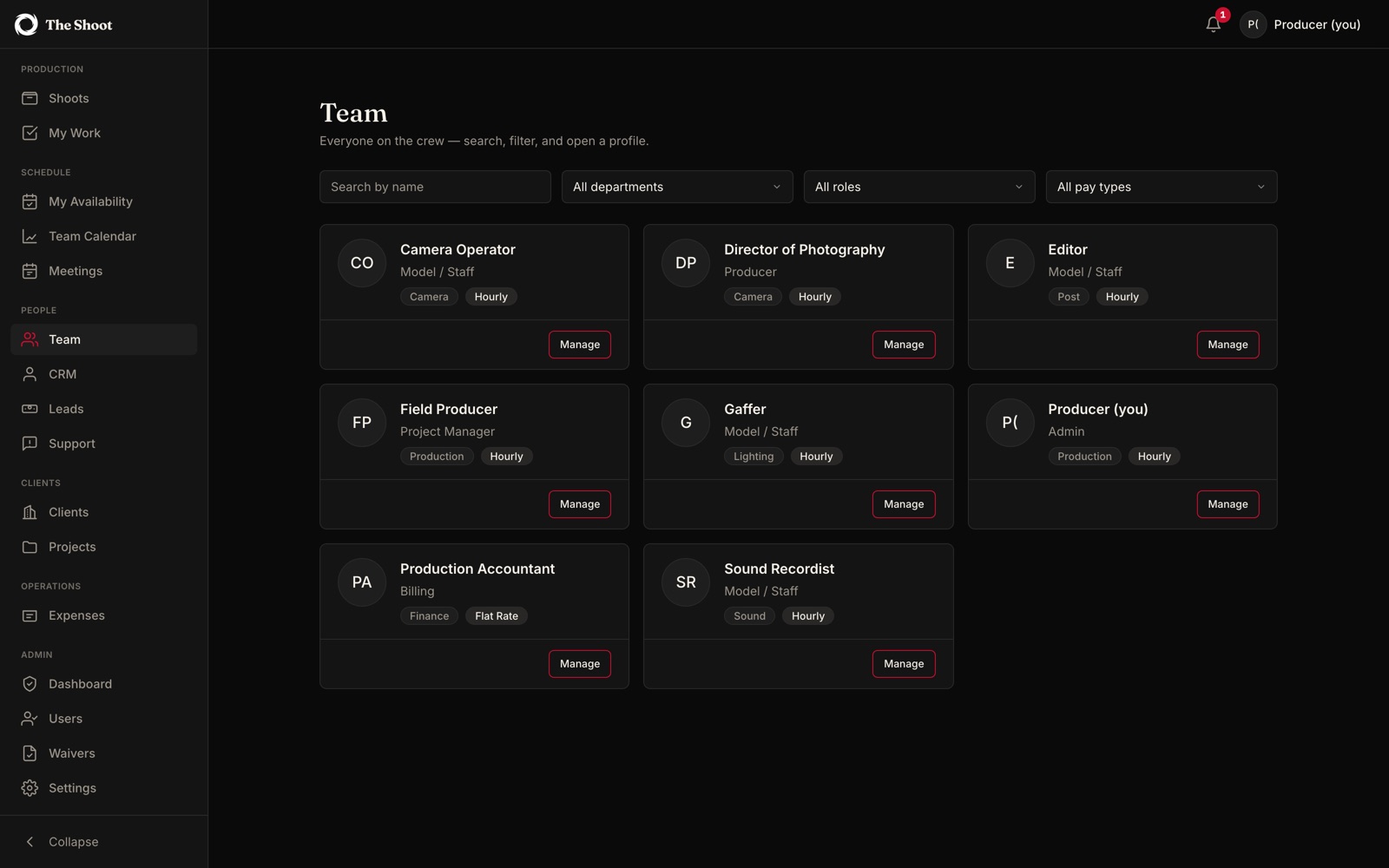
    A crew directory as cards, each naming a role such as camera operator, director of photography, gaffer or sound recordist, with the department, whether the person is staff or a producer, and whether they are paid hourly or at a flat rate.
    The Shoot, crew. Who is available, what they do, and how they are paid.
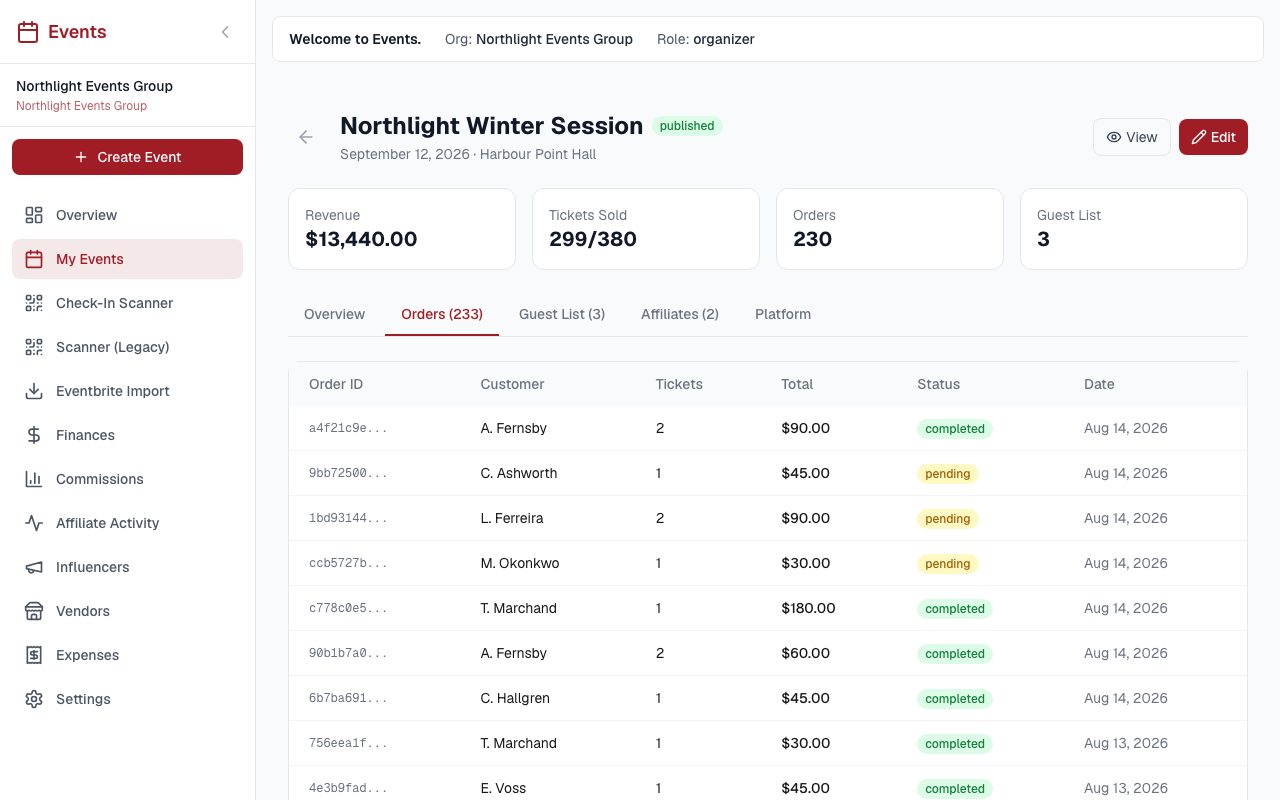
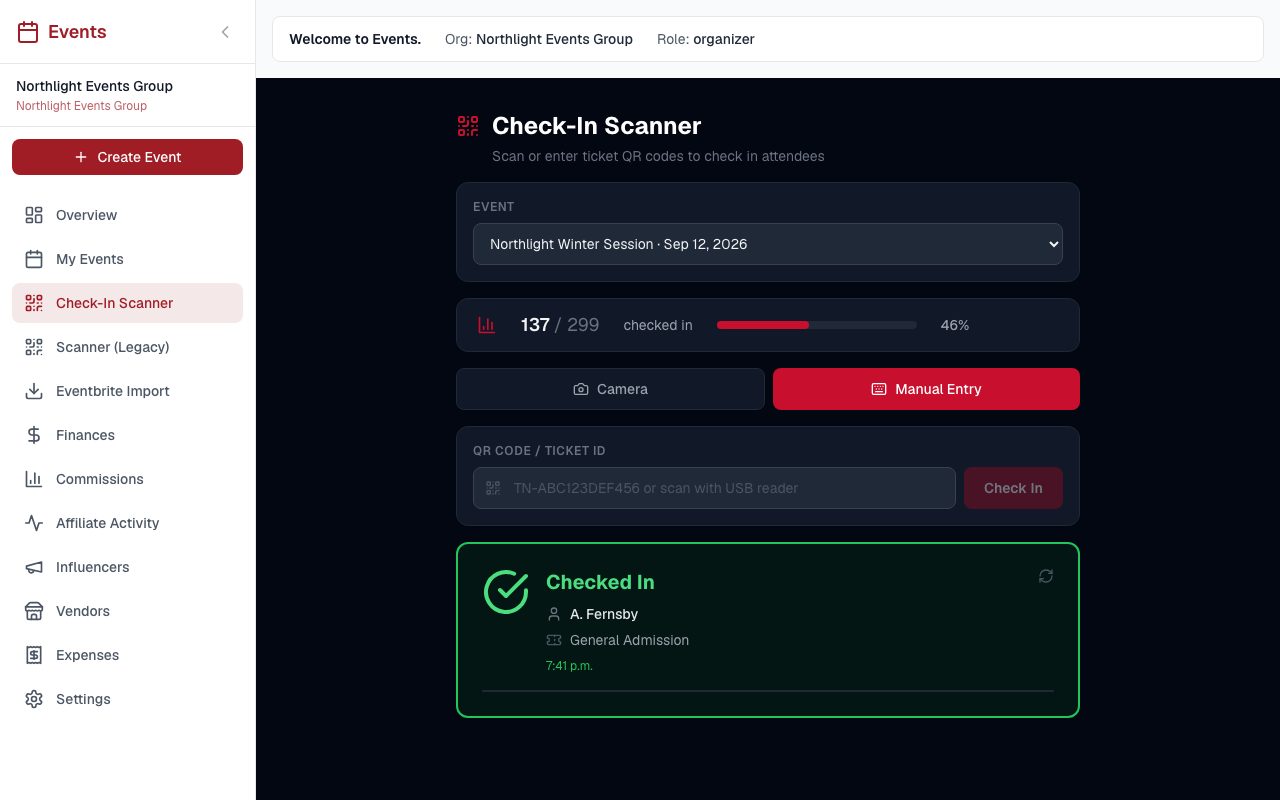
  • Events and Ticketing

    A QR ticket on every sale, and a door scanner at the event that checks it.

    Events
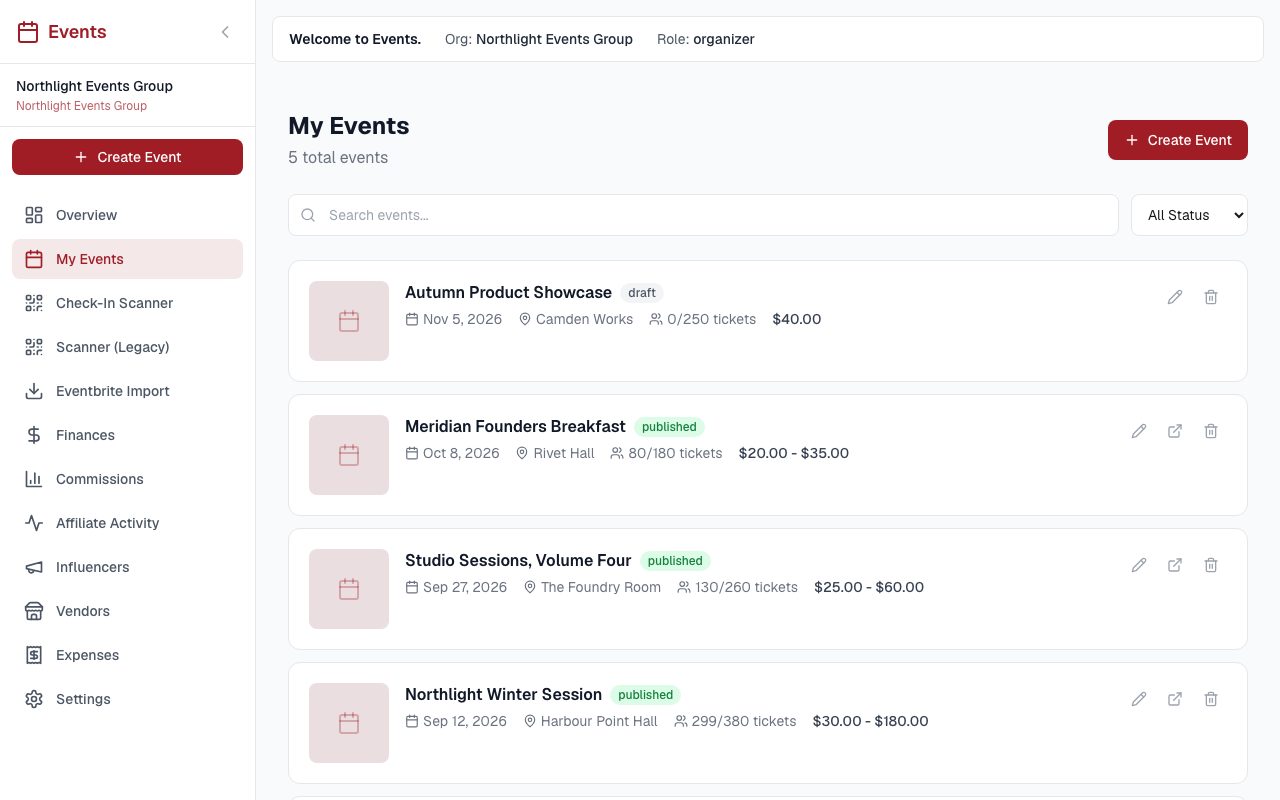
    An organiser's event list: each event with its date, venue, tickets sold against capacity and price range, marked draft or published
    Events, the event list. Each event with its date, venue, price range and how many tickets have gone.
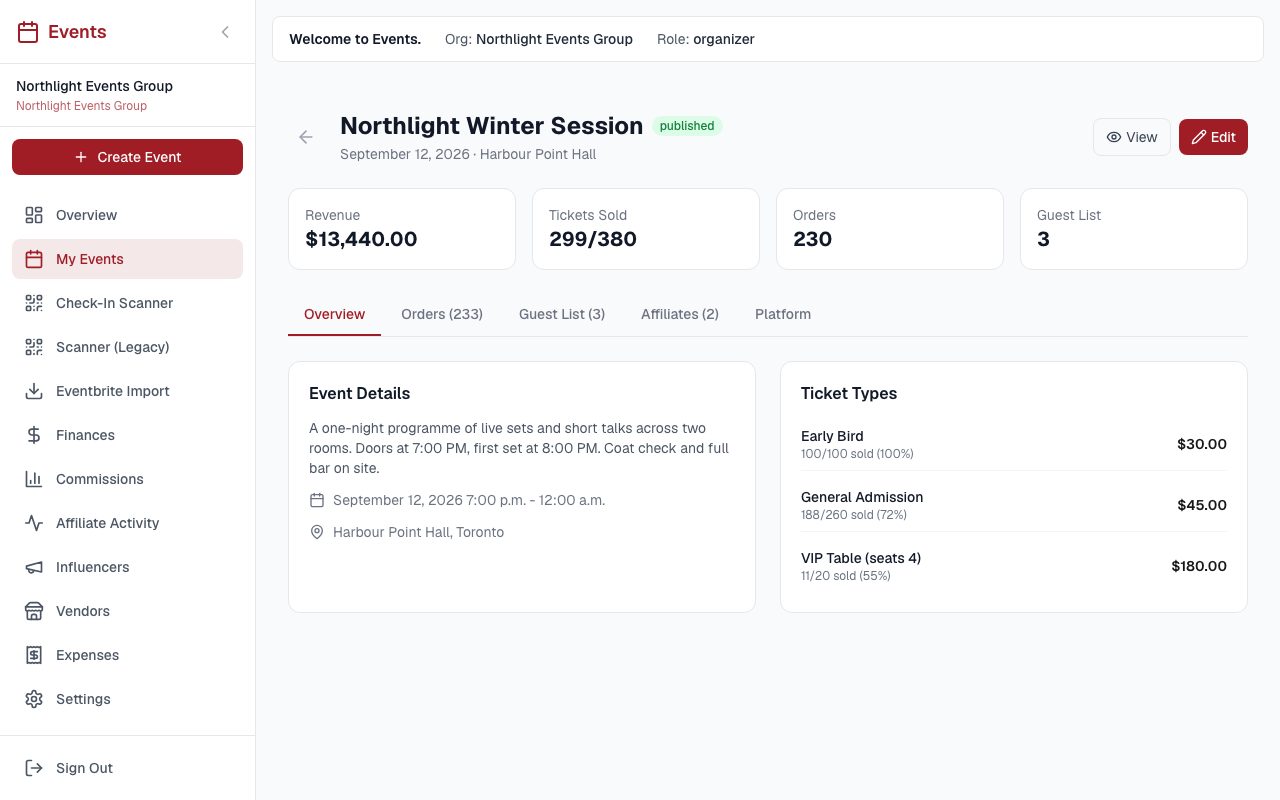
    An event page showing revenue, tickets sold against capacity, the order count and the guest list size, with the event details beside a ticket type panel listing early bird, general admission and a VIP table with prices and how many of each have sold.
    Events, one event. Money taken, seats left, and how each ticket type is selling.
    An order table for one event, each row carrying an order reference, the customer, how many tickets, the amount paid and a completed or pending status.
    Events, orders. Every sale with the buyer, the amount and whether the payment actually went through.
    A door scanner screen with an event picker, a running count of one hundred and thirty seven checked in out of two hundred and ninety nine, a field for a ticket reference, and a green confirmation naming the person just admitted and their ticket type.
    Events, the door. A ticket is scanned or typed in and the count updates as people come through.
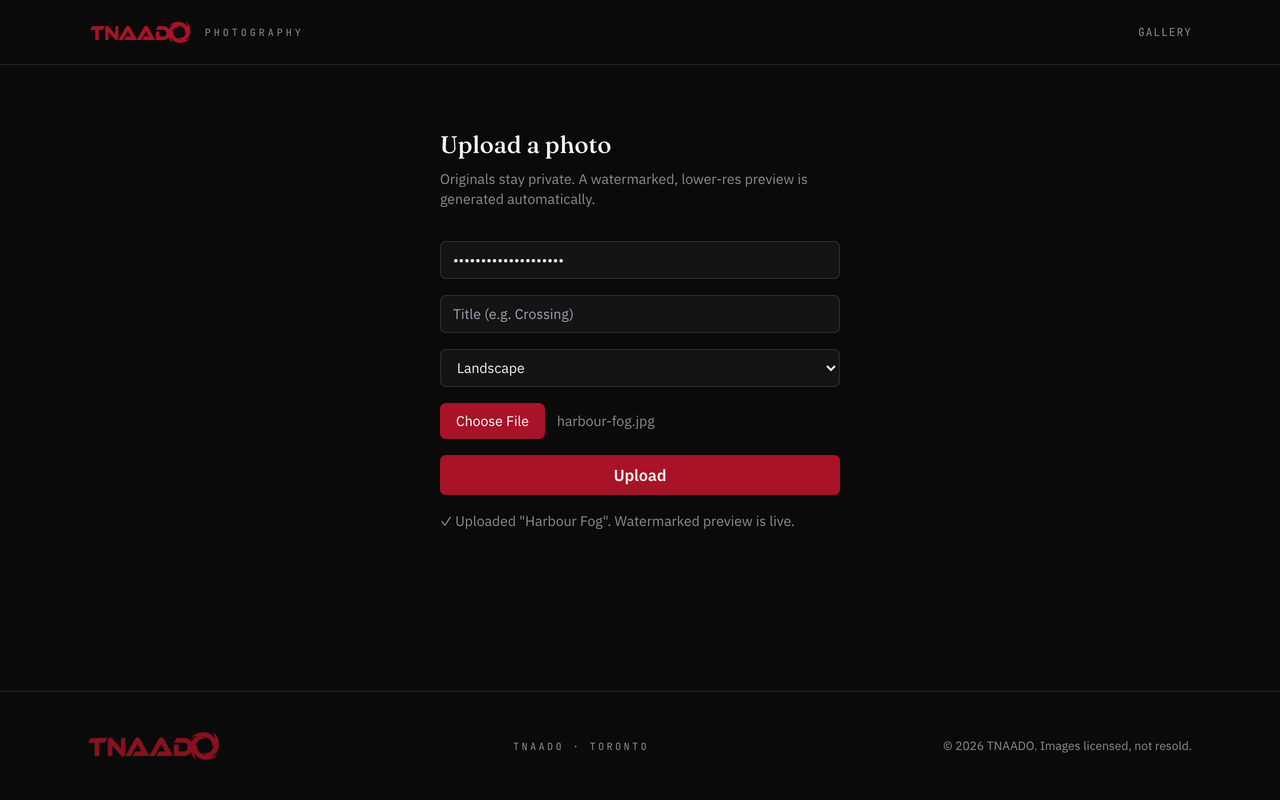
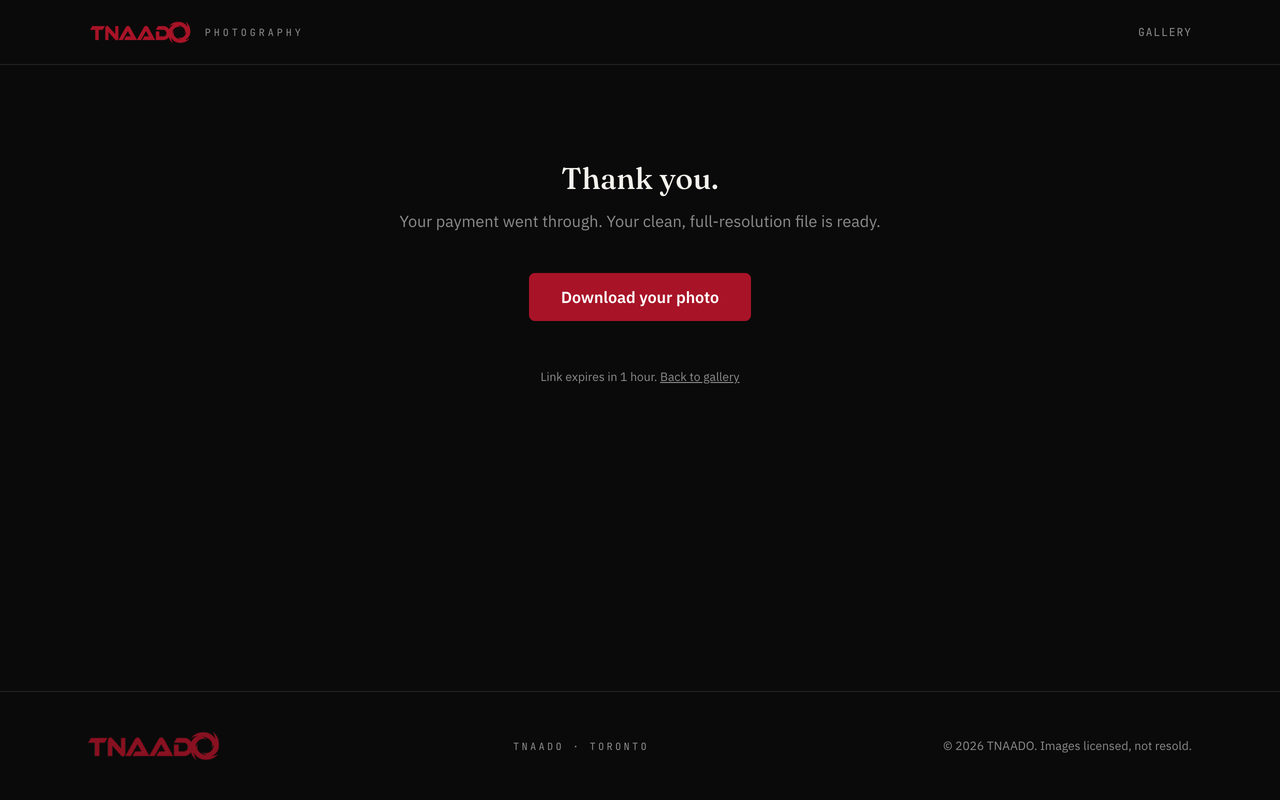
  • Photo Licensing Store

    Public previews are watermarked; the clean original sits in private storage behind a signed link.

    Licensing
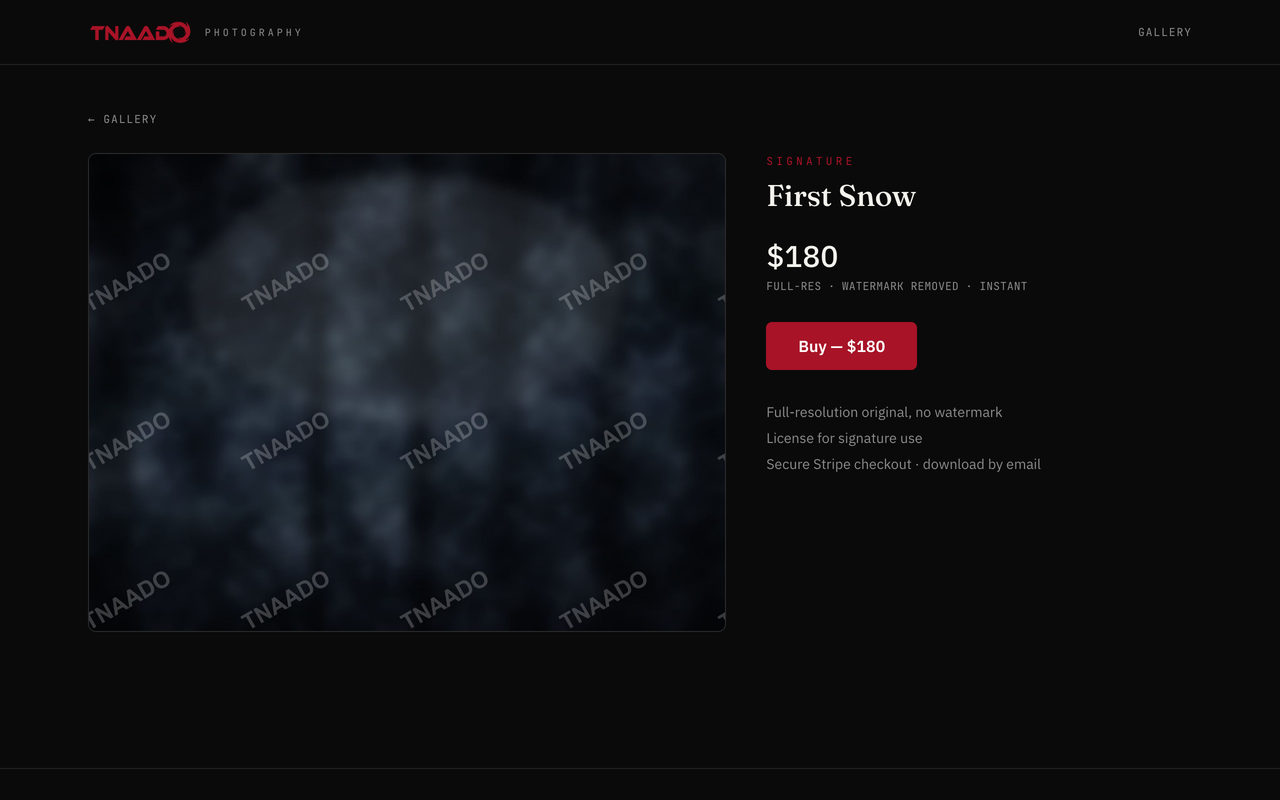
    A licensing page for one photograph: the preview tiled with repeating watermarks, and beside it the licence price and a buy button offering the full-resolution original
    Photo store, one photograph. The preview is watermarked and the clean file sits behind the payment.
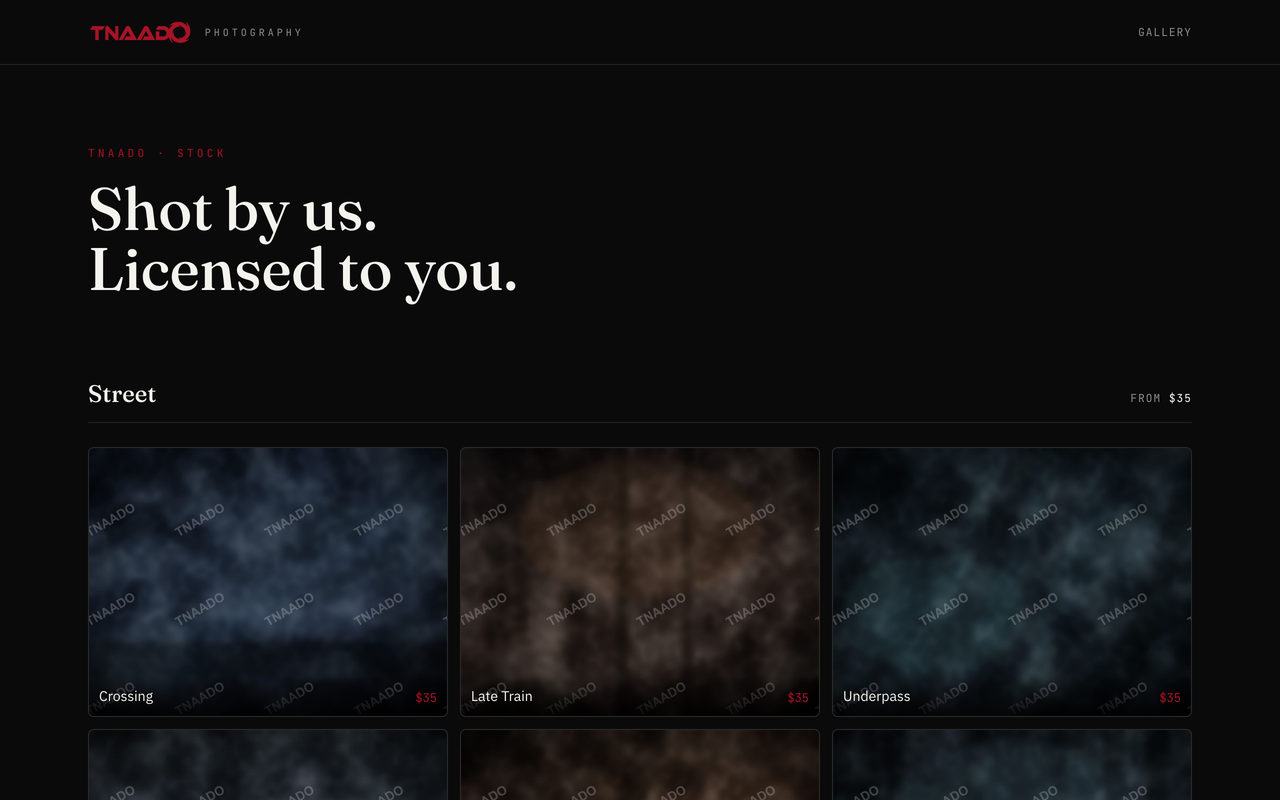
    A photography licensing gallery headed Shot by us, licensed to you, with a Street section of thumbnails, every preview tiled with repeating TNAADO watermarks.
    Photo store, the gallery. Photographs grouped by subject with a price on each, and a watermark over every preview.
    An upload form for a photograph with a title field, an orientation picker and a file chooser, above a note saying originals stay private and a watermarked lower resolution preview is generated automatically, and a line confirming the preview is live.
    Photo store, uploading. The original goes into private storage and the watermarked preview is made for you.
    A confirmation page after payment reading Thank you, your payment went through, your clean full resolution file is ready, with a download button and a note that the link expires in one hour.
    Photo store, after payment. The buyer gets a link to the clean file, and that link expires in an hour.

Accounts and ledgers

Who someone is, what they are owed, and what has actually been paid.

Mainframe Central Billing

Revenue and cost from every property in one ledger. Billing and payroll run off it.

No screen on this one: both captures publish the firm's own revenue and payroll, and neither belongs on a page a client reads.

  • Client Portal

    A client's projects, the shoots inside them, the budget agreed and the invoices raised.

    Projects
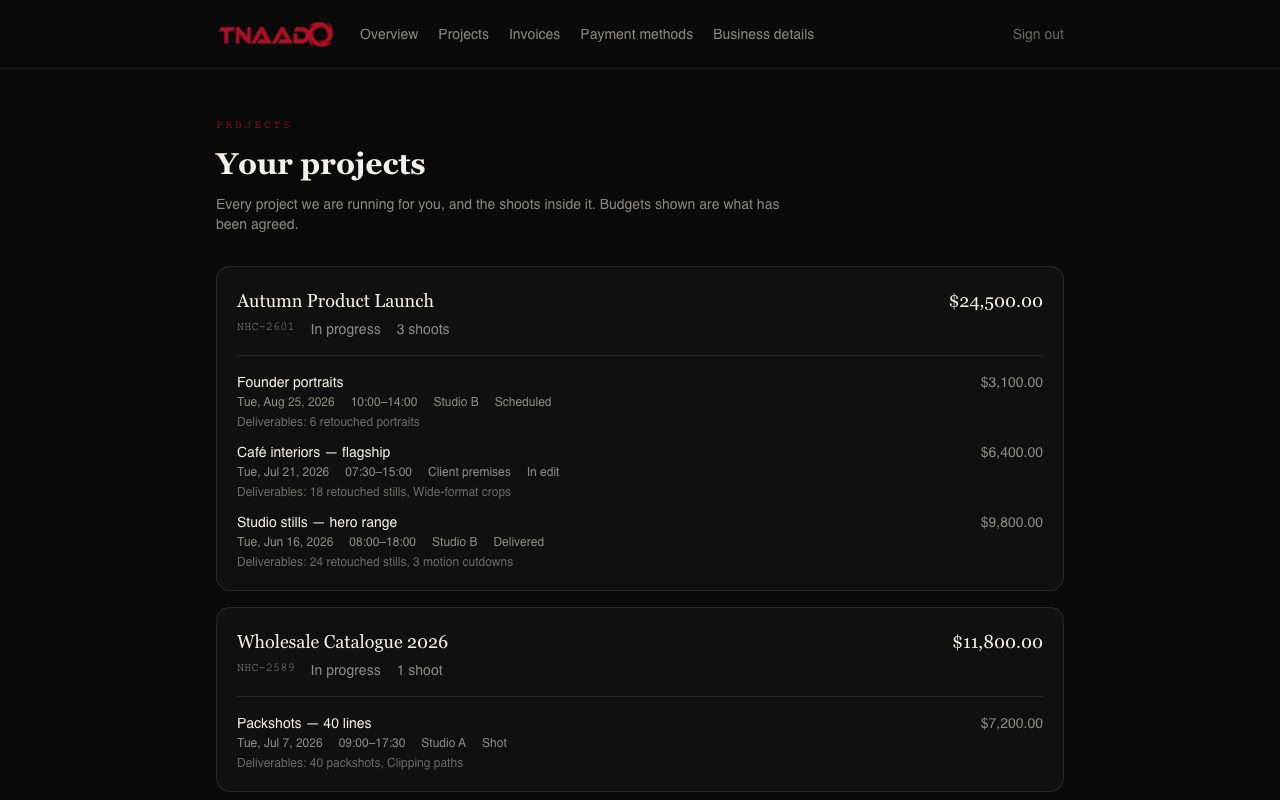
    A client's project list, each project broken into its individual shoots with dates, locations, status and the deliverables agreed for each one
    Client portal, projects. Each project opens into the individual shoots inside it, with the date, the studio or location, the state it has reached and the deliverables and budget agreed for each one.
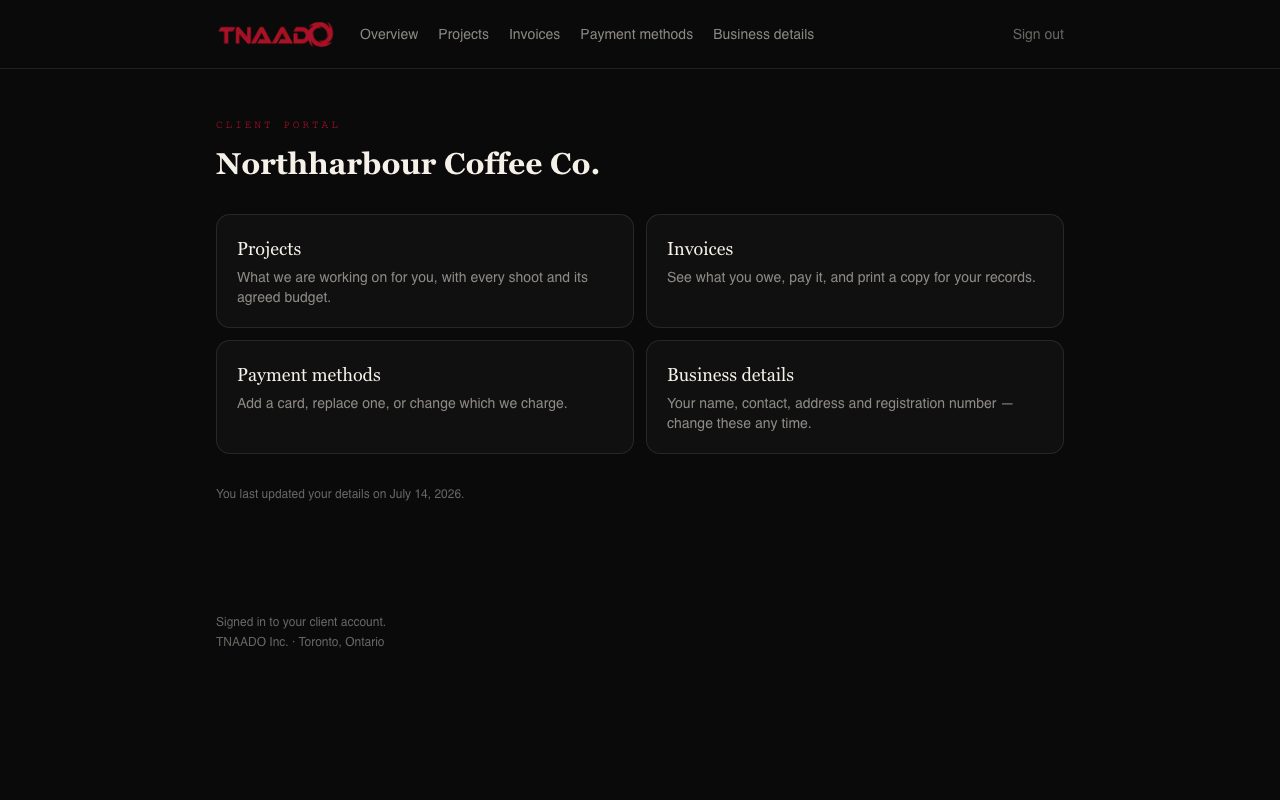
    A client's signed in home screen headed with their company name, offering four cards for projects, invoices, payment methods and business details, with a line saying when they last updated their details.
    Client portal, the front page. A client signs in and sees their work, their bills, their card on file and their own company details.
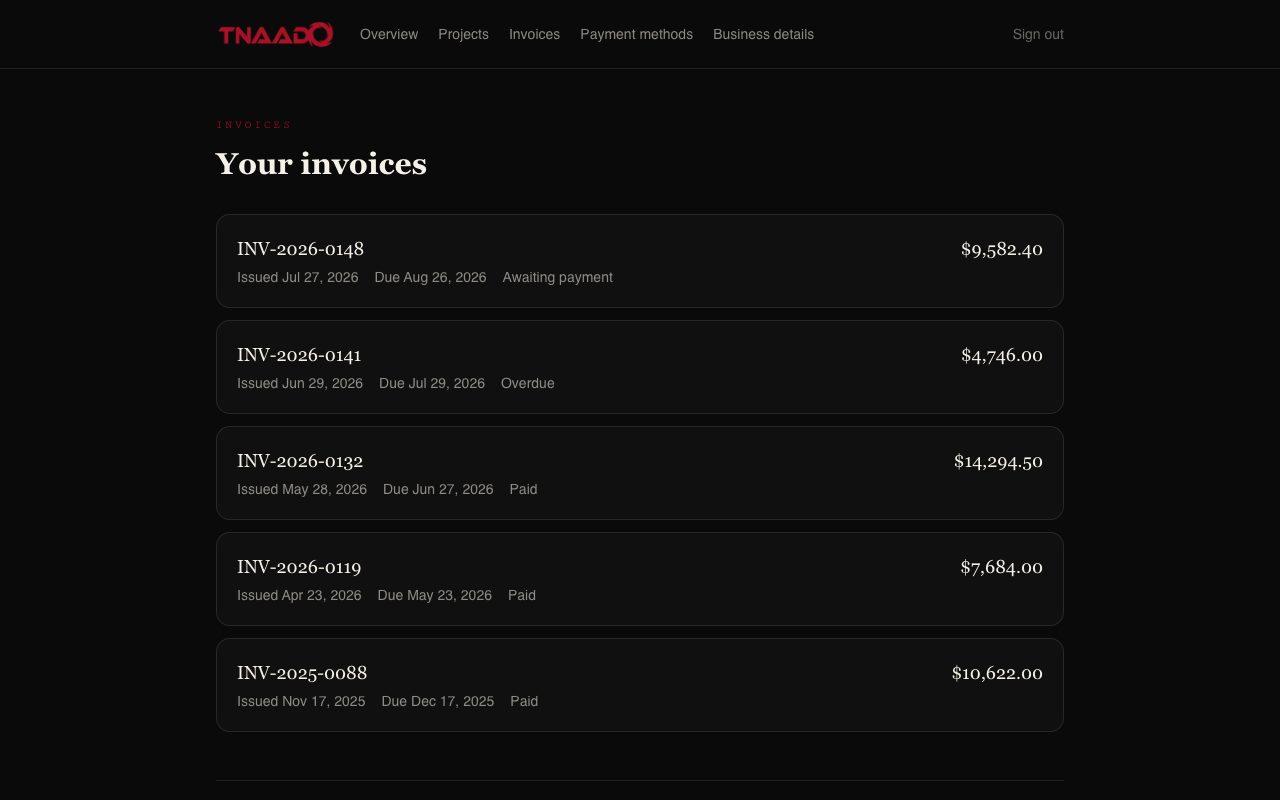
    A client's invoice list, each invoice carrying its reference, issue date, due date, a state of awaiting payment, overdue or paid, and the amount.
    Client portal, invoices. What is paid, what is due and what is late, in one list.
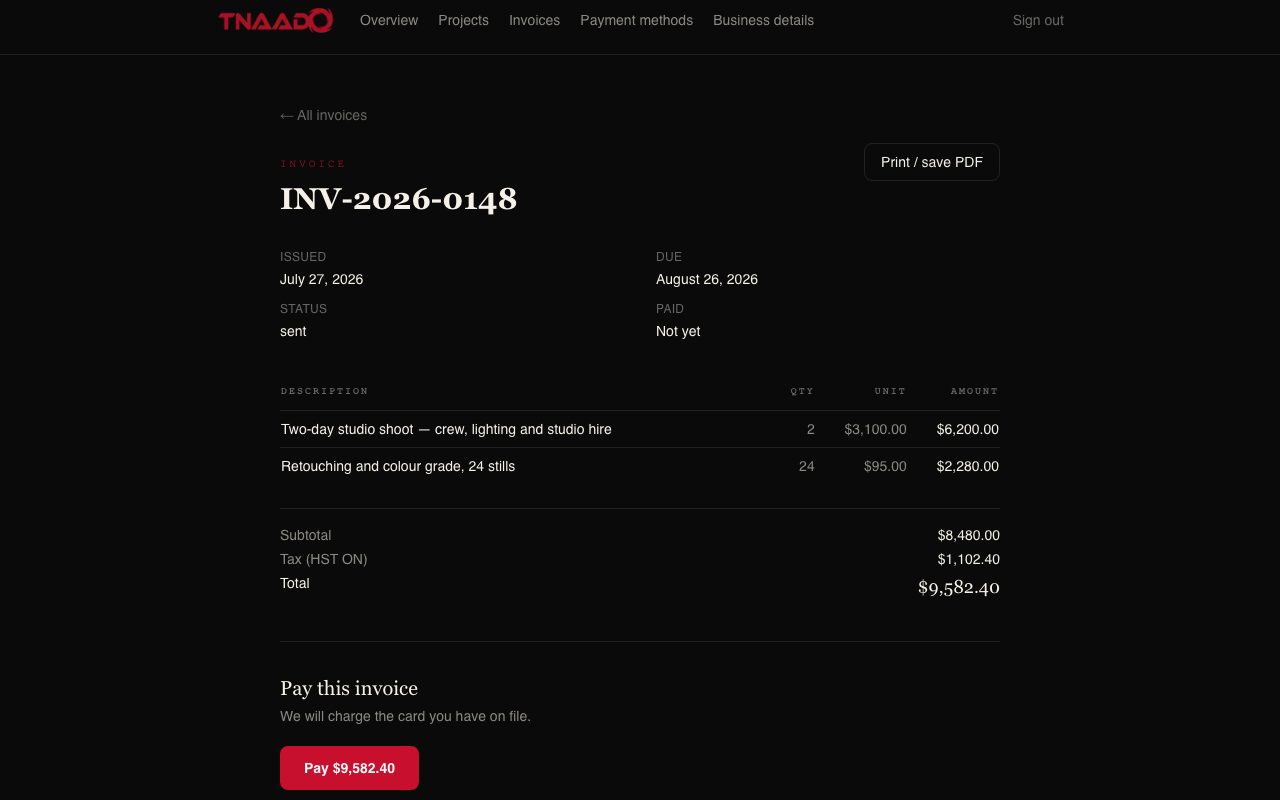
    A single invoice showing its issue and due dates, a sent status, two line items for a two day studio shoot and for retouching, a subtotal, Ontario tax, a total, a print or save as PDF button, and a pay button carrying the amount.
    Client portal, one invoice. Line by line with tax shown, printable, and payable from the same screen.
  • Reporter Portal

    What each accepted pickup earned.

    Earnings
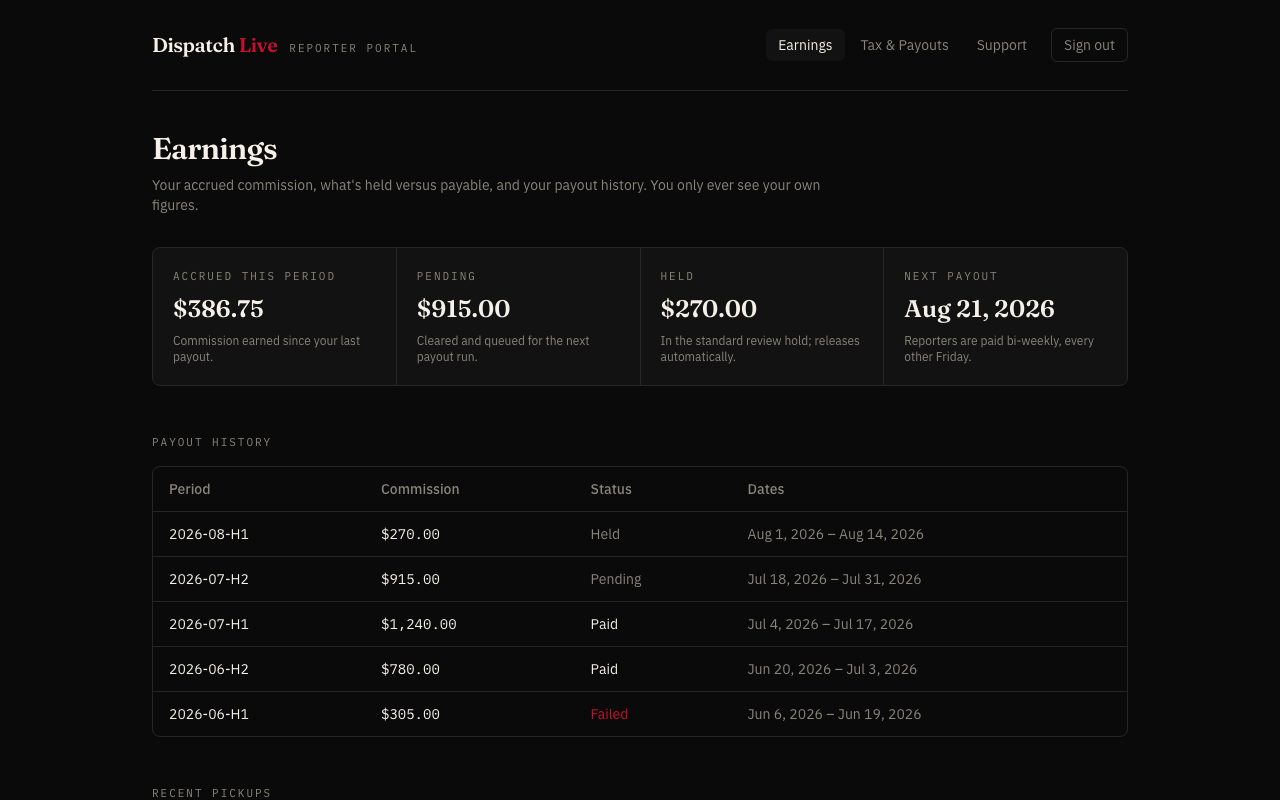
    A reporter's earnings screen: commission accrued this period, what is pending, what is held, the next payout date, and a table of past payout periods with their status
    Reporter portal, earnings. Commission accrued since the last payout, what is cleared and queued, what is still in review hold, and the date of the next run. A reporter only ever sees their own figures.
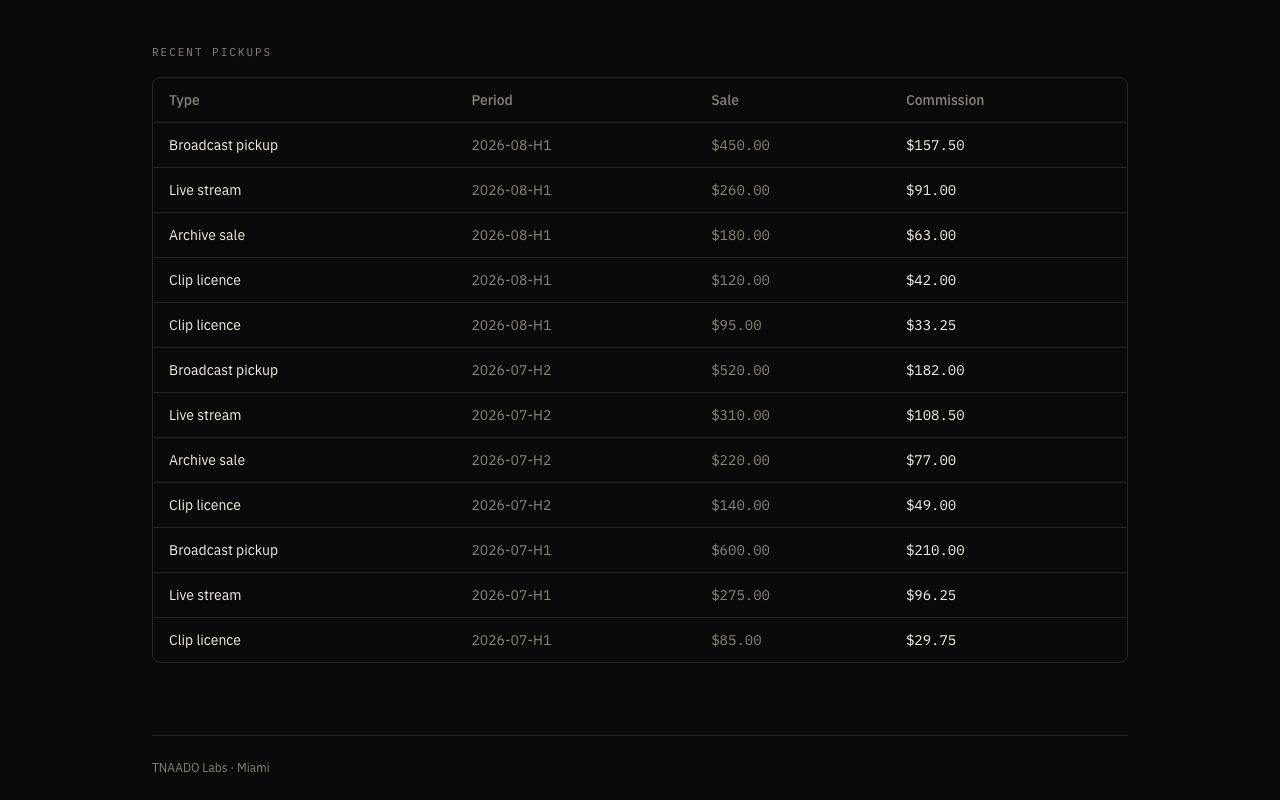
    A recent pickups table, each row naming the kind of sale such as broadcast pickup, live stream, archive sale or clip licence, the period it fell in, what it sold for and the commission earned on it.
    Reporter portal, recent pickups. Every accepted item with what it sold for and what the reporter earned from it.
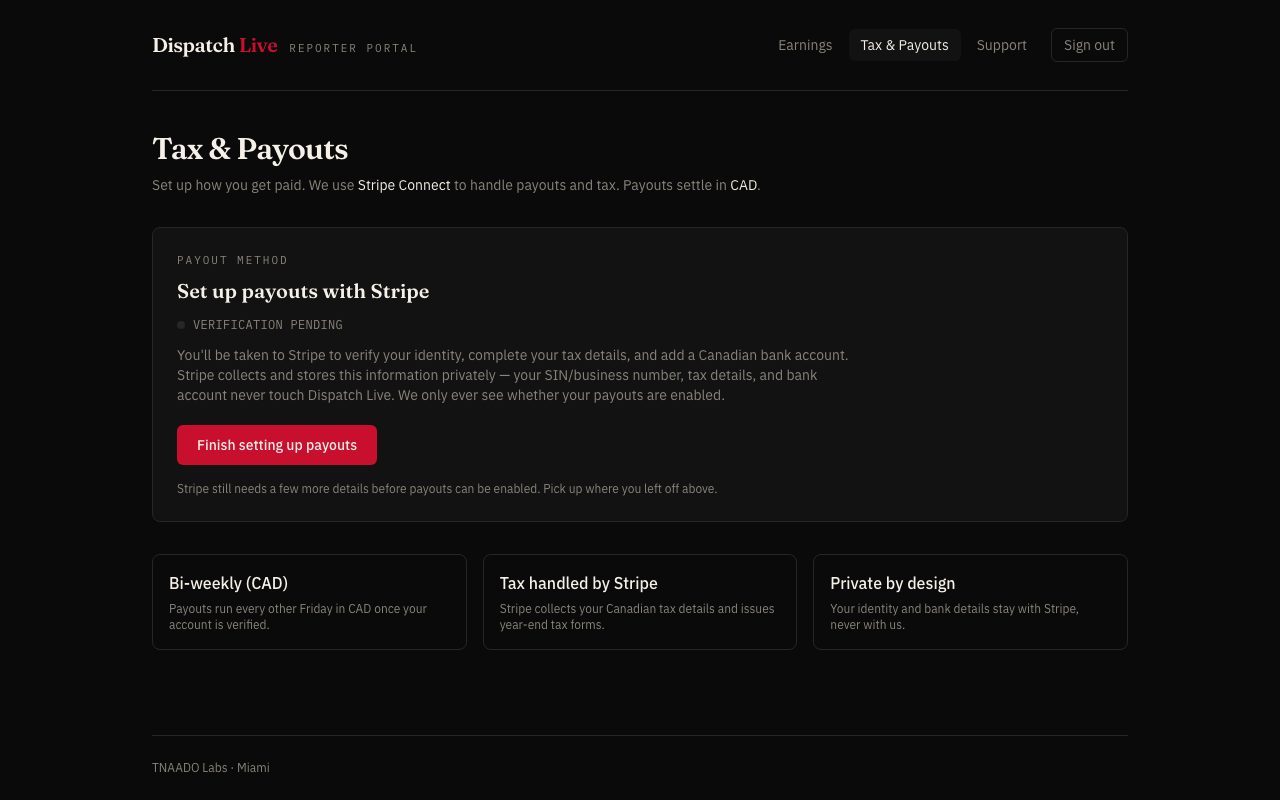
    A payouts setup screen explaining that Stripe handles payouts and tax and that identity, tax details and bank account never touch the product, with three cards covering fortnightly Canadian dollar payouts, tax handled by Stripe, and identity kept private.
    Reporter portal, getting paid. Bank details and tax go to Stripe, never to us, and payouts run every second Friday.
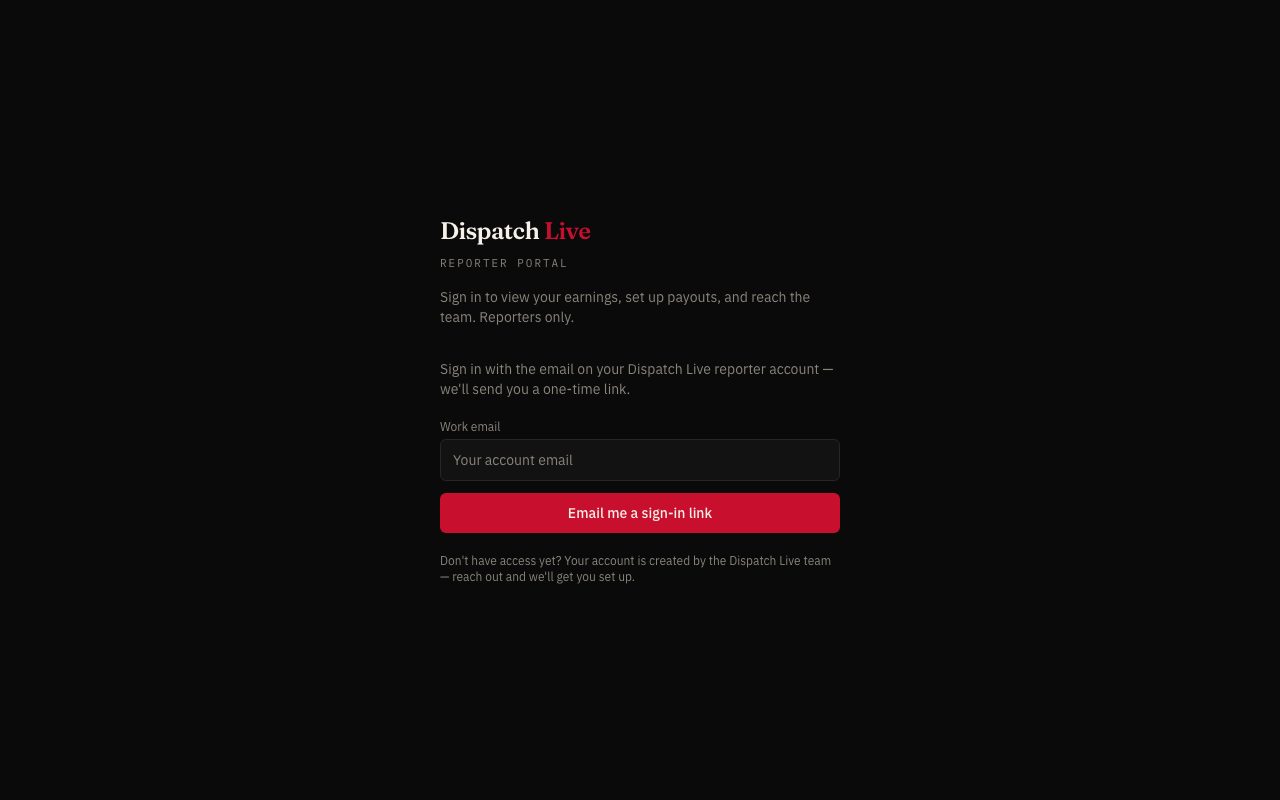
    A reporter sign in screen asking only for the work email on the account, with a button to email a one time sign in link and a note that accounts are created by the team.
    Reporter portal, signing in. A one time link to the address on the account, so there is no password to lose.
  • Merch Store Admin

    Orders, from checkout to the print partner to the door.

    One order
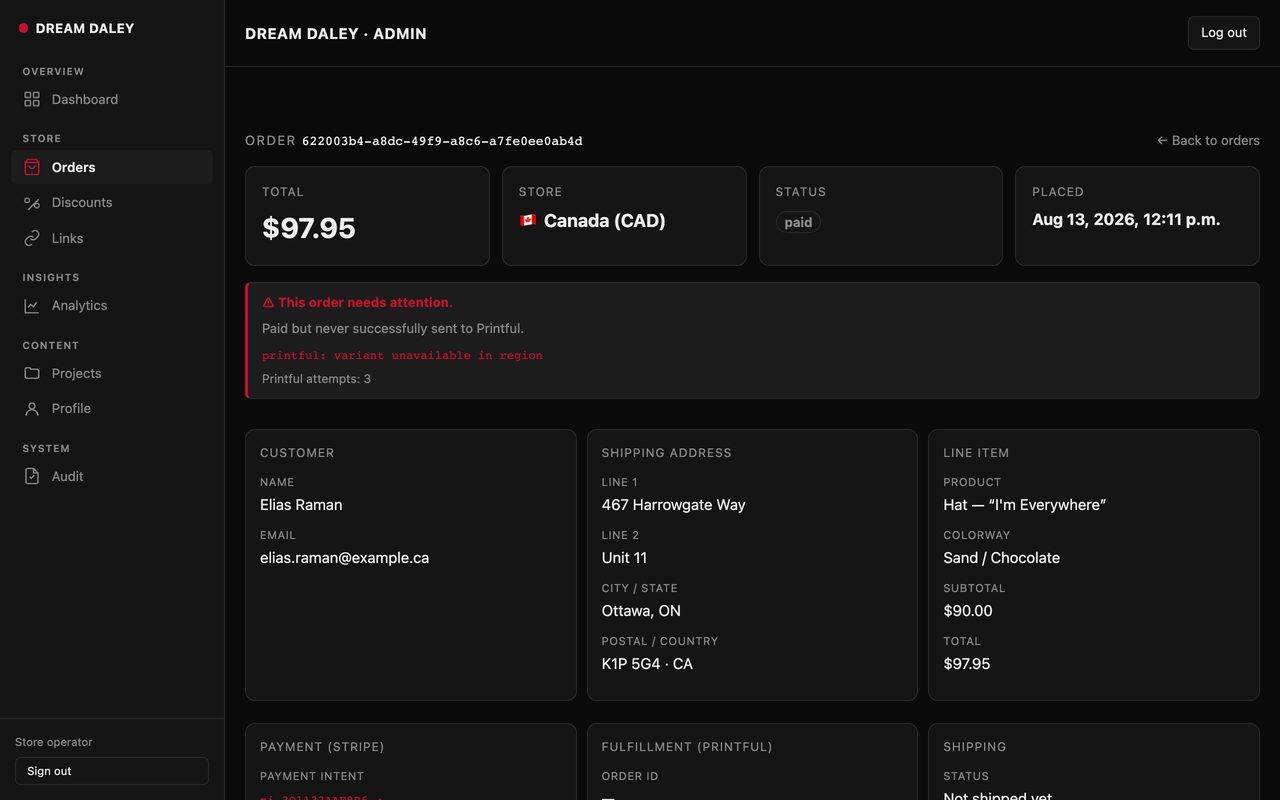
    A single store order opened up, with an alert saying it was paid but never reached the print partner, and the customer, shipping address and line item listed beside it
    Merch admin, one order. Paid, then refused three times by the print partner because the colourway was unavailable in that region. The record says so in red instead of going quiet.
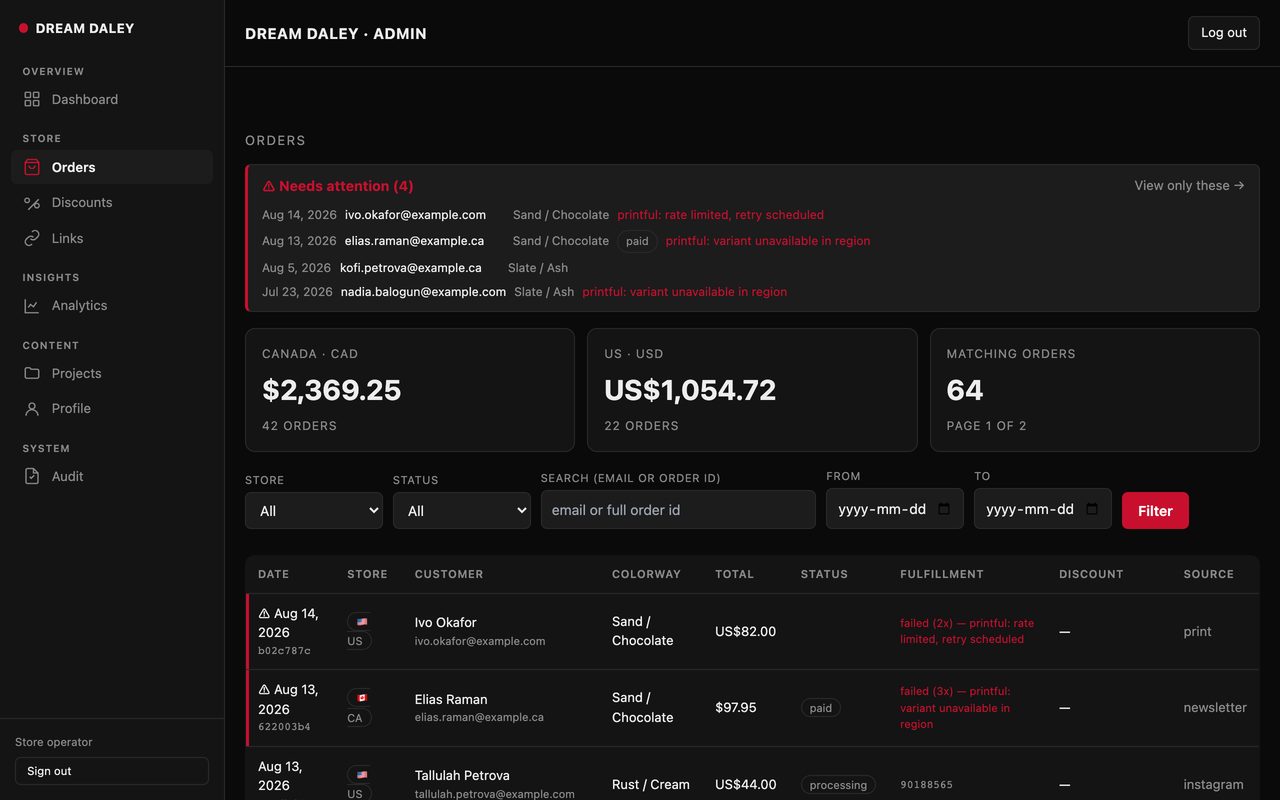
    A store order list with a pinned needs attention panel naming four orders that failed at the print partner, Canadian and United States takings shown separately, and a filterable table of orders carrying the customer, the colourway, the total, the payment status, the fulfilment state and the channel the sale came from.
    Merch admin, orders. Canadian and American takings side by side, with the orders that need a human pinned to the top.
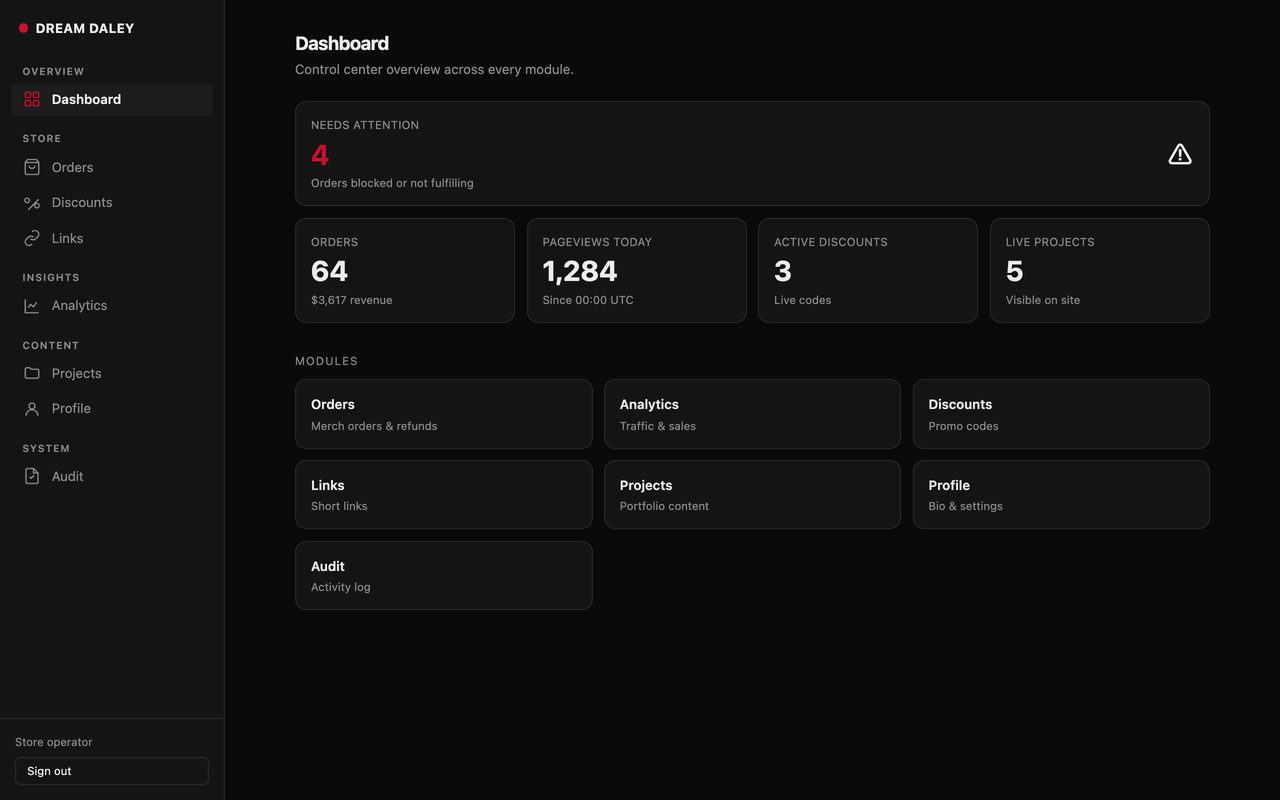
    A store dashboard with a needs attention count of four, tiles for orders and revenue, pageviews today, active discount codes and live projects, above a card for each part of the admin.
    Merch admin, the front page. Orders, revenue, traffic and live discount codes on one screen.
  • TNAADO Portal

    One identity, one workspace and one billing relationship behind every module a business uses.

    Workspace
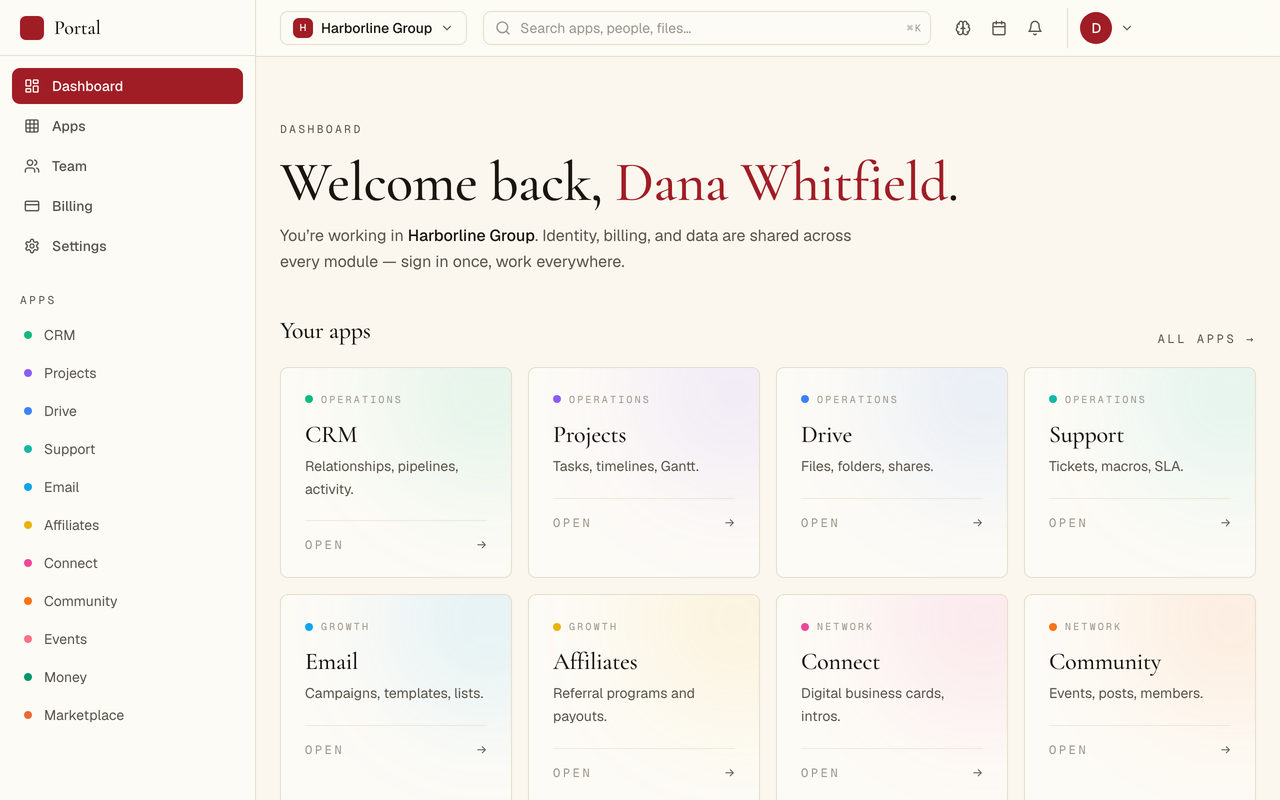
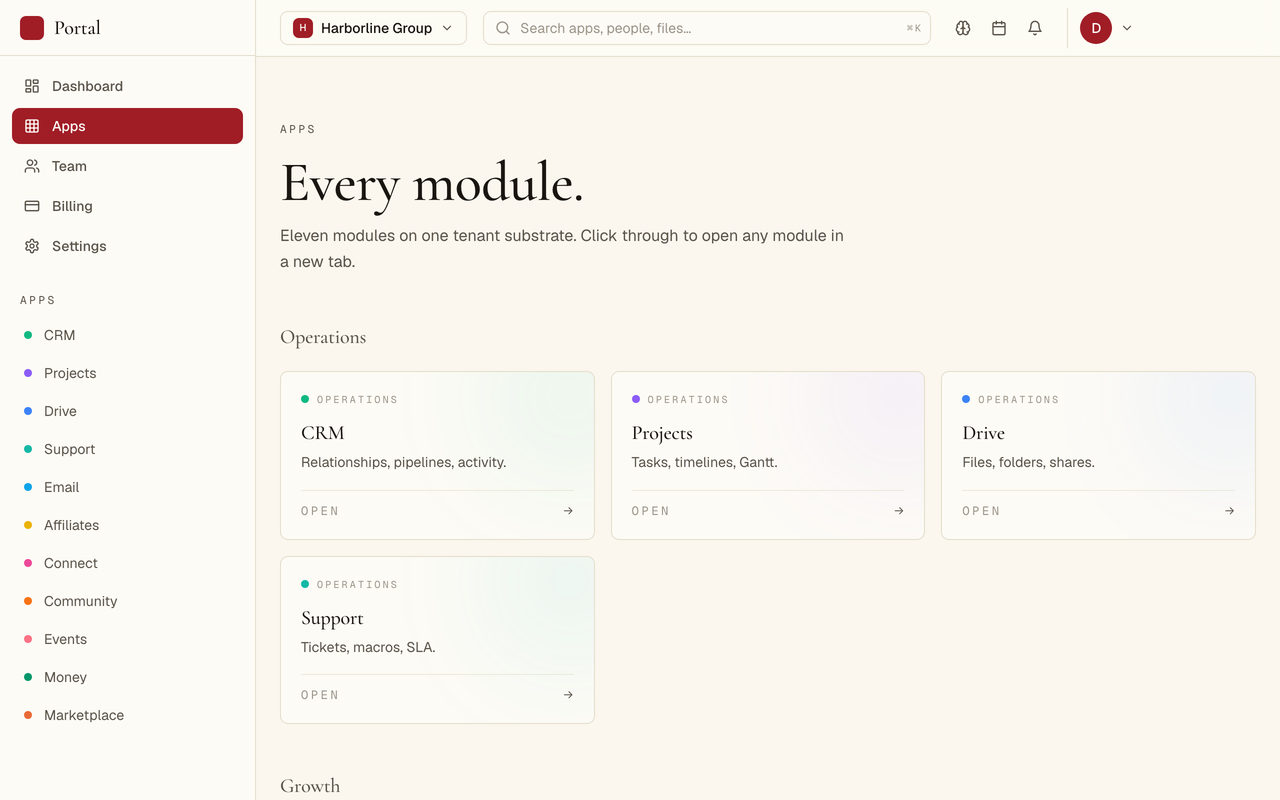
    A workspace dashboard welcoming a signed-in user, with a left rail of modules. CRM, projects, drive, support, email and more: and each module repeated as an openable card
    TNAADO Portal, the workspace. Identity, billing and data are shared across every module, so somebody signs in once and works everywhere.
    A module launcher headed Every module, with cards under an Operations heading for CRM, projects, drive and support, each with a one line description and an open link, and a left rail listing eleven modules.
    TNAADO Portal, modules. Eleven modules on one account, grouped by what they are for.
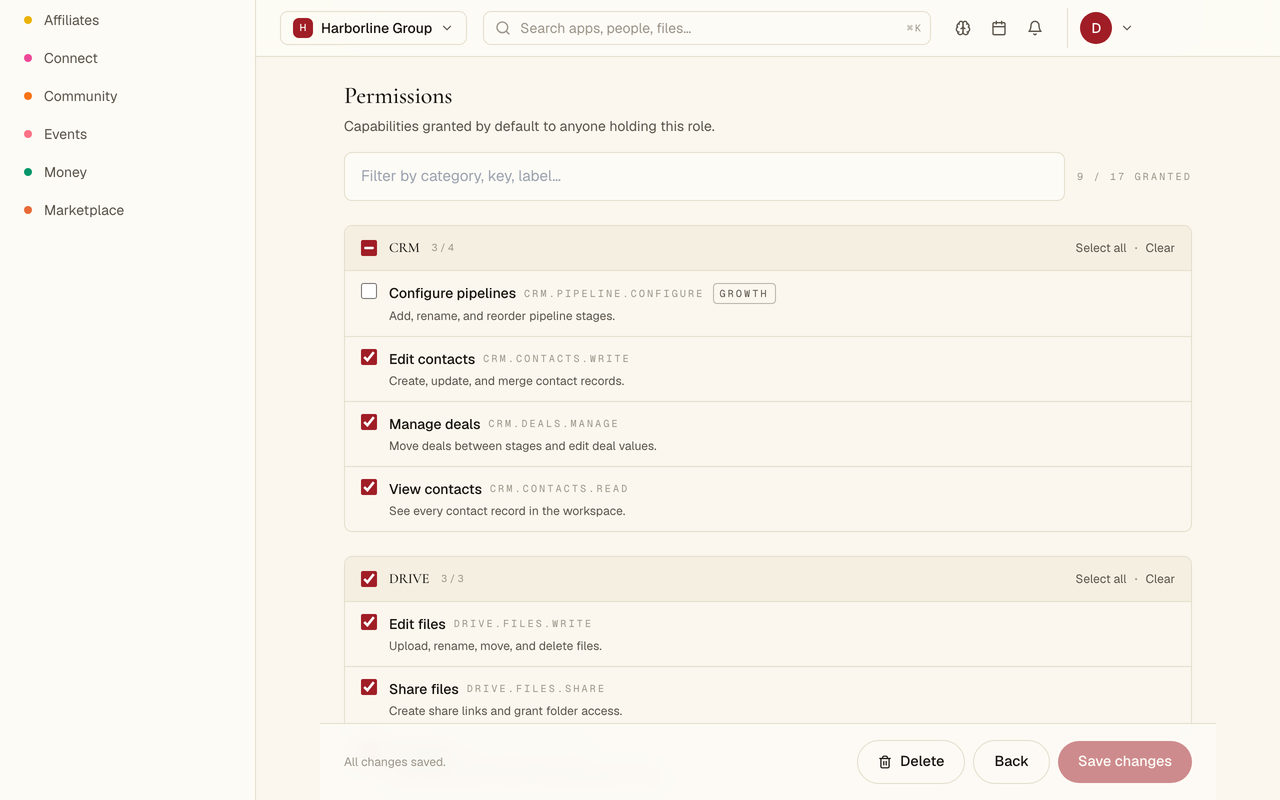
    A permissions screen for one role, with capabilities grouped under CRM and Drive headings, each named in plain language beside its internal key and a short description, ticked or unticked, and a count of nine of seventeen granted.
    TNAADO Portal, permissions. A job title is a list of ticked capabilities, so what somebody can do is written down rather than assumed.
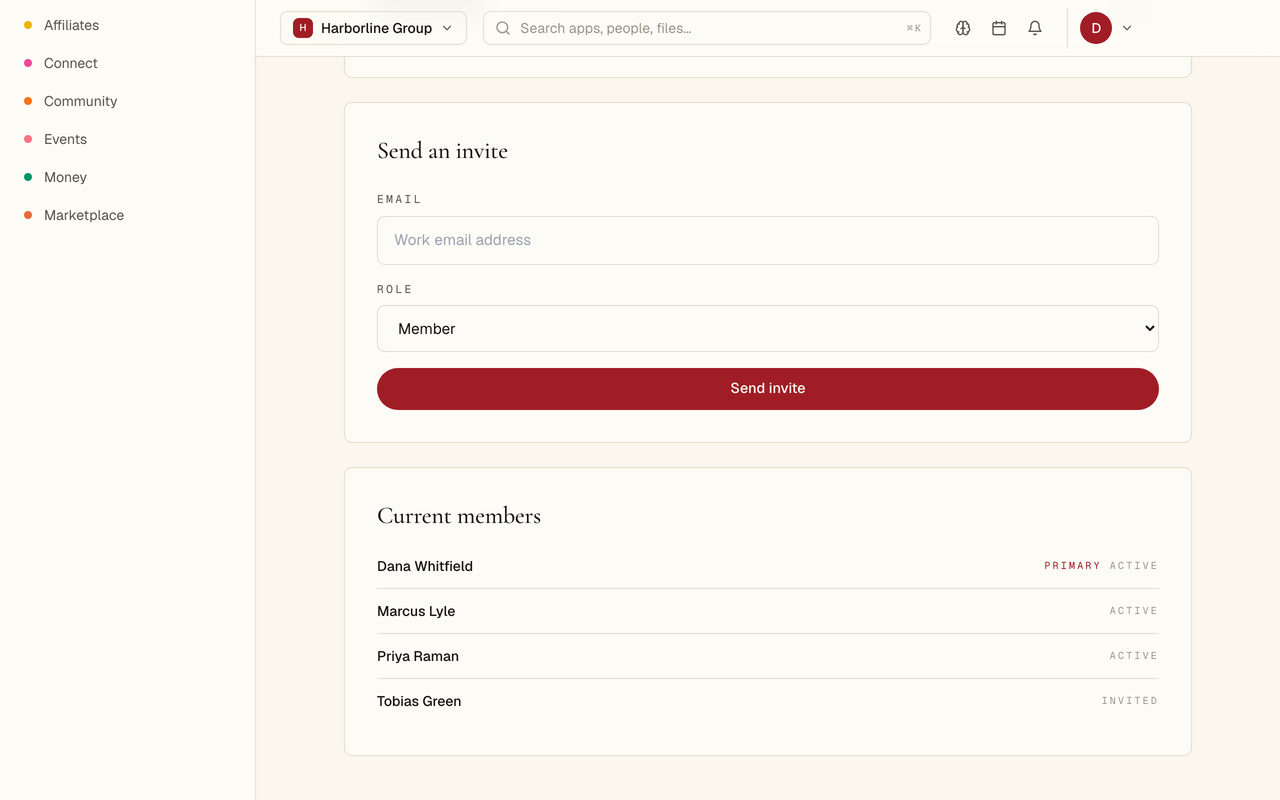
    A team screen with a form to invite somebody by work email and pick their role, above a current members list showing four people marked primary, active or invited.
    TNAADO Portal, the team. Invite by email, set the role, and see who has accepted and who has not.
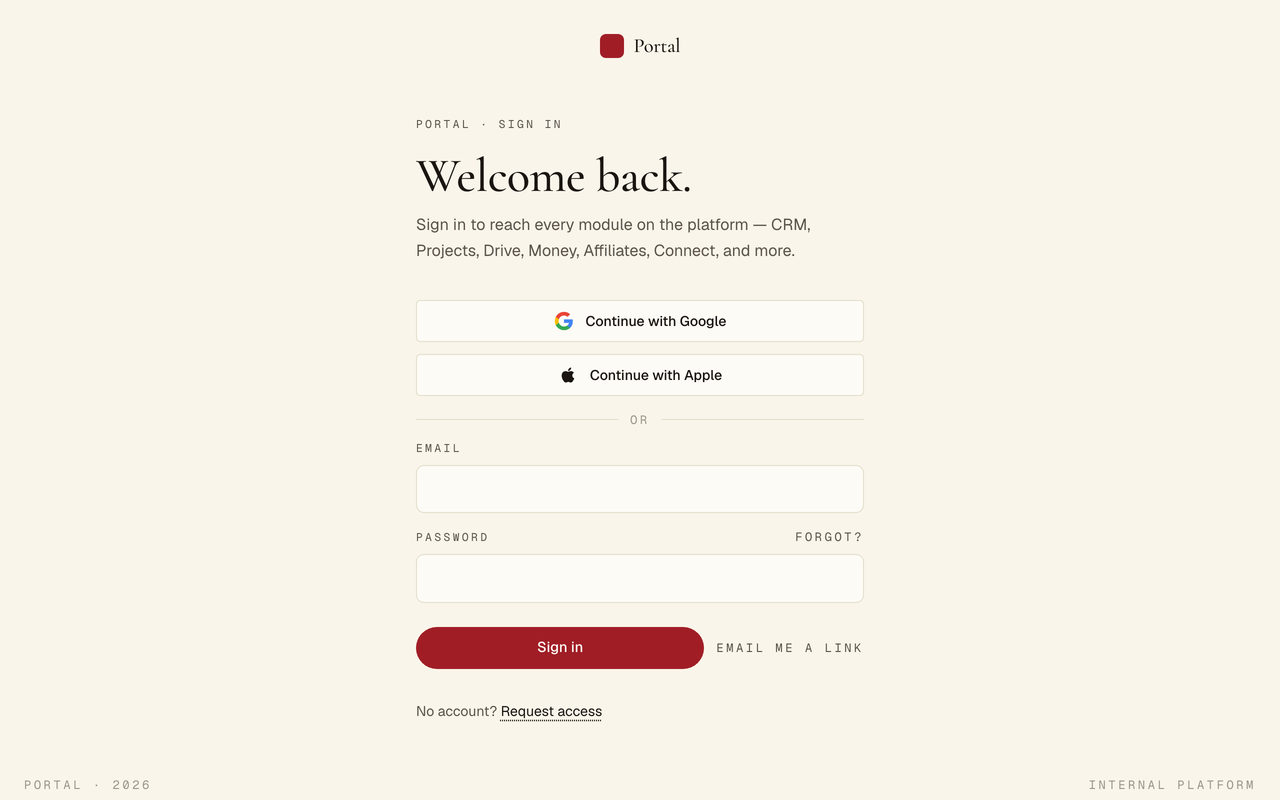
    A sign in screen offering Continue with Google and Continue with Apple, then an email and password form, a link to be emailed instead, and a request access link for anyone without an account.
    TNAADO Portal, signing in. Google, Apple, an email and password, or a link sent to your inbox.
  • Reader Portal

    Sign-in with Google or Apple. No password in the product.

    Membership
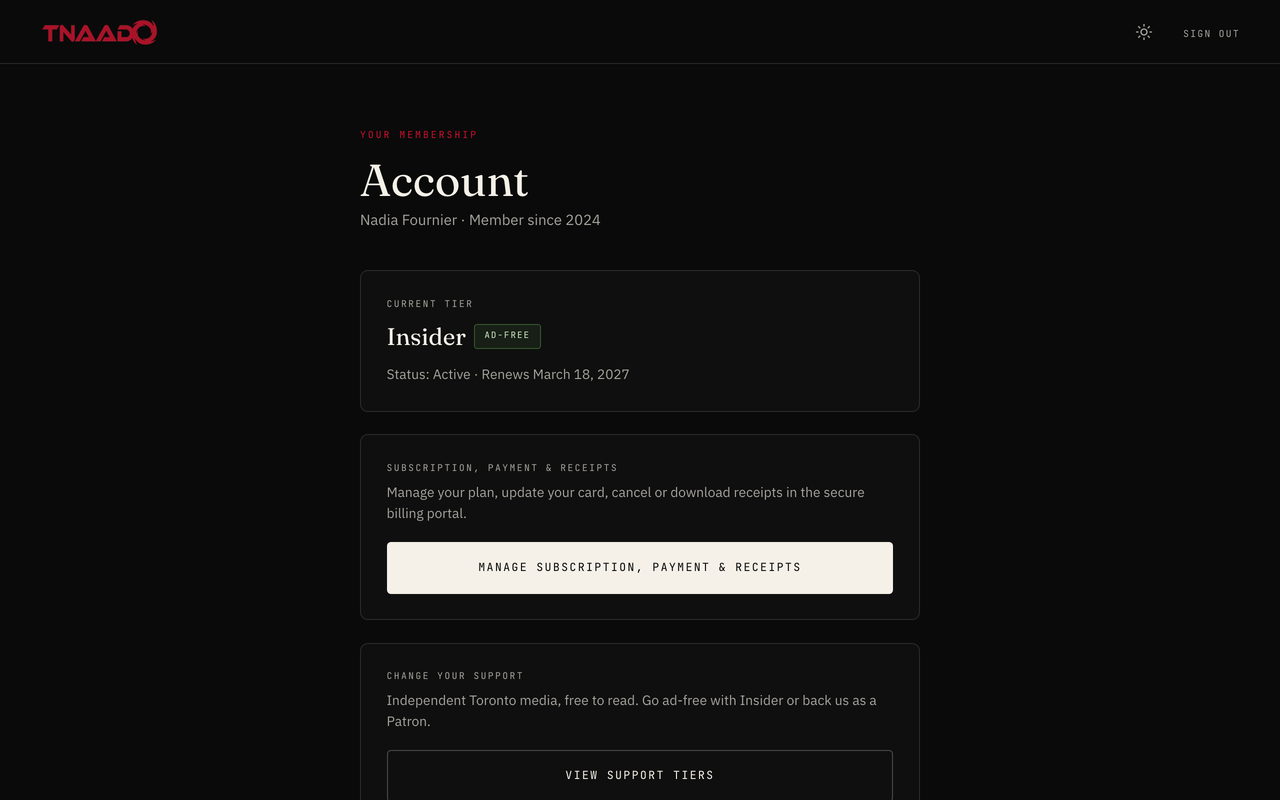
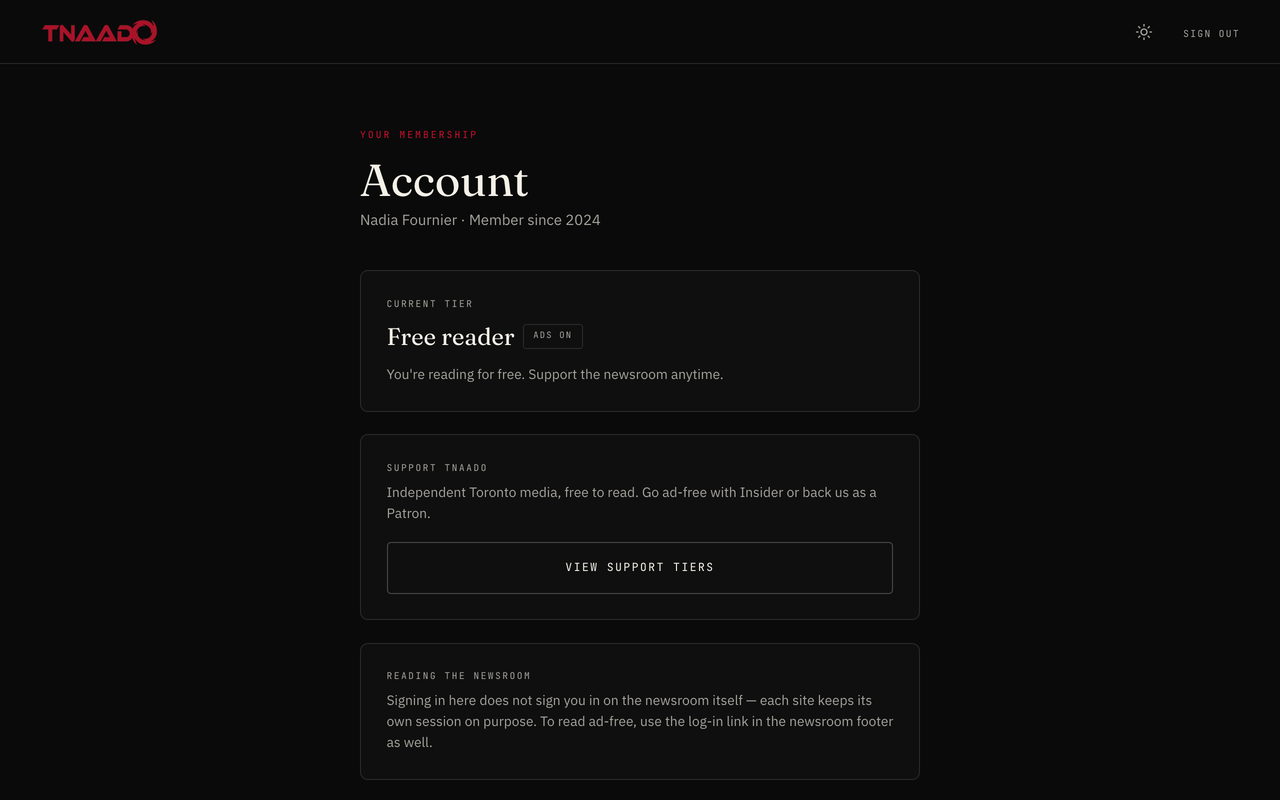
    A reader's account screen showing their current membership tier and renewal date, with controls to manage the subscription, update payment or change support level
    Reader portal, membership. A paying member sees the tier they are on, that it is ad free, when it renews, and one button through to the billing portal to change or cancel it.
    A reader's account page naming the member and the year they joined, a current tier card reading free reader with ads on, and a panel inviting them to go ad free or to back the newsroom.
    Reader portal, the account. A free reader sees the tier they are on and what supporting the newsroom would change.
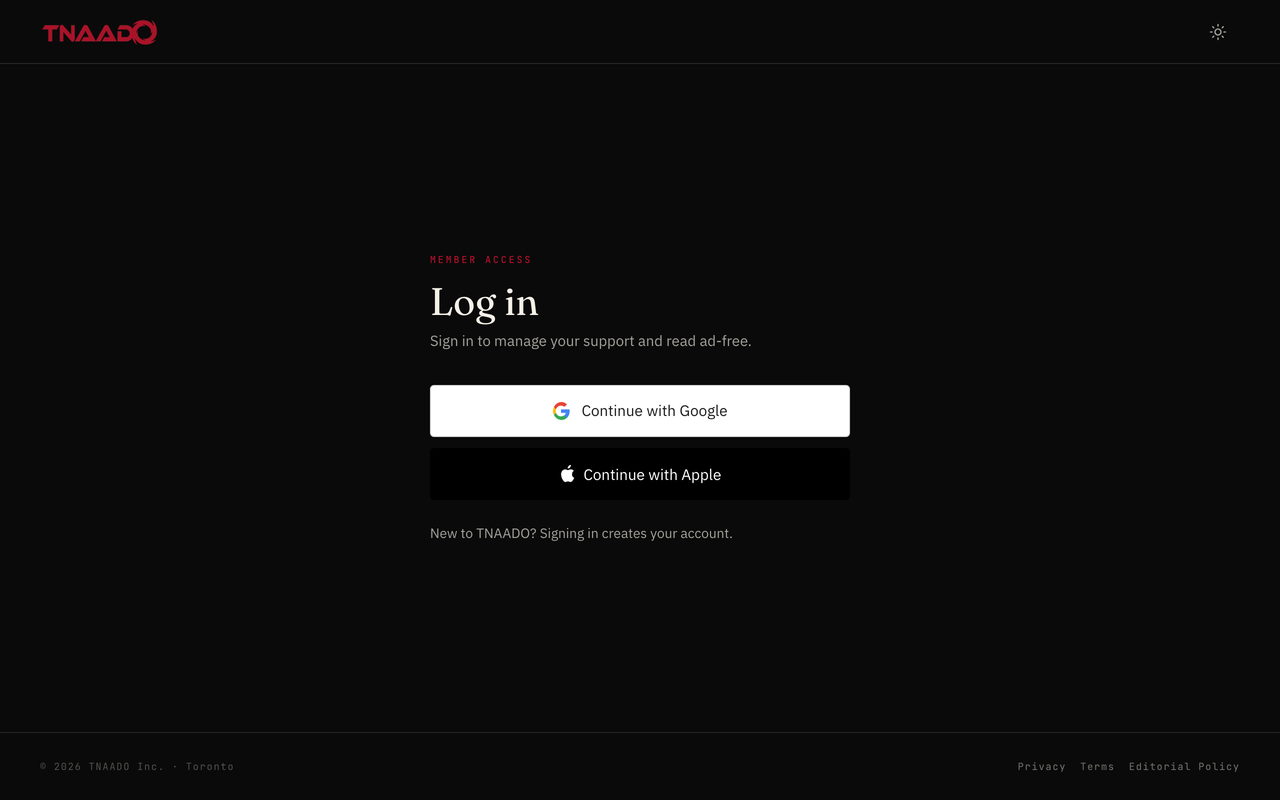
    A member log in screen offering only Continue with Google and Continue with Apple, with a note that signing in creates the account.
    Reader portal, signing in. Google or Apple only. There is no password in the product to lose.
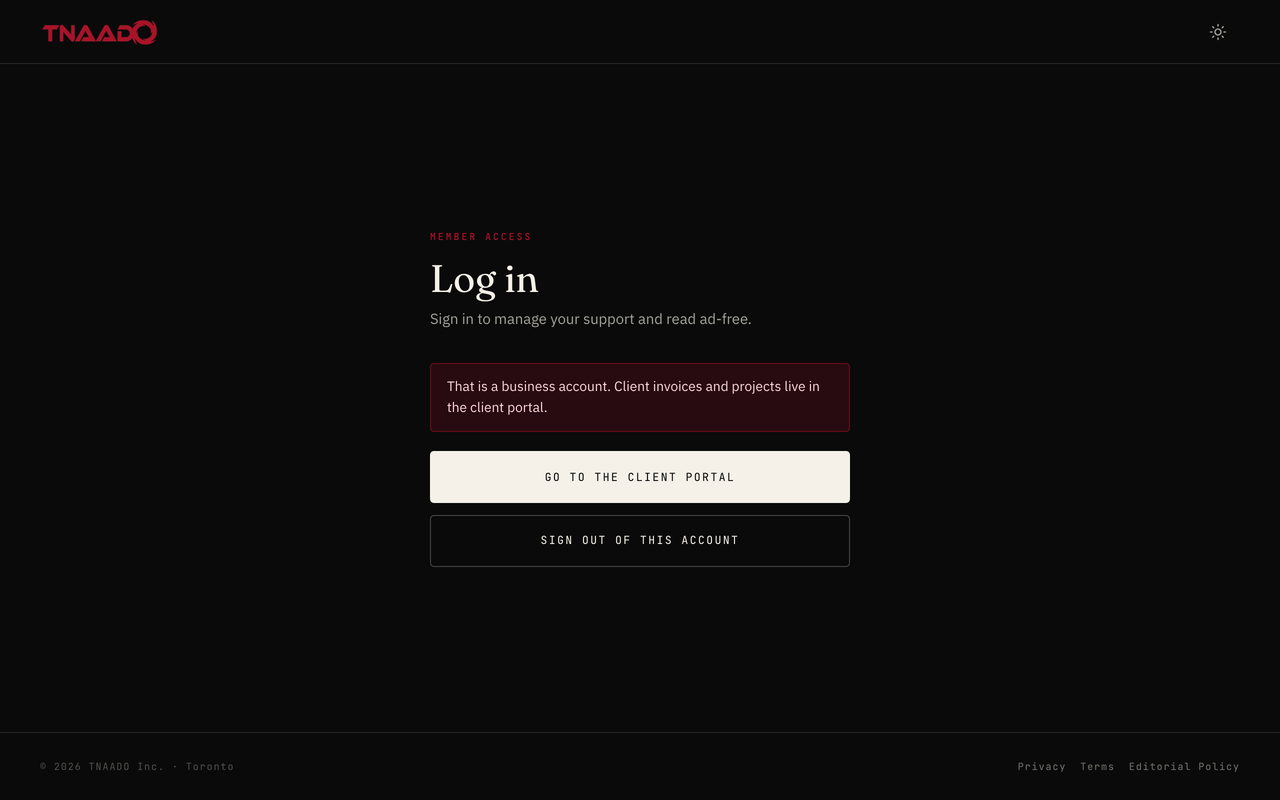
    A log in screen carrying a message that this is a business account and that client invoices and projects live in the client portal, with a button through to the client portal and a button to sign out.
    Reader portal, the wrong door. A business account that lands here is told so and sent to the client portal instead.

The workshop

Behind all of it, tooling with no customer. Vault and Workflow Systems holds every credential in one controlled store and the firm's procedures as workflows. TNAADO Command runs AI agents on one codebase, each with its own context. Command Central calls, records and files the meetings. Applied AI Research is an internal programme. None of it ships to a client; it is how the rest gets built.

How they work

01 Who can see which rows

Postgres select * from projects

create policy projects_own on projects for select using (owner = auth.uid() or public.is_staff());

ownerprojectopenedstate

0 rows: the policy denied every row to this caller.

8f2cBrochure siteMarlive
8f2cBooking formJunlive
b104Online storeAprlive
b104Product shootJulopen
c37eBrand filmMayopen
d9a1Client portalAugbuild

6 of 6 rows returned  ·  every row is in the table; the policy decides which of them a caller gets

Press a caller. The rule lives in the database, so it holds even when the app asks the wrong question.

02 A payment that fails

Stripe PaymentIntent

created
method
attached
requires
action
processing
succeeded
card declined: retry with a new method
  1. payment_intent.created: created
  2. payment_method.attached: requires_confirmation
  3. payment_intent.requires_action. 3-D Secure
  4. payment_intent.payment_failed: card_declined
  5. payment_method.attached: retry
  6. charge.pending: processing
  7. payment_intent.succeeded: succeeded
event
payment_intent.succeeded
CAD
status
succeeded
live

This demo declines on purpose, then retries.

03 Work that runs with nobody there

Server one day

00:0006:0012:0018:0024:00
refresh feeds
publish queue
expire holds
payout run
nightly backup

24:00  ·  a full day, start to finish

Nobody opens a laptop for any of this.

Book the call

Tell us which one above is closest, and we will scope yours.

Thirty minutes with the engineer who would build it.

Pick a time

All times Toronto

Use the contact form

Prefer email? [email protected] and we’ll set a time.